NYSCATE 2016: Student Videos & Animations Empower Creativity


Creating videos and motion graphics nudges both students and teachers to blend a host of proficiencies. It involves visual design in colors and templates, just as it requires language skills of narration and storytelling. It supports key technological skills in manipulating online media, and it reinforces the importance of publishing in sharing child creations with peers and parents. Kids teaching kids is the purest model of learning. It is the model of the student-centered classroom, because they become the educators of their peers.


Video production allows students to stitch together a narrative and storyboard each moment in the process that combines logical reasoning, cause-and-effect, and content mastery. They also must employ their graphicacy skills to fashion compelling and appealing visual displays. These quick-cut movies and short animations combine icons and text to communicate a message. Explainer videos, for example, are perfect for the classroom. They blend voice, image, and language into compelling presentations for students to learn. Content created using app editors or motion graphics provides a way for the brain to receive information through both the eyes and ears. Learning tools that can tap into both modalities have greater effectiveness in fostering understanding. They add layers of meaning for nuanced, standards-based education.


It is important to employ interactive ways to engage and share student work that builds alternative ways for students to design content, collect feedback, and reflect on the creative process. This requires using resources that engage learners in the classroom much the way they are outside of it. The gradual spread of technology tasks is invariably shifting classroom education toward a more student-directed model. As we move more and more into the blended, flipped, and social world of learning, we need to encourage creative interactions and self-directed investigations with the knowledge that our students can be active participants in the education process.
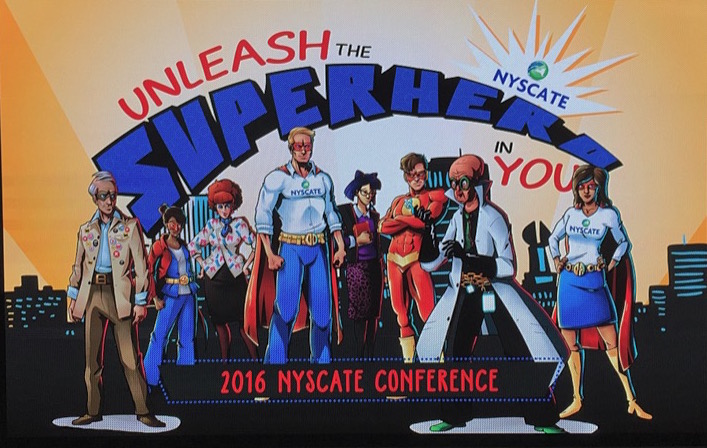
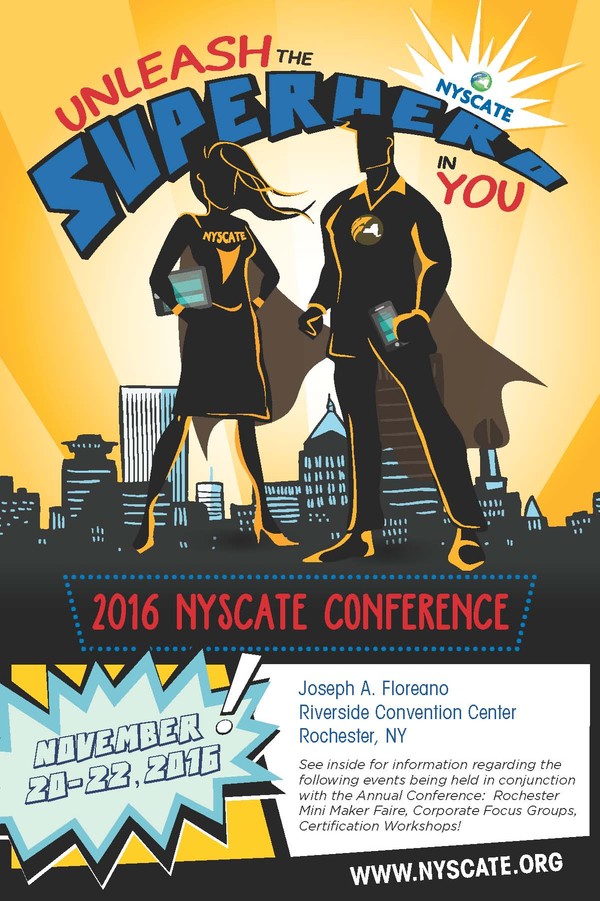
Unleash The Superhero In You – NYSCATE 2016

Source: NYSCATE


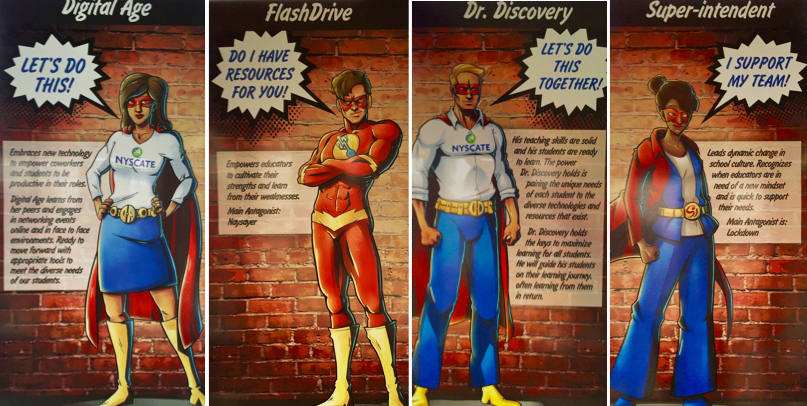
The theme for the 2016 annual conference of the New York State Association For Computers And Technologies In Education (NYSCATE) was \”Unleash The Superhero In You.\” This effective branding throughout the conference hall — and the colorful capes given to every attendee — spoke volumes to the notion of teachers as heroes in seizing opportunities and embracing technology, and often struggling against the curmudgeonly villains standing in their ways.

Source: NYSCATE

After three days of sessions and keynotes, kiosks and meet-ups, it was more clear than ever that educators are feeling they have the necessary tools to invigorate the learning potential of their students. Every teacher we met was excited to try a new web app or a backchannel to decentralize daily instruction. As Chromebooks catch up to (or surpass) iOS devices, the Google Apps For Education (GAFE) suite of tools is clearly permeating state-wide districts. As videos and online media put information squarely in the hands of learners, both children and teachers feel more empowered than ever to chart their own courses in meeting the various standards.

For our part, we are grateful to the 60+ participants who sat on the floor and stood against the walls for our presentation on Sunday, November 20, 2016, about “Student Videos & Animations Empower Creativity.” We apologize to those who were turned away for space reasons, and we have put all of our resources and slides online to share with any interested parties. Thank you to all of the attendees for the insightful questions and terrific recommendations about lessons and tools related to student projects and videos.

In hearing from the other experts in the terrific workshops during the conference, highlights that stood out included the tips on formative assessments from Steve Garton (@sgarton121) and Jeff Mao (@jmao121) of Common Sense Education, as well as the annual App Smackdown from Rich Colosi (@richardcolosi), Ryan Orilio (@ryanorilio), Mike Amante (@mamante), and Monica Burns (@classtechtips).

Other eye-opening sessions were engaging the writing process using Google Apps, WeVideo, and Recap with Megan Hugg (@Megan Hugg) and Lindsey Peet (@LindsMariePeet); liberating students from paper using ePortfolios with Betsy Hardy; and tapping the lesser-known features of Google with Carol LaRow (@larowc). Student coding, blended writing, and shared collaboration also emerged as recurring themes within the high-quality professional development. Perhaps the keynote comment by Adam Bellow (@adambellow) summed it up best, \”Technology does not drive change; it just enables it.\”

Source: ASIDE 2016


The lake-effect snowstorm that blanketed downtown may have kept some New Yorkers homebound, but it made for a tight-knit group in the warm confines of the Joseph A. Floreano Rochester Riverside Convention Center. It also meant that Dinosaur BBQ was blissfully quiet on Sunday night, as we savored our favorite fried green tomatoes and spicy pulled pork. Pane Vino on North Water Street continued to rank as one of the best restaurants anywhere in the nation. And we also recommend Starry Nites Cafe in the arts district as a short hop away for a quick latte and chicken chili after perusing handmade jewelry at Craft Company No. 6.

Finally, we want once again to give a big shout out of thanks to the NYSCATE conference organizers for all they did in staging this seamless annual get-together. The smoothy run sessions and the high-quality breakfast / lunch / dinner included in the overall fee, as well as the warm welcomes and conversations throughout the event, confirmed once again why this is the best confab of the year. See you in 2017.

Maps Vs. Mapping: Visualizing History & Geography

Source: ASIDE 2016


Interactive mapping techniques invite students to connect with content to visualize information beyond mere location. Mapping challenges learners to think, develop literacy skills, and understand the complexity of global issues. It enables learners to seek new ways to look at information through a lens of inquiry-based analysis.

Fresh perspectives on traditional maps can help students classify the images they encounter and can assist them in developing their own visualizations of places and events. This finely-tuned practice reinforces the notion of relational meaning. It taps the core skills of graphicacy through the synchronicity of visual literacy and visual thinking.

As a result, our students become better geographers and designers by interpreting existing maps, by drawing their own maps with a cartographer’s eye, or by creating visualizations with a keen sense of space. Students must decode the augmented reality (AR) by \”reading\” images and internalizing pictorial stimuli. These precise, learned techniques foster confidence both in deciphering and in creating pictorial representations, as well as developing critical thinking skills to better understand the world.

Maps Vs. Mapping: Visualizing History & Geography from The ASIDE Blog

Lessons And Resources

Mapping Activities For The Classroom

Current Events & Map Engagement

Humanity, History, And The Human Era

Source: In A Nutshell

It seems a fitting close to the year to think about humanity. As a nation about to embark on a new era in governmental politics, the likes of which we have not seen, it is important to take a moment and reflect on change and how it affects all of us. We’ve used the video called the History Of The World In Seven Minutes for years with our students to demonstrate not only how improvements in technology changed the course of civilizations but also how progress moved at an exponential speed as it advanced.

Source: In A Nutshell


Every December 31, we celebrate the start of a new year, and we generally think in terms of the last 2016 years. But what if we rethink when the human era began? The video animation from In a Nutshell, entitled A New History For Humanity – The Human Era, does just that by marking the history of the human era according to the Holocene calendar. It could change the way we think about history; we would not be forgetting 10,000 years of human progress. A year zero could apply to all humanity and all cultures.


So as we approach the year 12, 017 HE, let us kick off a new year by building peacemakers and peacekeepers for all of humanity.

Visual Tools To Help Learners Understand The Refugee Crisis

Source: TED

In the aftermath of one of the most divisive elections in our history, and in light of the possible presidential immigration ban barring people from entering the United States, we’re left with trying to explain to our learners what it all means. Their study of human rights along with a diverse classroom population adds further importance to our role as educators in a global world.

Learners need to know that refugees, asylum seekers, and migrants fall under the category of immigration, but there is a difference. They need to understand the enormity of the refugee crisis. This includes not only where they come from but also who makes up the majority of the refugee population.

The following resources proved invaluable in helping our students put the refugee crisis in perspective. It helped them realize the massive humanitarian needs refugees face around the world.

What Does It Mean To Be A Refugee?

This animation from TED Education helps students understand what the term refugee means and how it is different from asylum seeker and migrant. The video provides the perfect introduction to the topic and can easily be used with elementary students.


The UN Refugee Agency: Our Story

This is the story of how the United Nations High Commission for Refugees (UNHCR) was established to help those whose lives were uprooted by conflict or natural disaster. The video explains the historic role of the UNHCR from 1950 to the present.


The Refugee Project

The interactive map plots the migration of refugees around the world along a timeline that begins in the year 1975. The project uses United Nations data to tell the story of the millions of registered refugees under UN protection. The circles around each country adjust in size to show the flow of refugees as they expand and contract from a particular location. The lines that branch out indicate where the refugees sought asylum.

Source: The Refugee Project


9 Maps and Charts That Explain The Global Refugee Crisis

With the number of displaced people reaching the highest levels since post World War II, these maps and charts provide students with a visual look at the statistical information regarding the spike in the number of refugees around the globe.

Source: Vox


Rescue Facts: Refugee Facts

Historically, the United States has never shut the door on refugees; yet, the political rhetoric and misinformation over the last several weeks regarding the immigration ban has confused some of our learners. This video from the The International Rescue Committee seeks to present the real facts about refugees seeking asylum in the United States and the vetting process.


UNHRC Global Trends Data 2015

The magnitude of the current global refugee crisis is highlighted in this UNHCR video. The forced displacement rose significantly in 2015, and it is the first time in history that the number of displaced persons surpassed 60 million. We believe students need to recognize this crisis beyond media blasts to ban immigration; this is about real people, and sadly many of them are the same ages as those we teach.


One of the projects our students complete each year is the study of immigration from the early nineteenth century to modern day. They learn that people leave their homelands because of political, economic, and social reasons. It’s not unusual for a student to discover or report on how their own ancestors were forced to flee their homelands. They, too, were refugees.

Teaching Social Literacy Through Communication Design

Source: TED

As middle school advisors, we constantly deal with the trials and tribulations resulting from miscommunication. One thing we try to convey to the middle school mind is that in order to fully understand a message, they need to recognize that key factors play into how information is received.

The relationship between communication and interaction goes hand in hand with perception. The more we can develop their acuity in reading verbal and written cues, the more we can decrease the problems of misreading messages. Without a doubt, our job becomes increasingly more difficult due to electronic media pushing response times to lightning speed.

Since communication is central to design and relies heavily on how media connects with people, it stands to reason that we need to help our students identify where things can get misconstrued. We see it as “social literacy.” Like other literacies, they need to learn the skills in how to respond in order to avoid any misinterpretations that might arise.

While it isn’t always easy, we found that using the video entitled \”How To Recognize Misinformation\” with our advisees helps. It promotes healthy discussions as well as practical techniques for students to role-play.


The animation visually communicates how people get the wrong idea by failing to recognize their own personal responses to gestures, tone, and body language. These missed social cues can lead to confusion, animosity, and uncertainty.

We often tell students to use their words to explain their feelings, but if we don’t give them the skills to understand perceptual misunderstandings, our advice falls on deaf ears.

For this reason, the four key skills for good communication provide a great place to start.


If we can reinforce these skills with continued practice with our learners, as well as model them as adults, we can come to a common understanding of what we mean together.

Design is communication. If we dissect the word, it is after all “de + SIGN” and is the backbone of logos, icons, brands, media, and more.

Student Projects In MySimpleShow – Explainer Videos Have Never Been So Easy To Create

Source: MySimpleShow


Explainer videos use clean graphics and voiceover narrations to teach viewers about a particular subject. They often include clever icons and whiteboard-style backgrounds. They once were produced exclusively by high-end design studios, since complex software and marketing professionals were required to create dynamic motion graphics. Now, thanks to the extremely intuitive interface of MySimpleShow, any layperson — or student — can combine text, images, and voice to yield an extremely effective animated movie.


Explainer videos are pitch-perfectly suited for student projects, because they hit all the sweet spots of higher-ordered thinking and layered proficiencies. They require storyboarding to map out each clip. They demand a smooth script to educate the audience. They also benefit from logical reasoning in transitioning clearly from screen to screen. Finally, they rely on the core tenets of graphicacy, in picking symbols to represent crisp visual meanings and metaphors.


Source: MySimpleShow

MySimpleShow (@mysimpleshow) makes the design and publication of these videos enormously easy. For students and teachers, they offer pre-made templates to guide the text and the progression. The intelligence of the video creator automatically searches and provides pictures to correspond to the nouns in the script. And the superb narrative options allow users either to upload their own voices or to select from two automated personas. For our middle schoolers, who are often nervous about recording their own voices, the choice of a “robot” narrator was a blessing in and of itself.

Source: MySimpleShow


Although the team at MySimpleShow has apparently been producing videos for years for corporate clients, this new consumer version seems to have benefited from high-quality feedback in providing a welcoming and successful tool. Without overstating it, the account creation, built-in tutorials, interface understanding, text-to-speech rendering, icon menus, upload options, and download ease are among all the best in the #edtech world. Our kids quickly figured out how to create their own videos (even though their teacher did watch the step-by-step tutorial).


The student project featured in this post centered on inventions of the late 1800s. During their history class unit about the Gilded Age, each eighth-grader researched a new technology and animated it thanks to the range of graphics and transitions within MySimpleShow. They then easily uploaded their class creations to YouTube, to share via Twitter and in digital portfolios.

The students also immediately began to realize other fun ways to use MySimpleShow — in their other academic subjects, when they had a choice of visual projects, and in their family lives, for birthdays and social media channels. This tool is a valuable addition to the suite of video creators that help bring kids’ ideas to visual life.

For other ideas about video projects, check out:

Building Common Ground Through Respect and Curiosity, Not Fear Of The Unknown

Source: Pocket Stories

Just by chance today as we looked through our resources, we came across the video entitled \”Migration vs. Travelling: An Infographic Journey.\” It could not be timelier as we watch the growing turmoil around the country at town hall meetings and in debates about immigration searches or transgender rights.


In light of the first 30 days of a new administration, with echo chambers propelling confirmation bias on a scale not witnessed in decades, as well as a media that dwells on the hype or gingerly participates in press conferences, it’s hard to present a balanced look at issues based on facts. We also want our learners to see the human side of reality. Social media and news feeds breed biases and falsehoods that continually need to be questioned.


It’s disheartening as educators of young learners to see the strife, and it\’s why we continue to share as much as we can to present the facts to our learners. This video, which compares migrants and travelers, explores the stereotypes associated with each. Why is it that migrants are seen as “something negative,” whereas travelers are viewed as “something positive”? Our hope, as always, is to provide as many resources as we can to present the facts behind the issues.

Source: Pocket Stories


Media literacy is essential today. Learners need to understand how messages can influence others, as well as recognize how they can be skewed toward a particular point of view. As educators, we must show students both sides of an issue based on facts — not alternative facts, but real facts.

Make Your Mission Matter: From Vision To Values – NAIS 2017

The National Association Of Independent Schools (NAIS) 2017 Annual Conference just wrapped up in Baltimore, Maryland. The two days of sessions, speakers, and confabs all highlighted the evolving roles of schools and school leaders within the ever-competitive learning landscape.

We want to express our sincere thanks to the room full of educators who came to our Friday session, “Where Learning Meets Design: Taking Control Of The Visual Classroom.” The questions and ideas made for a terrific conversation about graphicacy and the importance of visual proficiency in both a student’s and a teacher’s toolkit.

Source: ASIDE 2017


All of the links, resources, and videos from our workshop are posted on our “Visual Classroom” website. The PowerPoint from our presentation is also now live on the page. If you happen to take a look at the slides and graphics, please feel free to get in touch with your feedback and additions.

We also appreciate the enormous encouragement from our school’s Headmaster and Director of Communications in supporting our trip. It was a real treat as well to see our former head from 15 years ago pop into the back of the session room.

Source: ASIDE 2017


The highlight of this year\’s conference was without a doubt the lively and thought-provoking talk by Sir Ken Robinson. With characteristic wit and insight, Robinson reminded us that children are learning organisms. They love the internalization of language and ideas, but they don’t always love “education.” This is because the nation\’s school systems operate on efficiency, not talent. They prioritize shared cultural knowledge, rather than the inner yearning for discovery.

Source: NAIS

Other speakers included Susan Cain and her ruminations about the power of introverts to change the world, as well as intriguing sessions that focused on data-driven assessments and alumni engagement. The most fun, however, came from the accidental hallway encounters with long-time friends and colleagues from across the country. These sorts of run-ins are what make this gathering so meaningful.

Obviously, we didn’t make it out of Baltimore without sampling some crab cakes. We recommend The Oceanaire for their super-fresh, super-local seafood. Also, BricknFire Pizza Co. in the Baltimore Marriott Inner Harbor makes the best caramelized onion and mushroom pizza we’ve ever had.

Thanks to all of the NAIS organizers for staging such a smooth conference. And if you weren’t able to attend this year’s symposium, follow the #NAISAC tag on Twitter for great on-sight reporting and resources.

Top 10 Famous Book Fairs of the World

EduINDEX tries to participate in all important international book fairs.


  • Delhi World Book Fair 


  • Frankfurt Book Fair 


  • London Book Fair 


  • Abu Dhabi Book Fair 


  • Capetown Book Fair 


  • Nigeria Book Fair 


  • Ghana Book Fair 


  • Mauritius Book Fair 


  • Sharjah International Book Fair 


  • Tokyo International Book Fair


  • Book Expo America


  • Taipei International Book Fair

Putting too much trust in technology

The title of this post is stimulated by the technology hassles we have been having this week in the Facilitating eLearning Communities course. Who would believe it – two nights in a week and the computer conferencing system failed to function. Twice we were embarrassed in front of an international speaker. Twice we were unable to login and proceed smoothly as we have in previous sessions. Twice the course facilitators were getting blamed for the breakdown. And why? Because we had \”put all our eggs in one basket\” and we had begun to trust the technology.

The cynics would say – well it is to be expected.
The skeptics would say – I was surprised it has worked so smoothly so far.
The optimists would say – it will work well next time.
The extrinsically motivated would say – well I will just give up and go do something I really enjoy doing – this is too frustrating.
The intrinsically motivated would say – lets find a solution and do something else to help the community.

What do online facilitators say? What do classroom teachers say?

Imagine you walk into a room to teach your class. The lights wont turn on and the room is dark so they wont be able to see the whiteboard and you were going to use it for the session. What do you do?

OR

You are talking away flicking through your slide presentation and feeling like you have hooked your students. The actually seem interested and they are asking questions. Then the lamp blows on the data projector – no screen presentation. What would you do?

Do you keep talking and wing it and engage the group with some activities to help them piece together what has already been said. Or do you pack up and go home grumbling that they can read the text book.

  • How do you placate the disappointed students who are getting ready to up and leave?
  • How do you provide alternatives when the technology fails?

Yes these are all very real situations aren\’t they and ones we dread when we have so much content to get through and exams that have to be passed.

But let me ask this question – if you were the students who would you blame? The technology – hey that can happen, the teachers – they tried their best and its not their fault they didn\’t invent the thing. They don\’t manage the electrical grid. Yourself – I hope not.

And so it is with technology in online learning. We can do our very best to set systems up and design learning for our students, and set up interesting lectures and activities. But sometimes students cant access the materials or the sessions, sometimes the software wont run, sometimes the system fails. So what do we do?
Last night when Elluminate failed, again! And I was grappling with downloading Java to get Elluminate to work on my home computer, trying to find our guest speaker, trying to contact the IT technician to get help, trying to let every one of the four groups who were invited to the session know what was happening , trying to answer the phone calls and texts, trying to download Skype so I could message people, reading and answering the group email, messaging the facilitator who was trying to keep it all together :O

– I saw some really interesting stuff happening and a community forming. It is almost as if we have to have ripples and bumps to get traction in a community.

  • The email group changed from being asynchronous to synchronous.
  • People were downloading skype and setting themselves up on it.
  • jokes were being passed around.
  • discussions were starting.

When we did finally get on Elluminate there was some really good questions and discussion around issues such as confidentiality online, obstructions to getting online from colleagues, what should go on the wiki. We also heard about Merrolees\’ web 2 project and passed around ideas for online facilitating. I saw some very sturdy beams being raised in the barn. I saw some excellent facilitation going on within the group. I saw people pulling together to find solutions. I saw lots of creativity and critical thinking going on. I was amazed.

Now I am really pleased Elluminate failed. Now we actually have a community thing happening and people supporting each other. So that people is what you do when the technology fails you find alternatives, or make sure there is a sense of community happening in your class so that people will pull together when the walls fall down or the technology fails.

Now I can pack my bags and put them at the door…well almost…but I am getting ready because several of you have already climbed the cliff face and reached level 5 in Gilly Salmon\’s pyramid for online facilitation. If you don\’t know what that is you better go look…….:P

Bron

Educational Technology article – Attributes of Open Pedagogy: A Model for Using Open Educational Resources

 My article – Attributes of Open Pedagogy: A Model for Using Open Educational Resources has recently been published in Educational Technology the magazine for managers of change in education. This article brings together some of the ideas about Open Education Practices that I have been posting over the past year. Your comments are welcomed.

Abstract
Open Educational Resources (OER) have swept in on a tide of digital information and brought sweeping changes to learning and teaching. In this article, the author establishes a rationale for the term open pedagogy, and, using current research, presents eight attributes of open pedagogy grounded in the concept of openness and Open Educational Practice (OEP). Participatory technologies present many challenges for educators, who may not know how to use them appropriately to effect change in the new culture of learning that is evolving. The question is, how can an open pedagogy benefit learners and teachers alike, and precipitate creative and inclusive communities in an OEPosphere?

Wiley’s Law: You should never use “open” as an adjective unless you can clearly describe how the “open” thing differs from the normal thing.

when is a community not a community?

In response to mark\’s suggestion that we contribute to a discussion about why we are in this community has stimulated a question for the group – when is a community not a community?

If you all think about any communities/groups you may belong to – they all have one thing in common.

Faces by Fazen 

There is always a core group who seem to do everything, are always involved no matter what, and others who remain quietly on the periphery…sometimes popping up when the need arises and disappearing again. People come and go, and in some instances people are a captive audience at some time or other. I am captivated with this community, and thoroughly enjoying our progress through the course activities. For me a community is about having a common purpose or reason to meet.

The common reason for this community being formed is that we are part of a course with common goals, in terms of assessment, but also in the need to find out more about online communities. Although we all have differing reasons for participating and different expectations and because of this we will each take away different things from this experience.

Because we are an online community, we are using a range of online tools and methods to interact, and a range of activities to give us a reason to use them. We could have set up just a Blackboard discussion Board with 93 forums as they did in one iteration of this course, but we have chosen to give the class the opportunity to see how a variety of tools and strategies work – that way you can experience them and choose what will work for you in your teaching.

So I don\’t expect we will all feel comfortable, or warm and cozy in this community because it is challenging. But I hope that the strength of the community will be in helping each other overcome the challenges. For myself, it is a challenge because I have never used such a wide variety of tools and methods to teach an online course, and this is my first time teaching this course. I am loving it, and I don\’t particularly feel like I am teaching, rather I am feeling like a participant. There are so many interesting viewpoints and discussions going on. I was here because I was one of the facilitators, now I am here because I am finding it fascinating – Although I am spending far too much time participating.

I have also found out a lot about different online communities and some of the theoretical underpinnings by listening to the guest speakers. I am learning so much. I now know that online communities are not just about Gilly Salmon\’s five-step emoderating model or about asynchronous or synchronous discussions. They are so much more. You will see what I mean if you look at the list we compiled last night in the wiki – onlinecommunities. The new page we invite you all to contribute to along with your own discipline-specific page.

The overall aim of this course is to get everyone to the facilitator phase (development – stage five – relates to Gilly Salmon\’s five-stage model) of being in an online community and to get there there are other phases to pass through e.g. access to the tools and strategies (access – stage one) getting to know the community (socialisation – stage two), sharing knowledge and information (information sharing – stage three), creating knowledge and resources (knowledge building – stage four) .

Student Engagement in Learning and Teaching

I\’ve been doing a lot of thinking about engagement lately. The term is used a lot in educational articles and materials but what does it mean? The Community of Inquiry model illustrates several components associated with engagement. In my reading of the literature, the presence of the teacher is pivotal for developing characteristics associated with engagement.

Source: Wikipedia Community of Inquiry model – image by Matbury (2014)

The teacher is not only primarily responsible for designing learning activities and assessments but is also the person setting up and facilitating the learning environment (i.e., aspects in the categories: physical, psychological, resources and infrastructure) ((Knowles, Holton & Swanson, 2012).
Therefore, it makes sense that the teacher is the most important factor influencing student engagement.

  • So how will you know if your students are engaged? 

This is not just about them paying attention and taking part in activities, as you will see by this list of attributes. Students are known to demonstrate particular characteristics (attributes) when engaged in their learning.

Attributes of student engagement 

  1. Self-determination – take control, organising, setting goals and timelines, decide what they want to learn and when. 
  2. Self-efficacy – belief in own abilities, persistence and prepared to take risks.
  3. Autonomy – able to work alone, or with peers, make own decisions, independent of teacher.
  4. Collaboration – work with others to create something, make decisions with peers. 
  5. Peer interaction – connecting, communicating, sharing with peers. 
  6. Problem-solving – sorting out challenges independent of teacher and asking for assistance, asking questions.
  7. Immersion in learning tasks – interested, emotionally connected, curious, actively learning.
  8. Curiosity and interest –  students are motivated to learn and seek out information.
  9. Enjoyment – learning is regarded as fun.
  10. Positive attitude to learning – self-organised and willing to participate in the learning process.
  11. Satisfaction – happy with the learning experience.
  12. Willingness to respond to challenges – enjoys being questioned, problem-solving and when expected to do better.
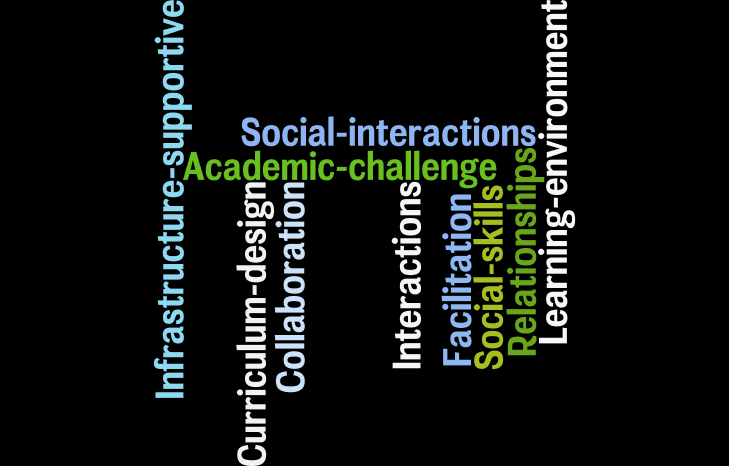
Students may exhibit that they are engaged in different ways, but the role of teachers is known to be really important in helping them to develop their capacity to take part in the learning process (Zepke, Leach & Butler, 2010). The main influencing factors for encouraging engagement are shown in the diagram. As you can imagine, the way in which the learning environment and the learning process is designed and facilitated is crucial.
Factors influencing student engagement
Wordle by Bronwyn Hegarty (2018)


A number of researchers have explored the components of engagement and how they influence students to take part in the learning process. These lists in this post include the main ideas I have gleaned from my reading and are also based on two seminal measures of engagement; the AUSSE (Australasian Survey of Student Engagment) and the SSES (Staff Survey of Student Engagement) (Richardson & Radloff, 2014).

This post is based on an article that is currently being prepared for publication, and a link to this will be provided (with all the references) once this is published.

Why is evaluation so important?

I was asked recently to present about evaluation for one of the constructing courses sessions. I decided to do an Elluminate session so I could fit it around study leave. However this morning when I was all geared up to present, the server decided to play hookey and go west.

This spurred me on to prepare a slide show with audio (Plan B). The presentation is called: Why is evaluation so important? 

It can be viewed on the Internet and doesn\’t appear to take too long to load. The presentation is approximately 20 minutes long and covers the what, why and how of evaluation and its relationship to educational design.

I would have preferred the synchronous computer conference option so people could ask questions and we could have some discussion. However, while preparing the audio to accompany the presentation, I found I was able to tie things together better. This meant that my presentation was longer than originally intended, but I feel that it integrates the concepts underlying evaluation much more clearly. I just hope my audience thinks so as well. I have also given them the option of both asynchronous and synchronous discussion around the topic of evaluation.

I used MyPlick to upload the presentation (PowerPoint) and audio (mp3) which I created in Audacity. I prefer this site to SlideShare because the presentation and audio can be lodged on the same site. Mmmn maybe \”all my eggs in one basket\” is not such a good idea.

All this stuff is really helping me develop stronger digital information literacy skills. The importance of this became very apparent today during a research meeting where we were discussing some of the processes we would use to communicate and share ideas. Considering the research project is action research and the focus is digital information literacy, we as researchers will also be learning, not just the participants, through using web 2.0 tools to conduct the research processes. This is the start of my reflections around this project; it will be very important for all of us to keep a log of the process. Preferably an open log on the web where we can read each others entries and really share progress and ideas. This will be very important with the national spread of researchers in the project.