


First let us know what cookies actually are so a cookie is some sort of a message which is sent by the server to the web browser. It is generally a small piece of mechanism or data which is sent by the website you have visited. It generally stores the information like the items you have added in your shopping cart or when you allow the website to remember your password, the pages you have a visited etc.
How to delete the cookies in various browsers?
Chrome for andriod.
1 – First obviously you have to open the Google Chrome app in your android device.
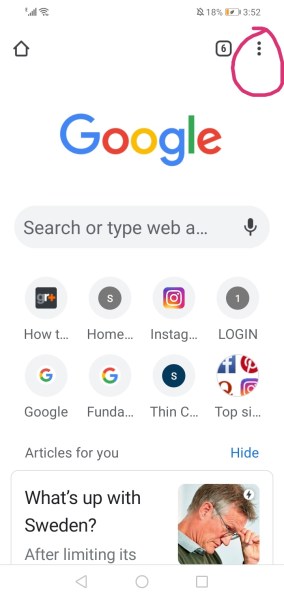
2 – Then click to the right of your address bar which indicates 3 dots vertically and then select the option of settings.
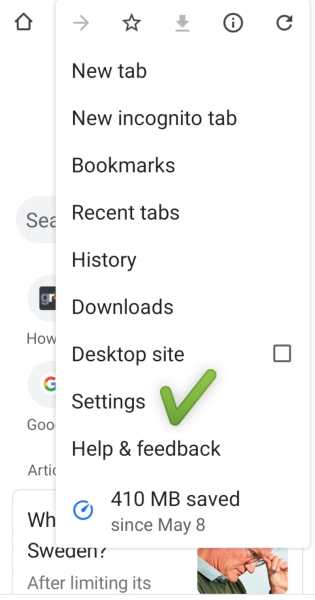
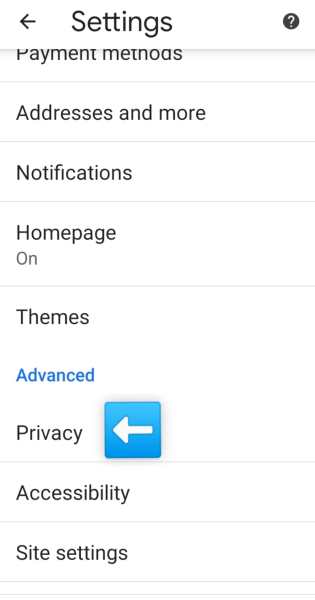
3- After clicking settings move on to the privacy category and then select “clear browsing data”.
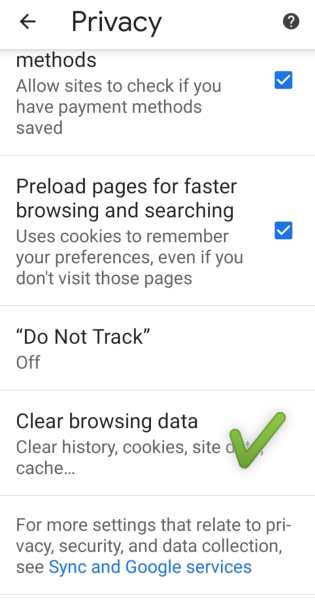
4- After that you can select the column of cookies and delete it permanently.

That’s how you clear cookies in your android device as your browser chrome.
Chrome for IOS.
IOS has somewhat similar process to remove cookies.
- Firstly open the Google Chrome app on your Apple device.
- Moving on you have to click the 3 vertical dots on the right of the web address bar and then click “settings”.
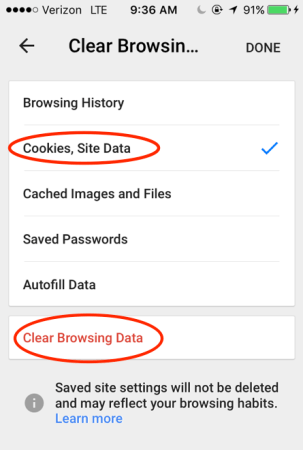
- Then move on to privacy and after that click “Clear browsing data”.
- Then choose the column of cookies and unselect the remaining columns.
- Lastly select Done.
Firefox for android.
Let’s see how can we delete the cookies using Firefox in an andriod device.
Click on the menu icon representing the 3 vertical dots located at the top right corner. On older Android devices you’ll have to press the hardware menu key and then tap “More.”
- Go to the “Settings” after clicking on menu.
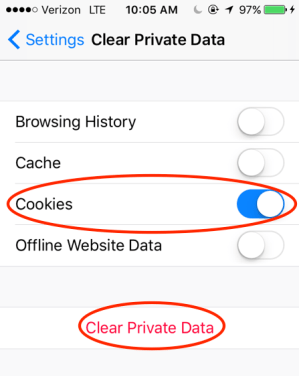
- On the settings menu, look for “Privacy & security” and select “Clear private data.”
- Then you will proceed to a list of what can be cleared and where you can select “Cookies & active logins.”
- Select cookies , tap the “Clear data” button to finally delete cookies.
Firefox for IOS.
- Move on to the “Settings” menu.
- On the settings menu, click “Privacy & security” and then select “Clear private data.”
- Then you will proceed to a list of what can be cleared where you select “Cookies & active logins.”
- Then after selecting the right column , tap the “Clear data” button to finalize. deleting cookies.
Safari for IOS.
- Move to the Settings menu on your device.
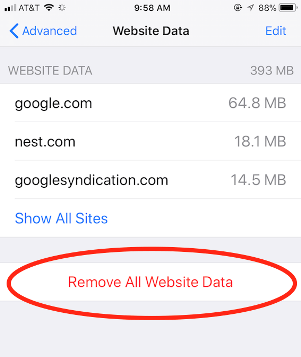
- Scroll down to “Safari,” then “Advanced,” then “Website Data”
- Tap on “Clear history and website data” to clear cookies it is that simple in this format.
Now regarding the Tablet operating system as it is run on Google Andriod system the process to delete the cook

 Eduindex
You must be logged in to post a comment.