

11 Reasons Why Apple Wants Companies To Choose Mac Over Windows.


Like Android vs IOS, Mac vs Windows is also a ‘battle’ that has been going on for decades. Also, along with the companies rivalry, we all are aware of Steve Jobs and Bill Gates’s famous rivalry. Although the rivalry between these two tech giants is settled now, there is no end to the debate over which one is better. For proving that Apple is better, Apple also has created a special site labeled 11 reasons Mac means business. By the title, it is clear that Apple is targeting organizations to choose them instead of Windows. 

So, let’s see why Apple wants companies to choose them. Mentioned below are 11 reasons according to Apple, why:-

1) The all-mighty M1 chip

Apple says that the M1 chip changes everything. The silicon-based chip, according to Apple defines custom technologies, blazing-fast speed, and incredible power efficiency. In short; a breakthrough of breakthroughs. 
2) M1: the Flash of the processors

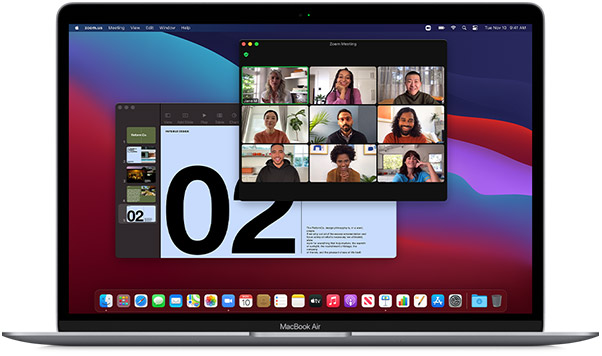
According to Apple, the MacBook Air with an M1 processor is now about 3.5X faster than the previous generation. Apple says that with the M1 chip one can multitask across the projects, analyze the spreadsheet while having a video conference, and can crush even the performance-heavy tasks with ease.
3) Longest battery life

Apple claims that now the devices which come with the M1 chip have jaw-dropping battery life. Apple says, “ up to 18 hours of battery life — MacBook Air delivers the power to work where, how, and for as long as you want.”

4) Mac is friendly with IT

Apple says that it is a lot facilitated with zero-touch deployment to set up devices. And to manage Mac at any scale with mobile device management.

5) Mac work for companies without IT

Mac is easy to use and the setup is also very simple. The assistant helps to get Mac up and running quickly. And with reliable hardware, it won’t let you down. So, it’s perfect for companies with or without IT support. 

6) Mac costs less in the long run

According to Apple, when compared with a PC, a single Mac can save you $843 over three years. How? Because of fewer support tickets, less software needed, and higher residual value, the savings add up, claims Apple.

7) The most innovative companies run on Mac

As per Apple, 84℅ of the world’s top originators like SAP, Salesforce, and Target deploy Mac at Scale. 

8) Business apps are better on Mac

Support of Google and Microsoft Apps are seamless on Mac. And now with the new processor, popular iPhone, and iPad business apps also can run on Mac.

9) Apple’s Security game is strong

Apple mentioned, “Mac is the most secure personal computer on the planet, thanks to built-in features like hardware-verified secure boot, on-the-fly encryption, Touch ID, and Gatekeeper.”

10) Benefits of Apple’s Ecosystem

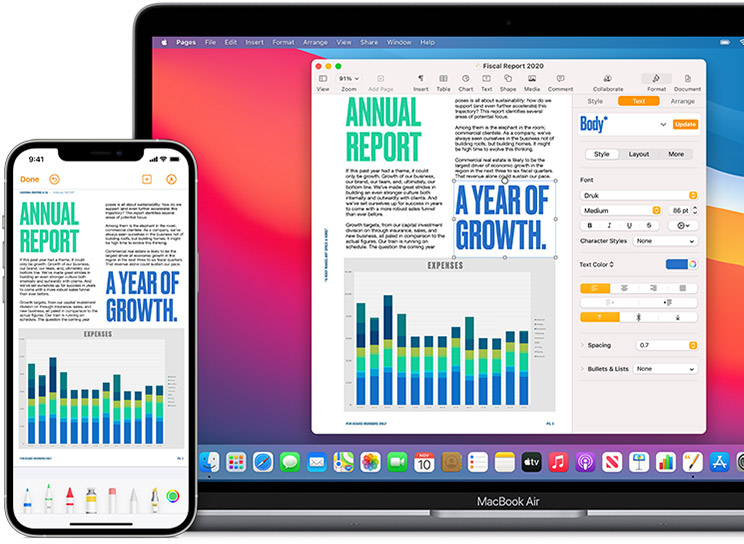
Thanks to the Apple ecosystem if employees use iPhone then the cross-device support is far better. It makes it easier to transfer files and calls can also be picked up anywhere.
11) Mac is a pleasure to work with

Apple explaining the point says, “When you give people the power to work the way they want, with the tools they love, they are inspired to do the best work of their lives. Apple makes it easy to give employees the power to choose their own devices while simplifying IT management and maintaining corporate standards.”

Whether it is Mac or Windows, in the end, it depends on what is your choice. And also there is no end to the debate over Mac vs Windows. 

Purchase Windows 10 & Pro Upgrade for Cheap

Purchase Windows 10 Pro Upgrade

Do you want to purchase Windows 10 Pro Upgrade for your device? MySoftwaresPro has the most authentic product at a low price. It is 100% genuine as well as reliable. You can check their official website, https://www.mysoftwarespro.com/, to get the price and purchase Windows 10 Upgrade for your device. Here is the detailed information of the Windows 10 Pro Upgrade, which you need to know before buying one.

Features of Windows 10 Pro Upgrade

1. You can connect it to every device you own. No need to use a PC for all your work. You can use your mobile or tablet.

2. It has an excellent security system built within. 

3. It is fast and straightforward to use.

4. It has longevity and will last for a lifetime.

Hardware Requirements

If you want to install Windows 10 Pro Upgrade, you need to have these following hardware requirements in your device:

1. It would be best if you had an internet connection

2. You need a free hard disk space of about 20GB

3. You need to have a license of Microsoft

4. You need to have a video card of screen resolution around 800*600

5. The RAM for 32-bit has to be 1GB and for 64-bit has to be 2GB

6. The graphic processor has to be DirectX 9

7. Also, you need a Microsoft account.

Purchase Windows 10

Want to purchase Windows 10 for your desktop or your mobile? MYSOFTWARESPRO is the correct place for you to buy one. Go to their official website, https://www.mysoftwarespro.com/,and order one for yourself. But before you decide to purchase Windows 10 for your desktop or on your mobile, you need to know all the details about it. 

Windows 10 is a Microsoft operating system that you can purchase for your desktop or even your tablets.

Specifications of Windows 10

Windows 10 has several new specifications, which were not present in the earlier Windows 8 version. The specifications of Windows 10 include:

  1. The Start Menu, which was absent in the Windows 8 version.
  2. Integrated Search
  3. Microsoft Windows 10 Continuum
  4. It provides an exclusive biometric security feature. You can log in to your desktop by scanning your fingerprint, your iris, and even your face.
  5. Microsoft Edge which is entirely new in Windows 10. It replaced Internet Explorer, which was present up to Windows 8.

Hardware System Requirements in Windows 10

To purchase Windows 10 for your desktop, the minimum hardware requirements needed are as follows:

  1. The processor of your desktop has to be at least one gigahertz (GHz) or more.
  2. The Hard Disk Space has to be 16 GB if you own a 32-bit OS, and if you own a 64-bit OS, then the Hard Disk Space has to be 20 GB.
  3. The RAM has to be a minimum of 1 gigabyte (GB) for 32-bit, and if its 64-bit, then the RAM has to be a minimum of 2 gigabytes (GB).
  4. The display resolution has to be 800*600.
  5. The Graphics Card has to be DirectX9.

To purchase Windows 10 for your mobile, the minimum hardware requirements needed are as follows:

  1. The RAM has to be a minimum of 1 GB. 
  2. The screen resolution has to be 720p.
  3. The Flash storage must be of 8 GB.

Why buy Windows 10 & 10 Pro Upgrade from here?

Only because MYSOFTWARESPRO is the absolute best in the business, they are the most trusted, and they have more than 1 million clients. They offer you the best software at the best prices in the market. You can purchase Windows 10 from https://www.mysoftwarespro.com/ at a meager price. They provide you with a dedicated sales team and 24/7 customer support team if you face any problem whatsoever. MYSOFTWARESPRO is partnered with Microsoft and only offers you with the most genuine products. If you purchase Windows 10 from MYSOFTWARESPRO, you will get the most authentic and genuine software present in the market. 

So, what are you waiting for? Go to https://www.mysoftwarespro.com/ and order your Windows 10 & Pro Upgrade NOW!

Buy Office 2019 Professional & Visio Professional 2019 Key for cheap

Buy Office 2019 Professional

Want to buy Office 2019 Professional for your desktop? MySoftwaresPro is precisely the right place for you. What you need to do is go to their official website, https://www.mysoftwarespro.com/, and order one for yourself. Here is the information you need to know before you buy Office 2019 Professional for your desktop. 

Features of Office 2019 Professional

  1. You have to buy it only once, for your desktop.
  2. It has all the Microsoft Office apps like MS Word, MS Excel, MS PowerPoint, MS Outlook, MS Publisher, and MS Access.
  3. You can install it on only one desktop.

System Requirements to install Office 2019 Professional

To install Office 2019 Professional for your desktop, it has to have the following system requirements:

  • A Microsoft account
  • 1.6 GHz
  • Windows 10
  • 4 GB RAM
  • 2-core processor
  • Disk Space has to be 4 GB.
  • Screen Resolution has to be 1280*768

More Details about Office 2019 Professional

Office 2019 Professional would be different in a PC and a Mac. The Office 2019 Professional applications and the version numbers would be changed for Mac users and different for the users of PC.

After you buy Office 2019 Professional, you need to open a personalized account. Before that, you need to install Office 2019 Professional on your device. Then, go to the https://setup.office.com and open your account. 

Buy Visio Professional 2019 Key

Do you want to buy Visio Professional 2019 Key for your device? You can easily order one from MySoftwaresPro. They are immensely reliable and authentic when it comes to products. You can check out their website, https://www.mysoftwarespro.com/, to buy Visio Professional 2019 Key. Now, here is detailed information about the software.

Features of Vision Professional 2019 Key

1. You can edit your pictures along with your group. Yes, you heard it right! You and your group can work on a picture together. Also, you can see the progress of your group. 

2. Innumerable templates that will help your picture to look more stylish and classic.

3. You can share your photos and also work on the same image with someone together.

4. It has different shapes that you can customize as needed for your picture.

5. You can also link your photo to any data.

6. You can use it for your presentations for any significant project work.

Points to Remember

1. You have to buy Visio Professional 2019 Key only once.

2. You need to have a Microsoft account. If you have one, connect it with your Visio professional 2019 key.

3. Your operating system must be either Windows 8 or 7 or 10.

4. You need to have a license before installing Visio Professional 2019 key.

5. The install process is smooth and fast.

Why should you buy from MySoftwaresPro?

The answer is, why not? MySoftwaresPro is the best in the business. It has partnered with Microsoft, and you can get Office 2019 Professional for an affordable price here. They have more than 1 million clients worldwide, and they always give you the best. If you have any technical issues which include billing, installation, or activation of the product, or if you are facing any problem regarding how to use it, MySoftwaresPro has a 24/7 customer support team, an excellent sales team, and a technical team to help you in need. You can call them up anytime, and they will be there to support you through the entire process. You can go to their official website, https://www.mysoftwarespro.com/, and find out the excellent team they have, who will always assist you. 

Office 2019 Professional is worth your money. It is one of the most powerful and flexible software of Microsoft. The applications present in Office 2019 Professional are high-speed and straightforward to use. This is a one-time investment plan; once you buy Office 2019 Professional, there is no need to buy another. But if you plan on upgrading your software, you would have to purchase the better version. Buy your Office and Vision, 2019 Professionals, now!

Buy Windows 10 License Key & Enterprise Key for Cheap

Buy Windows 10 License Key

Do you want to buy Windows 10 License Key for your device? Then, MySoftwaresPro is the right company for you. You can buy Windows 10 License Key from their official website, https://www.mysoftwarespro.com/. Here are some details you need to know before purchasing the software for your device. 

Features of Windows 10 License Key

  1. It has a unique start menu that you can customize as you like. Also, you can expand the start menu as well.
  2. This is a professional license for Windows 10. This is not an upgrade.
  3. You can easily access all the files, servers, and printers.

Hardware Requirements to install Windows 10 License Key

To install Windows 10 License Key on your device, it has to have the following hardware requirements:

  1. It has to have a processor of 1 gigahertz (GHz)
  2. The display resolution must be 800*600
  3. The Graphics card has to be DirectX 9
  4. The hard disk space for 32-bit OS is 16 GB, and for 64-bit OS is 20 GB

Buy Windows 10 Enterprise Key

Do you want to buy Windows 10 Enterprise Key for your device? Then, you have to check the official page of MySoftwaresPro Company, https://www.mysoftwarespro.com/. Here, they offer authentic products at an affordable price. Go check out the fantastic deals and order your Windows 10 Enterprise Key now. But before that, let’s see the details about the Windows 10 enterprise key to giving you a better idea about the software.

Features of Windows 10 Enterprise Key

1. The entire software makes your device run very smoothly.

2. You can make it work as you want.

3. Only one user can install it for one device. 

Minimum Hardware Requirements

To install the Windows 10 Enterprise Key in your device, it has to have these hardware requirements like:

1. Available disk space

2. The Graphics card has to be DirectX 9

3. The video card resolution has to be 800*600

4. The processor has to be 1 GHz

5. The RAM for 32-bit has to be 1 GB, and 64-bit has to be 2 GB.

Points to Remember

  • You cannot install the software on several devices. One installation for only one method.
  • You can have a compatibility test for your device to be sure before installing the software.

Why buy from MySoftwaresPro?

MySoftwaresPro is the most official website to buy all your products when it comes to Windows and such. They deliver to you as fast as possible and are also the best in the market. They don’t sell any pirated version of the software. They are partnered with Microsoft and are hence, authentic. They have an excellent working team, and they are always there to help you if you face any problem regarding the installation of the product. Windows 10 License Key and Enterprise Key would work on your device without creating any issue whatsoever. Even if you face any problem, you need to go to the official website of MySoftwaresPro, https://www.mysoftwarespro.com/, and contact their customer support team asking for assistance. You will be assisted by one of their team, in seconds. They are readily available at your service, and you can rely on them with any problem you face with the product. All you need to do is buy your Windows 10 License Key and Enterprise Key from the most authentic website of them all, MySoftwaresPro.