

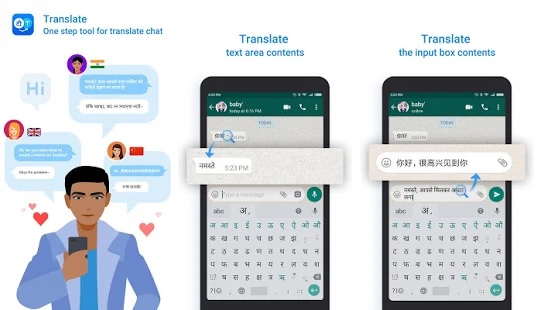
Guidance for using your favorite media in your own preferred language
Let me discuss about a world-wide used social media platform that is absolutely a messenger to connect their closed ones via messages, calls or video chats. This messenger is utilized by more than 200 million people in these modern days that has been accessed in 180 countries to try this platform. A user-friendly application that is helpful for people among different age groups. The aspect of this pandemic is by using this messenger we were able to connect with our surroundings that includes friends, family and relations to be in personal touch with them.

It gives a feeling of satisfaction as if their connections are in reality with them. It was recently owned by the successfully running platform Facebook in which some unique features are also added to enhance and improvise their customers. But it is necessary to know all the tools and features hidden in this application for better performance of this platform in certain situations. A reliable app for chatting, calling that is valid for all phones world-wide.
Explore the wide range of platform so you get a better understanding about it and to share your knowledge with new comers/users to it. This social media can be used in pc, laptops and even mobile phones of any version.
In smartphones, you can find WhatsApp in Play Store or App Store to download according to your operating system. Mostly the specifications will be a compatible one for latest arrival of gadgets so you need not worry whether will it work on your mobile.
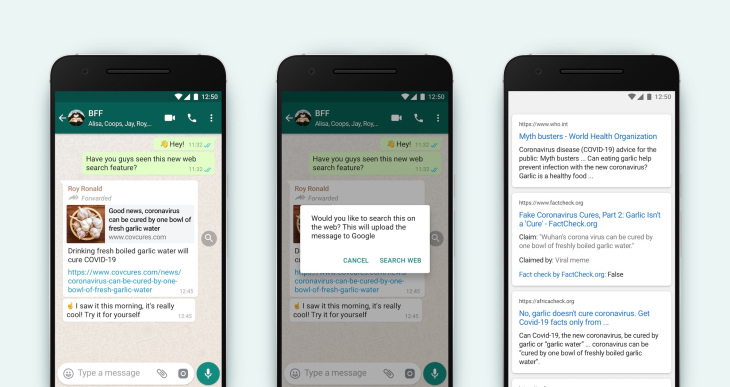
It is noted that the media consists of 40 languages only for iOS especially but there 60 languages to be found in any android phones followed as per the same rules for laptops and pc. They have considered ten local languages only from India to be used in their application (Hindi, Bangla, Punjabi, Telugu, Marathi, Tamil, Urdu, Gujarati, Kannada, Malayalam).
This hassle-free module helps us in changing from one language to another language that has only been recognized in their servers to be used. But for doing this there are certain that can be tedious for you but don’t worry a step-by-step procedure with guidance might help you out in sorting this issue simply.
Since there two different operating systems within these handy gadgets there are separate rules for each one. So, I request to observe and read my content carefully before doing things on your as it might make you puzzled.
Exploring on your own is really appreciable but if you can’t find where to even start or any knowledge regarding it (especially freshers), I request to adopt my guidelines with little attention to solve it.
Keep patience while doing this work as it has a little procedure one after the another simultaneously. I consider myself that I have created an awareness and the instructions of downloading it, now let me move on to sorting out Language issues.
- Converting to a preferred language in android
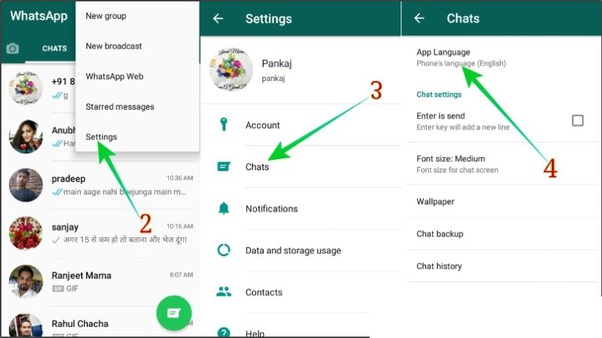
Open/get inside your application of WhatsApp on your gadget so you can find your chats in the display screen. Tap the three dots on the right end top of your screen so you enter into those options. Now try to figure out the Settings option in your device and tap on the chats below in that running application. Go inside the languages of the application and find out your favorite language and choose it so they from that time onwards you can use language as per your own preference to all your connections.
Or directly enter your mobile settings where you can find system option that takes you to various languages and input supported by your device. So, after selecting the option of languages and input go through open languages as you can find multiple languages and long press on a language position to make it as your desirable language or add a separate own language of yours if you don’t find one.
- Changing a preferred language in Apple models (iOS)
So, for changing a chat language in WhatsApp especially in a sophisticated operating system like iPhones it is a bit different from ordinary ones but it isn’t a very tough process. Try adopting my ways of selecting your own preferred language to use conveniently.
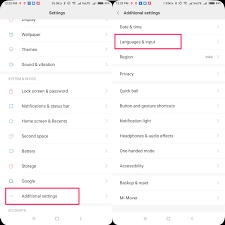
Enter your phone settings that can be visible in your display screen followed by the option of general. Then click on the feature of Language and others where you have a choice of selecting your language for the high standardized phone. Now you find a multiple number of languages in your gadget, so by selecting on a language continue with the option done and apply the changes to use your newly changed language in your iPhone.
These are the simple and easy ways to modify your language as per your preference and utilize the benefits at ease. These methods can help you out to land on a correct lane as I have explained them at my simple terms that can clearly make you understand of the process. Try it out and be happy fellas.


 Eduindex
You must be logged in to post a comment.