education policies of India.

 EDUCATION POLICIES BY THE GOVERNMENT.

 Which schooling policies are the newest? Is this the very first? When was the initial education policy put into practice? Students may have inquiries about educational policy.

The Narendra Modi administration passed the most recent education strategy on July 29, 2020. The previous regulation, NPE 1986, was replaced by this one. This is the BJP’s inaugural educational strategy.

Key proposals of the national education policy, 2020

  •   The nep suggests changing the academic framework of the school from [10 + 2] of schooling to [5+3+3+4].
  • The duration of the undergraduate [UG] degree structure will be 3 or 4 years. There are currently numerous entries.
  • The government will stop offering the M. Philosophy program.

  • Under the new nep 2020, higher education institutions will now be able to offer a master’s degree that lasts just one year.

  • To avoid damaging hierarchies and silos between various fields of learning, there won’t be a clear division between the arts and sciences, between the curriculum and extracurricular activities, between academic and vocational streams, etc. The most crucial and required adjustments were made in this new educational policy. The implementation of this is crucial, and it has already started and received positive feedback.

 The first education policy.


In 1968, the Indira Gandhi administration established the first education policy. The Kothari commission (1964–1955) served as the foundation for this approach. This was renowned for its radical reconstruction and equal access to education.
1968’s education policy features.


  1. Free and compulsory education till the age of 14 years.
  2.  Improvement in status, emoluments, and competence of the teachers. 
  3. Three language formulas Hindi, Sanskrit, and international language especially English should be implemented.
  4. Equal education opportunities for all sections of society. 
  5. Subjects like science and mathematics should be an integral part of general education. 
  6. Agriculture and industry education.
  7. The quality of books should be improved. 
  8. Adult education program.

 National education policy 1986.

This was the second education policy of India and was launched under the government of Rajiv Gandhi. This basically works on two major things removal of disputants and providing educational opportunities.

 Key resolutions of education policy 1986.

  • Operation blackboard was launched by NPE in 1986 to expand primary education nationwide. That’s why the NPE 1986 was known as the child-centered approach.
  • Make provision for the employment of teachers from sc, st, and background. 
  • Expand scholarships to encourage pupils. 
  • Promote adult education as well as introduce open universities. [ IGNOU in 1985 ] 
  • Sarva Shiksha Abhiyan, mid-day meal scheme, Navodaya Vidyalaya [NVS] Kendriya Vidyalaya,[KVS] and use of information and technology in education started by the NPE 1986. 6. A national curriculum framework should be developed nationwide. 
  • It recommends strengthening institutions of national importance like UGC, NCERT, etc.

 National education policy 1992. 

This education is a modification of the old policy of 1986. This policy was implemented in 1992 by the government of P.V. Narasimha Rao. It was based on the ram Murthi commission led by chairperson Sri. Janardhan Reddy.

 Important points of education policy 1992.

  1. To accept +2 level as part of school education.
  2.  Greater emphasis was given to Samagra Shaksharta Abhiyan. 
  3. Operation blackboard as three classrooms and three teachers and should implement in upper primary classes.
  4. This was also recognized as a common minimum program in 2005. 
  5.  Adding a common entrance exam for the professional and technical programs.

India had four different education strategies up until this point, each of which was distinct in its own way. The government of Indira Gandhi deserves credit for the education strategy because she took the initiative and introduced the country’s first-ever education plan. Every policy, nevertheless, has many benefits, and we hope the students will take use of them. Education is the manifestation of perfection already existent in man, according to Swami Vivekananda. The manifestation of a person’s innate religious nature is their divinity.
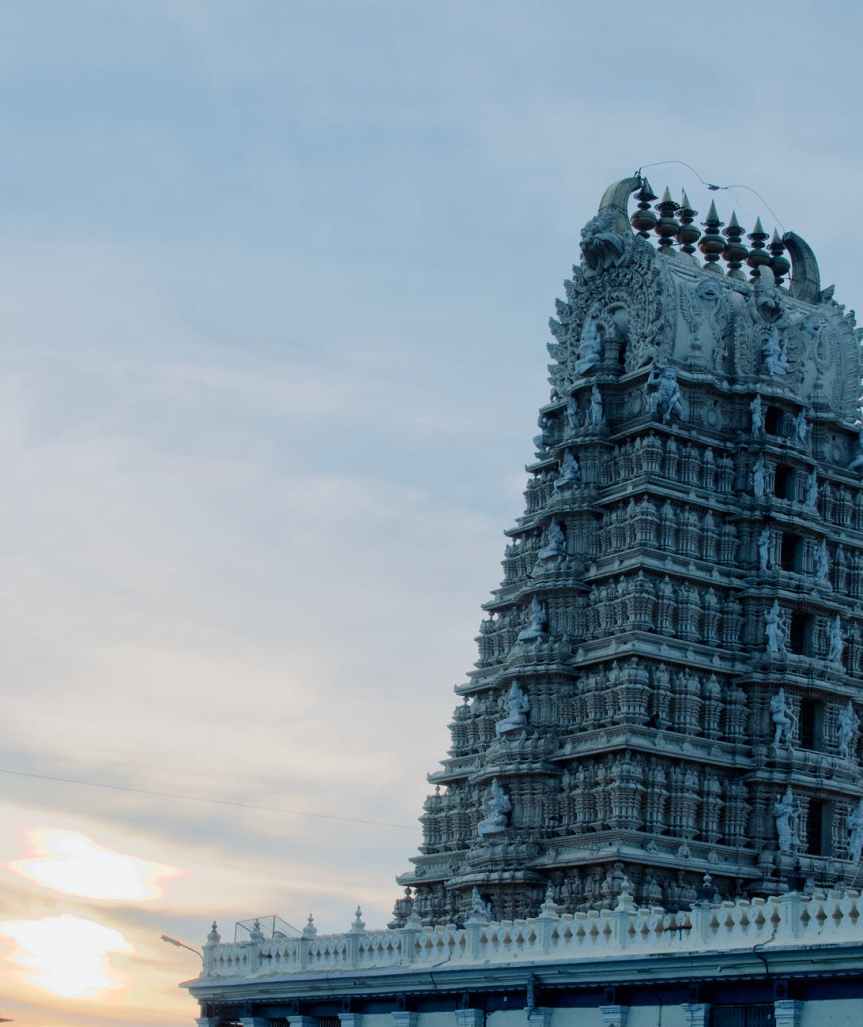
BRIHADESWARARAR TEMPLE

The big temple, Thanjavur, Unesco classified monument. | Flickr
BRIHADEESWARAR TEMPLE

INTRODUCTION

Built by Raja Raja Chola I in 1010 AD,  is an ancient temple at Thanjavur in Tamil Nadu. The deity of the temple is Lord Shiva—in his dancing pose—who is called the Nataraj. The temple is also known as Rajeswara Temple, Rajarajeswaram and Periya Kovil. The temple was built, like a fortress on the shores of a river, by the king to grace the Chola Empire. This thousand-year-old temple is now part of the UNESCO World Heritage Site adding to its exceptional historical and cultural value.

FEATURES

The Big Temple of Tanjavore is a stunning monument that speaks oodles about the  architectural mastery of the Chola era.  This 212 ft (64.8 meter) towering Shiva temple is home to  one of the largest Shiva Lingas of the country.  A majestic Nandhi (bull), measuring a gigantic 19.4 ‘ x 8.23’ x 12’ (5.94 x 2.51 x 3.66 in meters) stands guard over the temple.  This is the second largest  Nandhi in India and is carved out of a single stone.  Everything about this temple is big, majestic.  No wonder it is referred  as The Big Temple.

King Raja Raja Cholan had the main temple built completely with granite.  It is hard to imagine how, in  that age, more than 130,000 tones of granite was brought to the temple site, especially given that  there is no granite quarry within a hundred kilometers of the temple site.  Another stunning  architectural feat is the Vimana / Shikhara – the spire atop the temple.  The beautiful lotus shaped stone of  the Big Temple weighs a stunning 80 tons.  We can but marvel at the engineering mastermind who  managed to hoist an 80 ton carved rock up a 212 feet tower back in the 11th century.

The chief architect of the temple was Kunjara Mallan Raja Raja Perunthachan.  The layout of the  temple is based on the principles of Vastu Shastra, the ancient Hindus science of architecture and  construction and Agamas, the ancient scripts that define principles behind temple construction.  The  central temple site is surrounded by a rectangular boundary 885 ‘ x 450 ‘ (270 m by 140 m).  The  temple boundary holds many sub shrines besides the main temple and the Nandi. 

The niches on three sides of the temple hold images of Shiva, Vishnu and Durga.  The southern wall  has sculptures of Ganesha, Vishnu with his consorts Sridevi and Bhudevi, Lakshmi, a pair of  Dvarapalas, Vishnu anugraha murti, Bhikshatana, Virabhadra, Dakshinamurti, Kalanta and Nataraja.   On the west side there are images of Harihara, Ardhanarishvara, a pair of dvarapalas and two  Chandrasekharas, one with and the other without halo.  On the north, in the lower series, the  depiction of Adhanarisvara, Gangadhara, a pair of dvarapalas, Virabhadra (with a sword and a shield),  Alingana Chandrasekhara, Siva holding a Sula (spear), a pair of dvarapalas, Sarasvati,  Mahishasuramardini and Bhairava.  The north series shows a number of Tripurantakas repeated in  each niche.  In the small circular space of the top niches are present the carvings of Ganesha,  Vrishabavahana, Bhikshatana, Narasimha and Varaha.

Besides these, each wall of the temple and the surrounding architecture are filled to the brim with  carvings and paintings depicting the rich history of art, culture, mythology and science of the era.

“IF HAD A TIME MACHINE ,I WOULD GO BACK 1000 YEARS FOR CHOLA PERIOD TO SEE HOW THEY BUILT A BRIHADEESWARAR TEMPLE(BIG TEMPLE)

Features you’ll lose when upgrading from Windows 10 to Windows 11.

When Windows 11 is released later this year, it will include a new design, new colours, and new functions. However, not everything in Windows 10 will be preserved after the upgrade.
Between now and the public release of Windows 11, expect a few feature additions and subtractions, but here’s all we know about what will be lost along the road.

Timeline

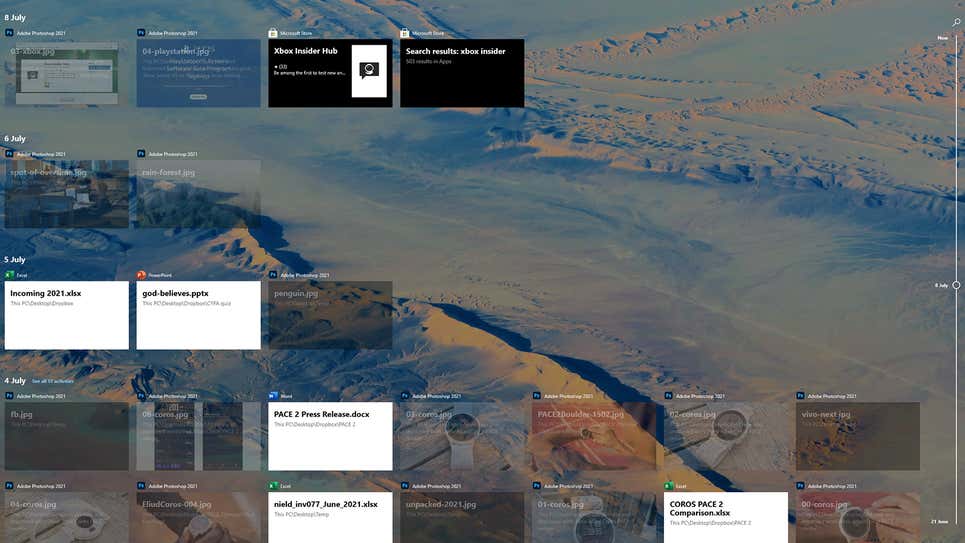
Perhaps you’ve never used Timeline, which is one of the reasons it’s being phased out in Windows 11. The function allows you to sync your activity over the previous 30 days across different Windows PCs (files you’ve opened, websites you’ve visited, and so on), making it quicker to switch between devices registered in with the same Microsoft account.

Timeline will not be available on Windows 11. Screenshot: Windows 10

Live Tiles

The Live Tiles feature on the Windows 10 Start menu, which allows different bits of information to be presented and updated in real time, was not well received by developers. You’d be correct if you thought that sounded a lot like widgets. However, with Windows 11, Microsoft will attempt to bring back desktop widgets, so let’s hope they perform better than Live Tiles.

Start Menu Groups 

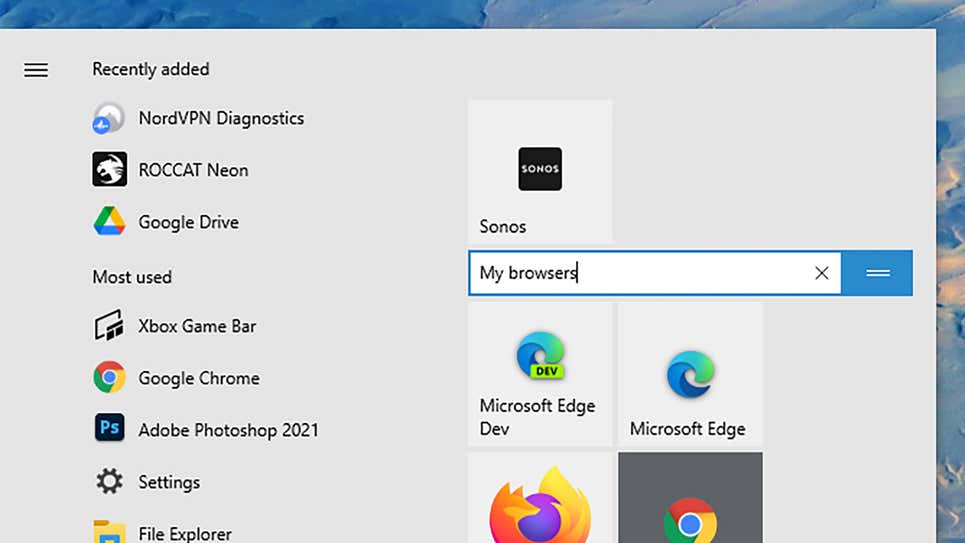
Another feature borrowed from the Start menu is the ability for users to organise and name tiles in categories like as productivity, writing, gaming, and so on. The Start menu’s layout will also not be resizable, implying that Microsoft intends to make the Start menu experience the same for everyone (as well as move it into the centre of the screen).

In Windows 11, tile grouping and naming are no longer available in the Start menu. Screenshot:Windows 10

Internet Explorer

What exactly is it? Didn’t you think it was already dead? It’s still available in Windows 10 if you look hard enough, but in Windows 11, all traces of Internet Explorer will be gone, and Microsoft Edge will take its place. Use the IE mode in Edge for those really, very ancient legacy programmes and sites you still require access to for whatever reason.

Cortana

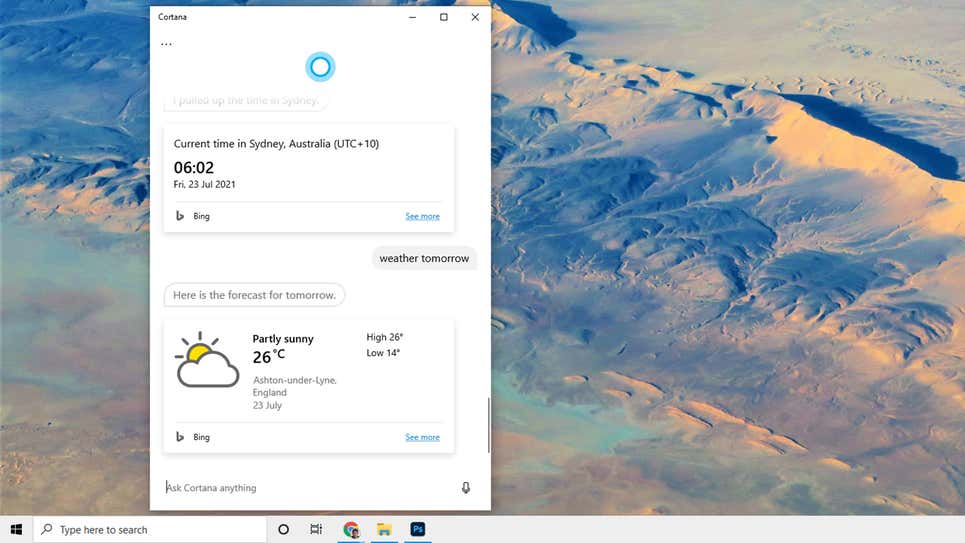
Although Microsoft’s digital assistant will not be completely removed from Windows 11, it will be removed from the setup process and will no longer be pinned to the taskbar. It’s unclear what Microsoft has planned for Cortana, but based on the capabilities introduced to it in the previous year or so, it may be recast as a business tool.

In Windows 11, Cortana will be less prominent. Screenshot: Windows 10

Skype

Skype will continue to be available in Windows 11, but it will not be included as an integral member as it is in Windows 10. That’s because Microsoft has shifted its attention to Teams as a solution for all of your communication requirements, including video, so expect a lot of tight Teams connections in the final Windows 11 experience.

Tablet Mode

Although Windows 10 works well on tablets like the Surface Pro as well as complete desktop and laptop computers, Windows 11 will not have a specific mode for tablet devices. Rather, this functionality will be redesigned, with part of it occurring automatically (like when you attach or detach a Bluetooth keyboard, for example).

Taskbar Location

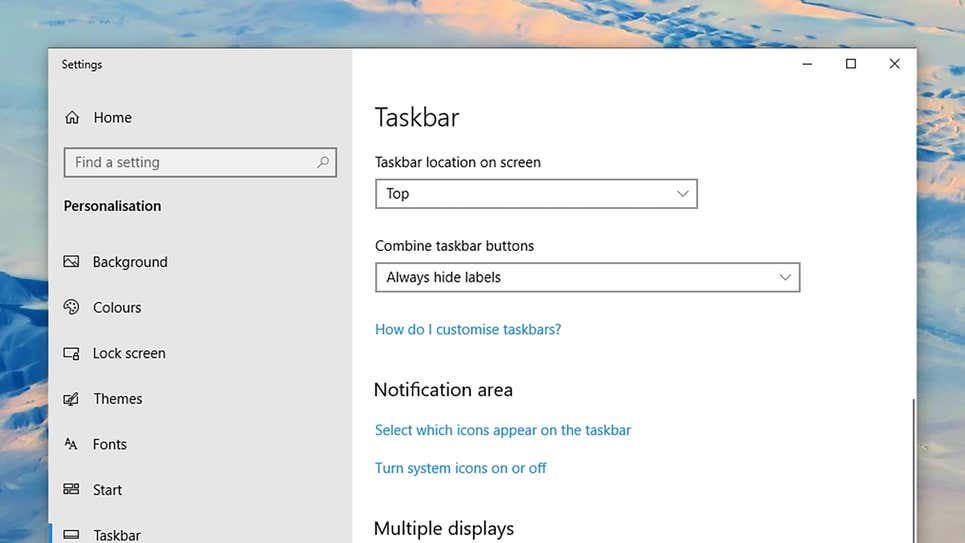
In terms of removing customizations, the taskbar in Windows 11 can only be found at the bottom of the screen. You may not have known it, but Windows 10 allows you to move the taskbar to the left, right, or even to the top of the screen. You’re out of luck if you enjoy tinkering with your operating system.

You may move the taskbar in Windows 10 if you haven’t noticed. Screenshot: Windows 10

Quick Status

Applications in Windows 10 can leave little blocks of information on the lock screen to remind you of incoming emails, impending calendar appointments, and so on. When Windows 11 ships, this feature, known as Quick Status, will be unavailable to applications, however widgets (see above) may be able to fill the void.

Windows S Mode

This is another feature that isn’t going away altogether, although you’ll see it less frequently: S Mode, which improves speed and security by only allowing programmes from the official Microsoft Store to be installed, will only be available in Windows 11 Home version. S Mode is now available for Windows 10 Home and Windows 10 Pro.