10 things to Know about U-Design

What Is User Experience (UX) Design? 

User experience design is an extremely vast, multidisciplinary and fascinating field. It shapes the products and services we use on a daily basis, and can make or break the success of a business or brand.

career in UX design is fast-paced and challenging, requiring a highly diverse skillset. If you want to break into this field, there’s plenty to learn!

1. What is user experience (UX) design?

User experience (UX) refers to any interaction a user has with a product or service. UX design considers each and every element that shapes this experience, how it makes the user feel, and how easy it is for the user to accomplish their desired tasks. This could be anything from how a physical product feels in your hand, to how straightforward the checkout process is when buying something online. The goal of UX design is to create easy, efficient, relevant and all-round pleasant experiences for the user.

“User experience encompasses all aspects of the end-user’s interaction with the company, its services, and its products.”
— Don Norman, Cognitive Scientist & User Experience Architect

UX designers combine market research, product development, strategy and design to create seamless user experiences for products, services and processes. They build a bridge to the customer, helping the company to better understand — and fulfil — their needs and expectations.

The difference between UX and UI design

When talking about UX, the term user interface (UI) design will inevitably crop up. However, it’s important to recognize that, despite often being used interchangeably, UX and UI are two different things.

“UX is focused on the user’s journey to solve a problem; UI is focused on how a product’s surfaces look and function.”
— Ken Norton, Partner at Google Ventures, Ex-Product Manager at Google

User interface design is not the same as UX. UI refers to the actual interface of a product; the visual design of the screens a user navigates through when using a mobile app, or the buttons they click when browsing a website. UI design is concerned with all the visual and interactive elements of a product interface, covering everything from typography and color palettes to animations and navigational touch points (such as buttons and scrollbars).

UX and UI go hand-in-hand, and the design of the product interface has a huge impact on the overall user experience. 

UX design is everywhere: the layout of a supermarket, the ergonomics of a vehicle, the usability of a mobile app. While the term “user experience” was first coined by Don Norman in the 90s, the concept of UX has been around for much longer.

To understand the principles of UX design, it helps to explore the history behind it.

2. The history of UX design

Some of the most basic tenets of UX can be traced as far back as 4000 BC to the ancient Chinese philosophy of Feng Shui, which focuses on arranging your surroundings in the most optimal, harmonious or user-friendly way. There is also evidence to suggest that, as early as the 5th century BC, Ancient Greek civilizations designed their tools and workplaces based on ergonomic principles.

In the late 19th century, great thinkers and industrialists like Frederick Winslow Taylor and Henry Ford began integrating basic experience design principles into their production processes. On a mission to make human labor more efficient, Taylor conducted extensive research into the interactions between workers and their tools — just like UX designers today investigate how users interact with products and services.

Another key figure in the history of UX is industrial engineer Henry Dreyfuss. In his book Designing for People (1955), Dreyfuss provides a very accurate description of what we now know as UX design:

“When the point of contact between the product and the people becomes a point of friction, then the [designer] has failed. On the other hand, if people are made safer, more comfortable, more eager to purchase, more efficient — or just plain happier — by contact with the product, then the designer has succeeded.”
— Henry Dreyfuss, Industrial Engineer

In the early 90s, cognitive scientist Don Norman joined the team at Apple as their User Experience Architect, making him the first person to have UX in his job title. He came up with the term “user experience design” because he wanted to “cover all aspects of the person’s experience with a system, including industrial design, graphics, the interface, the physical interaction, and the manual.” Since then, each of these areas have expanded into specializations of their own. These days, there’s a growing tendency for companies to hire for very specific roles, such as UX researcher or interaction designer, to cover all of the different aspects of user experience.

For centuries, humans have been seeking to optimize their surroundings for maximum user comfort. These days, the term UX design has strong digital connotations, often referring to apps, websites, software, gadgets and technology.

3. UX design disciplines: The quadrant model

UX is a broad umbrella term that can be divided up into four main disciplines: Experience Strategy (ExS), Interaction Design (IxD), User Research (UR) and Information Architecture (IA).

Experience Strategy (ExS)

UX design is not just about the end user; it also brings huge value to the business providing the product or service. Experience strategy is all about devising a holistic business strategy, incorporating both the customer’s needs and those of the company.

Interaction Design (IxD)

Interaction design looks at how the user interacts with a system, considering all interactive elements such as buttons, page transitions and animations. Interaction designers seek to create intuitive designs that allow the user to effortlessly complete core tasks and actions.

User Research (UR)

UX design is all about identifying a problem and designing the solution. This requires extensive research and feedback from existing or potential customers. During the research phase, UX designers will launch surveys, conduct interviews and usability testing, and create user personas in order to understand the end user’s needs and objectives. They gather both qualitative and quantitative data and use this to make good design decisions. 

Information Architecture (IA)

This is crucial in helping the user to navigate their way around a product. To determine the IA of any given product, information architects consider the relationship between different sets of content. They also pay close attention to the language used and ensure that it is both convincing and consistent.

Within these four areas, there is a whole host of sub-disciplines. As you can see in the following graphic, user experience design is so much more than just a case of sketching and wireframing. It’s a multidisciplinary field, drawing upon elements of cognitive science and psychology, computer science, communication design, usability engineering and more.

Now let’s take a look at how these disciplines translate into the day-to-day work of a UX designer.

4. What does a UX designer do?

“How do I explain what I do at a party? The short version is that I say I humanize technology.”
— Fred Beecher, Director of UX, The Nerdery

UX designers seek to make everyday products, services and technology as user-friendly and accessible as possible. They employ design thinking to reconcile the user’s desires with technical feasibility and business viability. The diagram below shows the Design Thinking Process, adapted from the d.school. The Design Thinking Process can be broken down into four different stages: inspirationconceptualizationiteration and exposition.

During the inspiration stage, the UX designer seeks to understand and observe. To do this, they conduct extensive research and competitor analysis in order to fully grasp the problem or challenge they are setting out to solve. This involves interviewing those who are, or will be, directly engaged with the product.

The designer then uses this feedback to identify the user’s goals, emotions, pain-points and behaviors. All of this information helps to form user personas. The next step is to consider what these personas are trying to accomplish when using a particular product, and the journey they will take to do so. The designer considers information architecture and uses various techniques, such as card sorting, to map out user flows.

Once the user flows have been determined, the designer knows what steps the user needs to take to complete their desired tasks. They will visually brainstorm solutions for each of these steps, creating wireframes and prototypes of what the final product might look like.

With prototypes to hand, the UX designer will then conduct usability tests to see how users interact with the product. This shows whether or not the user is able to complete their desired tasks, or if changes need to be made.

UX designers not only come up with solutions to user problems; they also need to present their ideas and designs to key stakeholders as part of their day-to-day work.

Larger companies might employ a team of designers, with each focusing on a specific aspect of the process such as research or visual design. In smaller companies and startups, it’s not unusual for the UX designer to wear many different hats and take on the whole spectrum of tasks.

No matter what product or service they are designing, or what stage of the process they are at, UX designers will ask themselves the following questions:

  • Is the product usable? Is it logical, self-explanatory and easy to use?
  • Does the product or service solve an existing user problem?
  • Is it accessible for different categories of users? You can read more about accessibility in design below.
  • Is the product or service desirable? Does it create a positive experience which the user would be happy to repeat?

What tools do UX designers use?

UX designers rely on a number of different tools as they go about their work. At the research and inspiration stage, they will use survey and polling tools as well as video chat software to interview users and gather as much information as possible. There are also specific programs for wireframing, prototyping and usability testing, with Balsamiq, InVision and UsabilityHub among the most popular in the industry. In addition to design-specific programs, designers also use communication and project management tools to keep track of their work at all times. 

What kinds of projects do UX designers work on?

As the tech industry grows, the field of UX design is becoming increasingly varied. UX designers can find themselves working on a wide range of projects within various contexts. Here are just some applications for UX design.

Website, app, and software design

In the age of the internet and smartphones, the usability of a website, mobile app or piece of software will largely determine its success on the market. Together with UI designers, UX designers are responsible for ensuring a smooth online experience for the user. From ecommerce websites to dating apps, from CRM software to web-based email clients, each and every online journey you take has been carefully designed by a UX professional.

Voice design

 In the U.S., around 50% of adults use voice search on a daily basis, and ComScore estimates that, in the early 2020s, 50% of all searches will be voice-based. UX designers have a huge role to play in the rise of voice, as products like Amazon Alexa can only be successful if they are user-friendly and accessible for the masses. Designing for voice requires a slightly different approach to that of websites and apps: 

Virtual reality (VR) and augmented reality (AR)

 UX designers will increasingly be required to design immersive experiences. Likewise, since the Pokemon Go craze hit, augmented reality has also been working its way into the mainstream. More and more, UX designers will have to adapt their approach to ensure the latest technologies are accessible and user-friendly.

Service design

UX design doesn’t only apply to tangible objects and digital products; experiences need to be designed, too. This is where service design comes in. As explained on Wikipedia: “Service design is the activity of planning and organizing people, infrastructure, communication and material components of a service in order to improve its quality and the interaction between the service provider and its customers. Service design may function as a way to inform changes to an existing service or create a new service entirely.”

Whenever you buy a coffee, stay in a hotel or use public transport, your experience is the result of service design, and service design methodology is very similar to that of classic UX design.

5. The value of UX design

Among the many UX myths and misconceptions is the erroneous assumption that UX design is “just a fad.” But in reality, the value of UX design is immense; not only for the end user, but also for the business or brand behind the user experience.

From a user perspective, good UX design ultimately enables us to go about our daily lives as effortlessly as possible. From setting an alarm to chatting with friends online, listening to music or using a calendar app, the ease with which we complete these actions is the result of good design.

When designing these experiences, UX designers must consider how they can bring value to all kinds of users. They do this by practicing inclusive design—otherwise known as universal or accessible design.

Universal design (UD)

As  “designing and building everything to be accessed, enjoyed and understood to its fullest extent, by everyone, regardless of their size, their age, their ability, or their perceived ability.”

Universal design follows seven key principles:

  1. Equitable use: The design is useful and marketable to people with diverse abilities.
  2. Flexibility in use: The design accommodates a wide range of individual preferences and abilities.
  3. Simple and intuitive use: Use of the design is easy to understand, regardless of the user’s experience, knowledge, language skills, or current concentration level.
  4. Perceptible information: The design communicates necessary information effectively to the user, regardless of ambient conditions or the user’s sensory abilities.
  5. Tolerance for error: The design minimizes hazards and the adverse consequences of accidental or unintended actions.
  6. Low physical effort: The design can be used efficiently and comfortably and with a minimum of fatigue.
  7. Size and space for approach and use: Appropriate size and space is provided for approach, reach, manipulation, and use regardless of user’s body size, posture, or mobility.

Good design is good business

From a business perspective, designing first-class user experiences is absolutely key to ensuring customer satisfaction and building brand loyalty. Only if a product or service is hassle-free and enjoyable will the user want to return.

“Good design is good business.”
 Thomas Watson Jr., CEO, IBM

The competitive advantage of design-driven companies

Furthermore, a study commissioned by Adobe found that design thinking in business creates a measurable competitive advantage. Design-led companies reported 41% higher market share, 50% more loyal customers, and 46% competitive advantage overall.

User-friendly, universal design is beneficial to everyone, and UX designers are in a position to truly shape the world around us.

6. How to become a UX designer

As we have seen, UX design is an extremely multifaceted field. Working in UX requires a highly diverse skillset coupled with a passion for user-centric design. A career in UX can be very varied, challenging and financially rewarding; according to Glassdoor, the average salary for a User Experience Designer in the United States is $97,460.

There is no standard background or path that leads to a career in UX. However, the best UX designers typically share certain qualities and attributes, including:

  • An ability to think both creatively and analytically
  • A strong gift for empathy and a user-first mindset
  • An interest in technology and how humans interact with it
  • Strong problem-solving skills
  • Strong communication skills and ability to collaborate

What are the most important UX design skills?

UX designers come from all walks of life, and you don’t necessarily need a university degree to break into the field. Employers tend to look for a mixture of design skills, business acumen and soft skills. Some requirements you will often see in UX designer job descriptions include:

  • Proficiency in creating user stories, personas, sitemaps, wireframes, prototypes and storyboards
  • Ability to plan and conduct user testing, surveys, and formal evaluations
  • Ability to iterate your work based on user testing data and qualitative feedback
  • Understanding of interaction design principles and information architecture
  • Ability to translate goals, objectives, and data into digital experiences
  • Understanding of business metrics, and how your designs contribute to performance
  • Strong communication and presentation skills; an ability to articulate and discuss your design decisions with clients and stakeholders (storytelling is key)
  • Flexibility and adaptability

What counts as essential or desirable will vary depending on both the company and on the nature of the role. 

Learning UX design

Many people switch to UX design after gaining experience in another field — like psychology, computer science, marketing or customer service. To get started in UX design, it’s important to do plenty of reading and research, to get to know the UX workflow, familiarize yourself with industry tools and build up a solid design portfolio. The most effective way to prepare for a career in UX is by taking a structured course and working on practical projects. 

What is VPS (Virtual Private Server)? Its features!

VPS (VIRTUAL PRIVATE SERVER)
Do you know what VPS is?
The full form of VPS is Virtual Private Server. As the name suggests, it is a virtual private server, which is rented to the user. It appears to the user that on a VPS there is no other user on the server & it is a dedicated server. However, VPS is installed on a server serving multiple websites. There are multiple VPS on a computer. The user has full access to his VPS. It has a unique IP address, disc space, CPU resources and the user doesn’t have to share it. It is independent.
How a VPS works?

There is an OS (Operating System) installed on each VPS. The user can install any software that runs on that Operating System. The web hosting provider uses virtualization technology which installs a virtual layer on the Operating System (OS) of the server. Hence, it separates the server into individual compartments, through a virtual wall. Thus, the user can install their OS & software. Hence, it is a completely private server.

Advantages of a VPS Hosting

The first one & the best advantage is that the user has full access to the VPS’s OS without any restrictions &  no need for permission from the admin for any custom process.
Users can also host additional services such as File Transfer Protocol (FTP), a mail server, an e-commerce store & many more.
It also allows the user to host multiple websites which are best for an organisation, developer, & many other types of businesses.

Disadvantages of VPS Hosting

Generally, small businesses & organisations own VPS, to get the flexibility of a Dedicated Server at a cheap price. But it also has its disadvantages.
Another disadvantage is that it lacks in performance. The VPS generally throttle the server’s performance. Because the VPS provider tries to increase the number of VPS on the server.
Security is not a major disadvantage on VPS. Generally, VPS is separated from another VPS because of server virtualization. But there is also a security requirement, which is avoided by some hosting providers. Hence, it may lead to a major security issue.

The right time to switch to VPS?

Are you currently using any Shared Hosting, Cloud Hosting, etc. & are thinking to switch to VPS. Many questions arise in your mind that what is the right time to switch to VPS hosting. So, I am going to talk about this topic in this section.
Here are the top 5 reasons because of which you can switch to VPS.
1. If you are worried about security, & want some extra & reliable security, extra backup space, extraordinary security for your e-commerce store or any online payment, then you can surely go to VPS. You will get top-level security in VPS.
2. If you are constantly experiencing a high amount of traffic on your website, & thinks that the shared hosting is not able to handle it. And, if you don’t want to take the risk, then you can consider VPS hosting.
3. Sometimes, because of high requests & traffic, your website starts running or loading slowly or lagging. Because Shared Hosting is not idle for this traffic, then you can definitely go for VPS hosting.
4. Sometimes, you need to install software other than WordPress, Drupal, etc. & you want to install your software. You may also need to use a custom server configuration. Then you want a hosting provider, which rents the server with extra configurations. Then, you should buy VPS hosting.
5. If you are constantly running for server errors on your Shared or any other type of web hosting, & want more reliable & budget-friendly hosting, then you can go for VPS hosting.

Conclusion

If your business is going decently & if you want more resources, then you have to surely go for VPS hosting. It’s nowadays budget-friendly.
I will also talk about other types of Web Hosting such as Colocation Hosting, Dedicated Hosting, etc. in future posts. So don’t forget to bookmark this website.
Thanks for reading!

Website Design and Development Services

10 things to keep in mind while designing and developing a website


Within five seconds of landing on your website, can your visitors determine what your company does? Could users easily navigate to the blog if they need to? Is the layout of your pricing easy to understand? Does your website have a low bounce rate?


If you’re finding yourself answering ‘no’ to these questions, it might be time to take a hard look at the way you’ve been designing and optimizing your website.

A website truly excels when it has a design that feeds into your website’s user experience, functionality, and appropriately complements your content.

It can be super easy to neglect these things, thinking these updates are the lowest thing to worry about on your totem pole of website priorities, but a successful website has both high performing content and an exceptional user experience needs to have balance.

But the umbrella of website user experience has a lot under it, and it can be challenging to understand all that’s under it while figuring out the most important things to tackle.

To answer that, here are 12 website tips to ensure that you’re going in the right direction in your redesign and are assuring you aren’t turning visitors away.


1. Have a plan for your website design

Now that you’ve acknowledged that your site likely needs some improvements, it’s time to work your way backward and create a plan detailing how you’ll tackle them.

Start by mapping out your customer journey from the first time someone visits your website to the moment they become a customer. When doing this, think about which pages are they going to view, what content are they going to read, and what offers are they going to convert on. Understanding this will help you design a site that actually helps nurture leads through the sales funnel.

Certain elements on your website are going to detract from the value and message you’re trying to convey. Complicated animations, content that’s too long, and “stocky” website images are just a few examples.

With an audience that only has an attention span of eight seconds, you need to make it abundantly clear what your user will learn on the page they’re viewing and your design must not detract from this.

This starts with making sure you have consistent brand guidelines you can work off of.

This should detail your font styles, colors, imagery, iconography, and logo usage. Without this, it’s easy for brands to struggle when designing pages. You’ll likely start to see arbitrary colors and varying font styles and sizes used, which in turn, can distract from your message or create visual confusion for people trying to convert. It’s also important to avoid too many on-page animations or interactions. If you’re scrolling through a page and see every button pulsing or a section of icons each with its own animation, it can feel overwhelming and distract them from reading what’s on the page.

Let’s take a look at the website below as an example. Note, since I’m treating this as more of a critique, I’m removing the brand’s logo from the image so they can remain more anonymous. When looking at this site, the first thing I noticed was the colors


2. SEO Optimisation 

Second, there are some areas of inconsistent spacing. The hanger in the hello bar (‘you!’) creates a second line that could easily be fixed if the width of the container around the text was increased. The H1 also isn’t exactly vertically centered in the white area, drawing your eye to “issue” rather than the bulk of the message.

In the grey section below the header, they lead with a button (which doesn’t have much context) and feels sandwiched on top of an image. As a user, I’m left to wonder if it’s supposed to have space below, or, if it’s supposed to directly relate to the image. Did the site just load incorrectly? This internal debate creates friction and confusion Details like this really help make or break your overall website experience and help your users better understand what you want them to do, leaving less room for confusion 


3. Add social proof

If you shop like most people when you’re on Amazon, chances are you gravitate towards products that contain mostly four to five-star reviews from people who wrote out their experiences with a product. 

In looking at these reviews, we gain trust in the product that it will do what it promises and we need it to do, which in turn, pushes us to purchase it.

The same effect is applied to your product or service and website. If users see impactful testimonials from real people, studies show your prospects are 58% more likely to buy your product

But how should your testimonials visually look so they effectively create that trust with your users when they see them?

Well, there are a few strategies you can take. But first, you need to think about what format of testimonial you want, text or video. Historically, video testimonials have been found to be the best. This is because the medium naturally keeps your user’s attention for longer and also builds a stronger human connection being able to hear voices and see faces of real people.

You also have the option of text testimonials, however, which, when designed and incorporated properly, will still help build trust with your users. Upland Adestra is an enterprise email and marketing automation software company in the United Kingdom. They have four videos on their  testimonial page that each are contained in their own sections. Rather than arbitrarily place all the videos next to each other, Upland separated them and accompanied them with a header and sentence detailing the result or benefit the client had working with them. Now, users have context to what they will hear about in the videos. I also like how a few of the videos show thumbnails of someone talking, which visually reassures the user that they will likely be hearing from the client themselves, as opposed to watching a text-based video.

Zenefits has done a great job of this on their website  Each card is designed with an image that showcases members of that company, which is way more trustworthy than if they were to use stock photos, or just a picture of their logo. And because they have five pages of testimonials, they’ve added a filter at the top of the page that allows users to segment what types of industries or solutions to look for. Now, users can find the types of case studies they want faster.  Finally, if your site only has text testimonials without case studies, there are aspects you need to be mindful about when designing them out. For instance, you can’t just put a set of text testimonials and a name alone. It’s less likely these will be taken as truth since it will leave users wondering what company they work for, what their job title is, and visibly what this person looks like (for visual confirmation that this person is likely real). In their case, they use tweeted reviews, but you can easily supplement this layout with something not using a Twitter feed   Regardless of them coming from Twitter, this section gets a bunch of things right. One, there’s a large number of reviews that can be seen at once thanks to the interest-styled layout. Secondly, the testimonials include photos and people/company names, making the reviews are that much more legitimate. When it comes to places to include testimonials on your website, I always recommend your homepage, service pages, and/or on a dedicated testimonial page that you include in your navigation. Each of these pages is the best touchpoint for people who are either learning about your company and considering buying. So long as they are genuine, testimonials will better your website’s experience and build trust with your prospects before they become clients 


4. Implement calls-to-action

Once your visitors land on your site (likely through the blog or home page), you need to guide them to places on your website that will help nurture them to conversion. People are lazy, so make this easy for them. Point them in the right direction so they don’t have to struggle to find what they are looking for. One of the best ways to improve your web design with this in mind to use strategically placed call-to-actions in areas such as the top right of your navigation, below sections that require action, and at the bottom of your website pages.  


5. Use the right stock images

We always recommend using original photography on your website, but if that’s not an option, there are techniques you can use to help pick out the right type of stock photo. While stock photos save you the time of producing your own imagery, many websites have imagery that falls into cliche. You’ll also find a lot of other websites may be showcasing the same imagery, which certainly doesn’t help for your credibility. So, when choosing stock photos, try to stay away from these cheesy images. These are the photos of people high-fiving with over-exaggerated smiles, groups looking at the camera, executives in superhero costumes, groups of suited people jumping in the air   When was the last time you saw people in these scenarios in real life? Look instead for photos that depict realistic scenes in well-lit environments. This could be people in an office talking over a meeting table in business casual clothing, over-the-shoulder shots of people typing on a laptop, people drawing on a whiteboard in an open room. These are the types of scenes others will start to recognize as legitimate. Look for candid images and ones in real-life settings rather than studios. This will aid in bringing more realism to your brand and making sure the images match who you are and what your content is explaining   You can also check out this article for some awesome stock photo website suggestions if you find yourself struggling with getting more realistic photography on your website. Being more mindful with your photography will help better represent your brand and how you want others to perceive it.  


6. Organized navigation

When designing your website, navigation is key. It’s essentially the map that displays the core places users can visit. It’s how users can easily dive deeper into areas such as your services, products, blog, etc. There’s nothing worse than a site with a disorganized or confusing navigation interface. Poor design practices such as overstuffing your navigation, using vague or confusing hypertext, and lack or organization can make it hard for your visitors to find where they want to go   If users cannot find what they’re looking for, they have no reason to stay on your site. Instead, they will certainly bounce and find a competitor that offers a better user experience.   In some cases, like in the image above, the menu item will even have a descriptive line to provide more context to the purpose of that page. The hover effect also makes it clear to the user that these are links that will result in them going to another page. With one click, users can get to these places with ease, so make sure you’re enacting a similar strategy (without overloading your navigation)   Clean and specifically organized navigations like this let the user know that you want them to have an easy time moving around your website and that there’s nothing to hide. As a result, your users are more likely to visit higher numbers of pages during their session, increasing their time spent on your website.  


7. Let your visitors scroll on your homepage

There was a time where we were wary about making our website pages too long, especially your homepage. This was out of fear of users not scrolling, so it forced folks to try and cram what they could into the most common screen size people view their website with. But those days are long gone. In a  2018 study by the Nielsen Norman Group, 74% of the viewing time on a website page was spent in the first two screenfuls, up to 2160px horizontally. So there’s no need to be afraid of creating a more robust below-the-fold experience. Use your homepage real estate to your advantage. For example, see the  Website hosting company.   

A good rule-of-thumb is to include three to five sections that help direct new and recurring users to the key areas of your site   What should these sections be? This list could go on forever, but a quick hit-list of some of the more crucial elements includes:  Value proposition Intro video Overview of services Product features About your company Testimonials Case studies/Success stories Content 


8. Don’t be afraid of white space

Whitespace is an essential design element that helps you break up the page and increase readability. Also called “negative space,” white space refers to the areas around elements on a page that are empty and lacking content or visual items   Whitespace also plays an important role in the design process and positioning of website elements. While more whitespace can dictate what sections are separate and guide the eye, less whitespace can dictate which elements are supposed to be related to one another due to their proximity.   This enables users to focus on each part of a website page piece by piece and instantly lets them know where each section begins and ends. This can do wonders for helping guide your user’s eye to important information such as a call-to-action or value proposition.


9. Mobile optimization is a must

But it’s more than just being responsive visually. It’s a necessity to tailor your site to fit the needs and wants of your visitors. Ask yourself, why would someone access my site on mobile? What things would they look for? Does my experience currently allow them to do those things easily?   Using Chili’s website as an example, you can visibly see how the desktop and mobile websites are extremely similar. So when users go back and forth between the two for orders over time, there are similarities between the two that make using the website familiar   They also make it easy to do the core thing on their website, ordering food. The button needed for this is always on-screen on the mobile website, so you can order whenever you’re ready without having to go to an entirely different page. 


10. Make pricing easy to find

Tell me if this situation sounds familiar to you   You’re currently looking for a new SaaS product online to solve an issue you’re having. For this story, let’s say a project management tool   You’ve spent the past hour vetting a couple of pieces of software, and think you’ve finally found one that looks promising. With that in mind, you now try to find pricing   So you click on the pricing page only to arrive at a page that looks something like this:   At this point, you’re likely a little frustrated. You might even be wondering if this means it’s too expensive. What are they trying to hide anyway? Why bother calling and asking? So now you decide to leave the site and look at the competitors. If your site follows a similar pattern, or worse, lacks a pricing page at all, you’re going to find your users following this same mindset   With this in mind, let’s look at a website that does make pricing stand out on their website. Trello makes it extremely easy for users to figure out what pricing tier they best fit into and what it will cost the user. The pricing table has the features included below each tier, so comparing each is as simple as reading left to right. The green buttons utilized in the last to tiers also help draw the eye to those being more desirable options. To get started on a great pricing strategy, take a look at these sure-fire tips to help guide you.

<

p class=”MsoNormal” style=”font-family: Calibri, sans-serif;margin: 0cm;text-align: justify”> 

Different Types Of Web Hosting: Which One Is Best For You?

Shared Hosting

Have you ever heard the term Shared Hosting, Cloud Hosting, Reseller Hosting, etc? If so, after hearing these terms, a question arises in your mind, “What is the meaning of these terms?” Let me explain, these are all types of web hosting services available in today’s world!

There are many types of Web Hosting such as Shared Web Hosting, Managed Hosting, Dedicated Hosting, Colocation Hosting, VPS (Virtual Private Server), Cloud Hosting, Reseller Hosting, and many more. There are many types of Web Hosting but I am going to talk about only the top 3 in this article. Well, I will also talk about other Web Hosting such as VPS (Virtual Private Machine), Managed Hosting, Colocation Hosting, etc. in our future posts.
If you want to know more about hosting, then read this article – What is Web Hosting? It’s Features, Types! Web Server

1. Shared Hosting – 

Shared Hosting

In Shared Hosting, you share the hosting resources with other users. It involves a certain number of users who share a single server & hosts their website with a specific amount of disc space. All the user’s data is hosted on the same server. The website addresses of the users are placed in a VPN (Virtual Private Network) to protect the users from other users, malware, brutal codes or even others websites sharing the same server space.
In 2021, shared hosting services are run by more complicated servers and software systems that do not allow any downtime or interruptions in uptime.

2. Cloud Hosting –

Cloud Hosting

Cloud Hosting service has become very popular these days. However, its prices are high in the past few years, but in 2021, the prices get lower, hence it gives a chance to small businesses also come online. It is a set of services that are hosted in the cloud to provide users with an easy way to access data storage, online backup and more. In this type of hosting, a client needs to only access it over the Internet from a computer and a browser on a local network.
It hosts your website on a group of connected servers at the same time. The website data is stored in different servers at once. Hence, your site has greater security & reliability as compared to one server. If one server breaks then the other server takes its place so that the site visitors don’t notice any lack of continuity. Hence, cloud hosting gives you perfect uptime.

3. Reseller Hosting –

Reseller Hosting

Renting disc space & bandwidth from a Web Hosting company & then selling it to your clients is called Reseller Hosting. Most of the new Web Hosting provider uses the Reseller Hosting to sell Web Hosting. It is the best & affordable way to start your own Web Hosting business. Most of the big Web Hosting provider provides cheap reseller hosting such as GoDaddy, HostGator, etc.

Conclusion

I think, if you just want to go online & do something big, then I recommend you to only go for Cloud Hosting. It is cheap, reliable, & also trustable than Shared Hosting. You can go for Cloud Hosting plans of Hostinger as they are cheap & also Hostinger is very popular these days.
I will talk about other Web Hosting, such as Colocation Hosting, Managed Hosting, VPS (Virtual Private Server), etc. in future posts. So, don’t forget to bookmark this website. I promise that it will be worth it.
Thanks for reading!


What is Web Hosting? It's Features, Types! Web Server

WEB HOSTING

Have you ever heard of the term ‘Web Hosting’? Well, I am 99% sure that you heard of the term ‘Hosting’. Web Hosting is different from Hosting. Hosting a show, Webinar, etc. is different from Web Hosting. In Web Hosting, there is no host. As the term suggests, Web Hosting is somewhere related to the Web. So, many of you guess that the term ‘web’ is also included in the keyword ‘Webinar’, then how is it different from it? You are guessing wrong. Let me clarify to you.

Web Hosting is an online service that permits you to host or publish your website, store, etc. on a specific Web Server. The website which you are reading currently is also somewhere hosted on the planet. When you buy a Web Hosting, the hosting provider rents you some space on the server or rents you the full server according to your requirements & budget, where you can store all your crucial files & data of your website.

What Exactly is a Server?

WEB SERVER

A server is a computer that is responsible for the communication of the web user’s browsers to your site from anywhere on the planet.
When the client’s computer requests website data from the server, it delivers the website data such as text, images, videos & website data (like HTML, Databases, etc.). The web server communicates with the web browser using the Hypertext Transfer Protocol (HTTP). The Web Hosting provider is responsible for the maintenance & uptime of the server.
But don’t you think that there is an address of the website, through which the user connects to the server. Yes, there is an address of your website, which is labelled as Domain. Ex- https://google.com , https://www.edupediapublications.org , etc. If you don’t host your website on a domain, then your website address is in the form of an IP address. The user has to enter the IP address in the browser to connect to your website. The IP address is hard to remember, that’s why we used the domain as a website address.
If you don’t know much about Domains, then you can read our other articles –

What are the basic features included in Web Hosting?

1. DISK SPACE –

A disk space, which is also known as web space, refers to the amount of space aligned by the Web Hosting provider to the buyer. The buyer can store all website data such as code, images, videos, & other files related to the website. Web space is generally scaled in MegaByte (MB) & GigaByte (GB).

2. BANDWIDTH OR DATA TRANSFER –

BANDWIDTH OR DATA TRANSFER

Many of us believe that the term Bandwidth & Data Transfer are the same entity, but they are different. Bandwidth is the amount of data that can be transferred at a time. While on the other hand, Data Transfer is the actual amount of data transferred at a particular time. While purchasing a Web Hosting plan, you should make sure that your website size & the amount of monthly visitors you have is completely reliable with the plan.

3. FTP ACCESS –

FTP (FILE TRANSFER PROTOCOL)

FTP, also known as File Transfer Protocol is used to transfer your website data from your computer to the server. It is also used for downloading your website files from the server to your computer. It can also be used for manually backing up your website to your computer.

4. E-MAIL ACCOUNTS –

EMAIL ADDRESS

It is the common feature of Web Hosting. It allows you to create a branded email address according to your domain. You can also send emails through various methods, i.e. POP & IMAP.

Types of Web Hosting?

There are many types of Web Hosting –
  1. Shared Web Hosting
  2. Managed Hosting
  3. Dedicated Hosting
  4. Colocation Web Hosting
  5. VPS (Virtual Private Server)
  6. Reseller Hosting
There are more types of Web Hosting, we will talk about all of them in future posts. We will also talk about all features in detail, how to manage it. So, don’t forget to bookmark this website (or page).
Thanks for reading!

What is Web Hosting? It&amp;#39;s Features, Types! Web Server

WEB HOSTING

Have you ever heard of the term ‘Web Hosting’? Well, I am 99% sure that you heard of the term ‘Hosting’. Web Hosting is different from Hosting. Hosting a show, Webinar, etc. is different from Web Hosting. In Web Hosting, there is no host. As the term suggests, Web Hosting is somewhere related to the Web. So, many of you guess that the term ‘web’ is also included in the keyword ‘Webinar’, then how is it different from it? You are guessing wrong. Let me clarify to you.

Web Hosting is an online service that permits you to host or publish your website, store, etc. on a specific Web Server. The website which you are reading currently is also somewhere hosted on the planet. When you buy a Web Hosting, the hosting provider rents you some space on the server or rents you the full server according to your requirements & budget, where you can store all your crucial files & data of your website.

What Exactly is a Server?

WEB SERVER

A server is a computer that is responsible for the communication of the web user’s browsers to your site from anywhere on the planet.
When the client’s computer requests website data from the server, it delivers the website data such as text, images, videos & website data (like HTML, Databases, etc.). The web server communicates with the web browser using the Hypertext Transfer Protocol (HTTP). The Web Hosting provider is responsible for the maintenance & uptime of the server.
But don’t you think that there is an address of the website, through which the user connects to the server. Yes, there is an address of your website, which is labelled as Domain. Ex- https://google.com , https://www.edupediapublications.org , etc. If you don’t host your website on a domain, then your website address is in the form of an IP address. The user has to enter the IP address in the browser to connect to your website. The IP address is hard to remember, that’s why we used the domain as a website address.
If you don’t know much about Domains, then you can read our other articles –

What are the basic features included in Web Hosting?

1. DISK SPACE –

A disk space, which is also known as web space, refers to the amount of space aligned by the Web Hosting provider to the buyer. The buyer can store all website data such as code, images, videos, & other files related to the website. Web space is generally scaled in MegaByte (MB) & GigaByte (GB).

2. BANDWIDTH OR DATA TRANSFER –

BANDWIDTH OR DATA TRANSFER

Many of us believe that the term Bandwidth & Data Transfer are the same entity, but they are different. Bandwidth is the amount of data that can be transferred at a time. While on the other hand, Data Transfer is the actual amount of data transferred at a particular time. While purchasing a Web Hosting plan, you should make sure that your website size & the amount of monthly visitors you have is completely reliable with the plan.

3. FTP ACCESS –

FTP (FILE TRANSFER PROTOCOL)

FTP, also known as File Transfer Protocol is used to transfer your website data from your computer to the server. It is also used for downloading your website files from the server to your computer. It can also be used for manually backing up your website to your computer.

4. E-MAIL ACCOUNTS –

EMAIL ADDRESS

It is the common feature of Web Hosting. It allows you to create a branded email address according to your domain. You can also send emails through various methods, i.e. POP & IMAP.

Types of Web Hosting?

There are many types of Web Hosting –
  1. Shared Web Hosting
  2. Managed Hosting
  3. Dedicated Hosting
  4. Colocation Web Hosting
  5. VPS (Virtual Private Server)
  6. Reseller Hosting
There are more types of Web Hosting, we will talk about all of them in future posts. We will also talk about all features in detail, how to manage it. So, don’t forget to bookmark this website (or page).
Thanks for reading!

What Is a TLD? Top-Level Domains

What Does Top-Level Domain (TLD) Mean?

Top-level domain (TLD) refers to the last segment of a domain name or the part that follows immediately after the “dot” symbol.

For example, in the internet address: https://www.google.com,  and Domain.com
 the “.com” portion is the TLD.

TLDs are mainly classified into two categories: generic TLDs and country-specific TLDs.

Examples of some of the popular TLDs include:

.com
.org
.net
.gov
.biz
.edu.

The Internet Corporation for Assigned Names and Numbers (ICANN), is the entity that coordinates domains and IP addresses for the internet.

Historically, TLDs represented the purpose and type of domain or the geographical area from which it originated. ICANN has generally been very strict about opening up new TLDs, but in 2010, it decided to allow the creation of numerous new generic TLDs as well as TLDs for company-specific trademarks.

Top-level domains are also known as domain suffixes.

Top-Level Domain (TLD)

ARPANET created TLDs to allow humans to ease the process of memorizing IP addresses. Instead of using a series of digits for each computer, the domain name system was established to organize addresses in a more user-friendly way.

In 1971, the first email was developed and sent using an “@” symbol. The “address” after the @ was not the domain but the actual computer it was sending to. In the early 1980s, when the earliest domains started being developed, the first TLDs such as .org and .com saw the light.

A top-level domain recognizes a certain element regarding the associated website, such as its objective (business, government, education), its owner, or the geographical area from which it originated.

Each TLD includes an independent registry controlled by a specific organization, which is managed under the guidance of the Internet Corporation for Assigned Names and Numbers (ICANN).

ICANN recognizes the following types of TLDs:

Generic Top-Level Domains (gTLD)
These are the most popular types of TDLs. Some examples include “.edu” for educational sites and .”com” for commercial sites. These types of TLDs are available for registration.

Country-Code Top-Level Domains (ccTLD)
Every ccTLD recognizes a specific country and is generally two letters long. For example, the ccTLD for Australia is “.au”.

Sponsored Top-Level Domains (sTLD)
These TLDs are supervised by private organizations.

Infrastructure Top-Level Domains
There is only one TLD in this category, which is “.arpa”. The Internet Assigned Numbers Authority controls this TLD for the Internet Engineering Task Force (IETF).

In earlier times, the purpose of each TLD was specific, such as .com which was used only for commercial websites. Eventually, as the Internet kept growing and evolving, this restriction was abandoned, and now there’s almost no distinction between most TLDs.

However, some TLDs are reserved for some unique purposes even today, such as gTLDs that are assigned for educational institutions (.edu) and those assigned for government and the military (.gov and .mil).

Some of the TLDs and their original explanations are as follows:

.com — Commercial businesses.
.org — Organizations (generally charitable).
.net — Network organizations.
.gov — U.S. government agencies.
.mil — Military.
.edu — Educational facilities, like universities.
.th — Thailand.
.ca — Canada.
.au — Australia.

.in — India

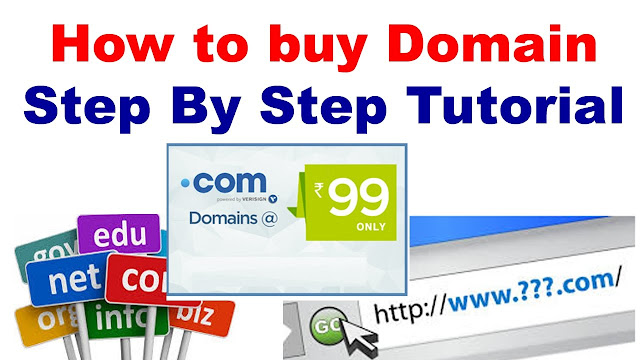
How to Buy a Domain Name: Domain Registration Guide

If you want to start a blog or a new online business, you’ll need to register a domain name, the name for your website. Getting the right domain for your needs might sound technical at first, but the process is pretty simple.

This domain registration guide will tell you what you need to know about domain name extensions, how to choose the right one for your needs, and the steps you’ll need to take to check if a domain name is available and to register your domain.

What Is a Domain Name?

Every website on the internet has an IP address. These addresses point to a website’s location — think of them like GPS coordinates. The IP address, which is generally a set of numbers, usually resembles something like this:

Unfortunately, trying to remember all of those numbers in order to navigate to a website can be challenging. That’s where domain names step in and lend a hand.

A structure called the Domain Name System (DNS) translates those IP addresses into names that are (hopefully) simple to remember. Those names are called domain names.

Your website’s domain is what people enter into the address bar on their browsers to point it toward your website. In the simplest terms, if an IP address is your website’s GPS coordinates, the domain is its street address. Some examples are mailchimp.com and google.com.

When someone types a domain into a browser, it gets routed through a DNS server. That server translates the name to figure out which IP address it points to. Then it grabs the data for that website and delivers it to the browser. This process happens in a matter of seconds, letting you find and view a website fast.

Types of Domains

According to Verisign, there were over 360 million registered domains in 2019. The types you can buy vary greatly. To make the best choice, you need to first understand the anatomy of a domain, which is made of two main parts — a second-level domain (SLD) and a top-level domain (TLD).
Second-Level Domains (SLDs)

A second-level domain is what most people think of when they think of the name of a website. It’s the unique name that you choose to represent your brand because it’s the part that people will remember the most.

In a web address, an SLD appears just to the left of the extension, or top-level domain. It can contain as many letters, numbers, and special characters as you want, but it’s best to keep them short and easy.
Top-Level Domains (TLDs)

Top-level domains (TLDs) are also referred to as domain extensions. They’re the series of letters that appear at the right of your SLD, after the dot. The most popular ones include:
.com: Short for “commercial,” this was the first TLD launched, initially meant for business and commercial use. It’s still the most popular.
.net: Short for “network,” this was created for technology organizations, but it has become another common option for business website owners of all types.
.edu: Short for “education,” this TLD was created for universities, colleges, and other educational institutions. Today, it’s mostly associated with U.S. schools.
.org: Short for “organization,” this was developed for non-profit organizations but soon became popular among schools, communities, and for-profit enterprises.
.gov: Short for “government,” this was created strictly for U.S. government agency use.
.mil: Short for “military,” this TLD was developed solely for use by branches of the U.S. military.

There are also TLDs for different countries (.ca for Canada, for example) as well as niche domains like .coffee, .cheap, and .ninja. In all, there are more than 1,500 different TLDs to choose from, and the list continues to grow. But the cost for different TLDs vary. Some carry more “weight” than others, which should impact your decision when buying a domain.

How Much Does a Domain Name Cost?

When you buy a domain name through domain registrars, you register it for one year with the option of a multi-year registration. You will be able to renew your domain name registration when the initial period finishes, and will usually be alerted by the registrar to do so. Domain names are also sometimes included in your web hosting plan and if not, usually offered by your hosting company.

A domain name with a common top-level domain, such as .com, can be had for as low as $12.99 per year, and promotions are often available. Internet domains purchased through Mailchimp also come with free WHOIS privacy protection and a Secure Sockets Layer (SSL) certificate to provide your website with free verification and encryption.

You do need to have a web hosting plan to put your site online, but you don’t need to have hosting to purchase a domain. Assuming you have a business or blog name in mind, it’s possible to reserve your brand’s name for the future by purchasing and registering your domain name now. Then you’ll have plenty of time to consider how to build your website.

How to Choose a Domain Name

Since your domain name can have a major impact on your online presence, what you choose is a vital first step in building your brand. Finding the perfect domain name, however, can be challenging.

While it’s true that there are millions of domain names available, many of the popular domain names that are easy to remember are taken. Fortunately, you can still get what you need if you go through a simple process and use a bit of imagination.
Make It Brandable, Not Generic

Creative, memorable domain names are always better than generic ones. After all, your domain name is how people will find, remember, and spread the word about your business on the internet. It’s much better to have something that aligns with your brand instead of a domain name that’s made up of a bunch of general keywords.

For example, can you tell the difference between cheapcarinsurance.com and affordableautoinsurance.com? Which one would you trust when it comes to buying insurance? Probably neither. Both sound a little spammy, and they’re terribly generic.

On the other hand, you’ll probably know where the domain names progressive.com or geico.com are going to point you to. Those companies have invested in their brands, and they’ve used them in their domain names. You can trust that these sites are legitimate.

Even if you haven’t built up trust and loyalty yet, you can start by choosing a strong domain name that fits your brand.

Choose the Right Domain Extension

When picking the extension or TLD for your domain name, “.com” is still the best choice unless you have a reason to choose something else. Roughly 43% of all domains have a .com extension, making it what people expect to see the most.

While Google confirms that your choice of TLD will not impact rankings, it does affect consumer perception. Many people view other TLDs as less trustworthy.

That said, .net or .org extensions are not uncommon, so they can be good secondary options if you find the perfect name and the coveted .com isn’t available.

But if you do decide to go with an extension other than a .com, make sure you take a look at what type of website is currently on the .com extension. Someone is bound to go there accidentally while looking for your brand. If the site holds fishy or offensive content, you might want to steer clear of that name altogether.

Finally, avoid those niche domain name extensions like .space, .club, .pizza, unless you really think they’ll enhance your brand.

Watch Domain Length

When it comes to domain name length, shorter is better. Search engines — Google in particular — give preference to easy-to-understand and simple domain names that deliver what they promise. URLs that are filled with numbers and special characters can hurt search engine rankings.

Your domain name should be as short as possible while still capturing the concept of your website. Short domains are easier to read, take up less room on marketing materials, and have a better chance at sticking in visitors’ memories.

The downside to short domain names is that there are fewer of them available. But, if your brand name is 100% unique or has some other creative element to it, you might be able to find something to fit the bill.

So, what is an acceptable length? Aim for 6 to 14 characters with a focus on the shorter end of that range.

Make It Memorable

Whatever domain you choose should also be memorable. It should be simple enough for anyone to spell and type.

Not sure if your domain name is memorable? Tell it to 10 friends and ask them if they can spell it. If more than a few struggle, you need to pick something else.

Provided your chosen domain name passes that first test, make sure it’s also easy to pronounce for the sake of word-of-mouth promotion. Use that same “10 friends” test as a guide. Write the domain name down and ask your friends to pronounce it. If no one struggles, you have a winner.

Think about some popular websites like Yahoo, Amazon, Reddit, and Twitter. Each is short and easy to spell. If you choose poorly, there’s a good chance that many of your visitors are going to end up on someone else’s website.

Avoid Numbers and Hyphens

Imagine asking your 10 friends to spell or pronounce a domain name filled with numbers and dashes. It won’t work.

If you choose a domain name with these elements, you’re likely going to lose traffic to people who can’t remember your domain or effectively tell someone else how to find it. We probably wouldn’t have Facebook today if you had to go to Face-Book.com to reach the site.
Check for Trademark Infringement

Both major and minor brands alike take issue with others using their trademarked names. Even if you’ve just made an innocent mistake, the legal hassle involved in a lawsuit and having to rearrange your web presence could be costly.

You can avoid these situations by using a trademark lookup tool before you finalize your choice.
Future-Proof Your Domain Name

Domains and websites are long-term investments. That means you should avoid choosing a domain name that includes a year or the latest trendy catchphrase.

Think about where your business or brand might be in five or ten years. If you provide basic SEO services now, you might end up expanding your offerings as your business grows. So, using the words “marketing” or “digital marketing” might be better descriptors than “SEO services.”
Use a Domain Name Generator

If you’re not the creative type, you can use a domain name generator to help spark some ideas. Simply enter in some words or phrases that describe your brand or website, and these tools will give you a list of ideas that you can then check for availability.

Steps to Buying a Domain Name

Let’s assume you have a list of catchy, memorable, branded, and short domain names, and you’re ready to buy. Here are the steps for buying and registering your domain name.
1. Choose a Reliable Domain Registrar

To get a domain name, you should first find a registrar that is accredited with the Internet Corporation for Assigned Names and Numbers (ICANN), which is the nonprofit organization responsible for coordinating all of the numerical spaces on the internet. Mailchimp offers domains governed by ICANN.
2. Find a Domain Availability Checker Tool

The next step in your journey is a domain name search and should involve a domain availability checking tool. This will tell you if the domain you want, such as tinysgarage.com, is available or not.

3. Choose the Best Domain Name Option

When you’re checking for available domain names, you’ll often find that your first, second, and tenth choices are already taken. Some of the different approaches you can take when this happens are:
Keep searching. Let your creative juices flow, and continue to search until you find something you love — or at least like.
Choose another extension. If the .com isn’t available and you’re set on a certain name, consider the .net or .org if you think it will work.
Reach out to the owner. Maybe the domain is already owned, but it’s not being put to much use. You could reach out to the owner with an offer.

4. Purchase Your Domain Name and Complete Its Registration

During the checkout process, you’ll be required to enter your contact information, including an email address, to register the domain.

5. Verify Ownership of Your New Domain

Paying for your domain might seem like the last step in the process, but you also need to verify your ownership. This step lets you send email using the domain (myname@topnotchsales.com, for instance) and keeps other people from using it without your permission.

If you purchase your domain through marketplace, this process is simple. You’ll receive a verification email after you complete your purchase. Simply click on the Verify Domain button in the email and follow the instructions on the next page, and you can start using your domain to build your brand. You’ll only ever have to complete this step once.

Buying a Domain from Another Person

If the domain name you want is already owned, it might still be available. Assuming you find a name that you simply must have, here are the steps to complete a purchase:
1. Find the Owner’s Contact Information

Locate the owner of the domain by looking up their contact information through the WHOIS directory. If it isn’t listed, you may be able to contact them from information you find on the domain’s website.
2. Negotiate a Fair Price

Once you make contact, offer a fair price for the domain. If you aren’t sure about a price, do some research. You can even hire a broker to facilitate the deal on your behalf if you want the domain badly enough.
3. Complete the Sale Using Escrow

Avoid wiring money to a stranger on the internet. It’s just a bad idea. Instead, use an escrow service to ensure that both parties are satisfied and your sale is as low risk as possible.