

Tag: SEO
Blogger Vs WordPress: Which Is Better For You?
There are two big-name services in the world of blogging: Blogger vs WordPress. No matter where you go on the internet looking for advice, these two names are nearly impossible to avoid because they play such an important role within the online content community.
If you’re just starting out a new blog, or making some major changes to your current layout, you’ll most likely be faced with the decision to choose between Blogger vs WordPress. Both are stellar services that are going to make your life as a blogger much easier, but ultimately, your decision must come down to one. So don’t cross over, let’s walk this path together and ensure that you don’t get lost in the wonder world of web, looking for answers.

Before we start!
WordPress as you might have noticed, comes in two different flavors, wordpress.org and wordpress.com. Seemingly same, but practically, not. Like in Blogger vs WordPress, hosting at wordpress.com is like renting a corporate apartment where the corporate is responsible for maintenance and facilitation of your place. While hosting at wordpress.org is similar to buying your own apartment, where you are responsible for your place’s security, maintenance and many others.
So, wherever in this post you see the word ‘WordPress’; know that it refers to wordpress.org.
User-Friendliness
WordPress is a clear front-runner in the blogging and web design community in terms of how many people actually use the platform. The founder of WordPress, Matt Mullenweg, provided eye-opening statistics that around 18.9% of the entire Internet runs on WordPress. Compared to a 2012 study done by Blogging.org, of all the actual blogs on the Internet, WordPress makes up 43%, Blogger 35%, and the remaining blogs are Tumblr or other less known services.
However, just because something is used more often than another, it doesn’t mean it’s easier to use. The problem with WordPress is that it wasn’t designed for beginners who just want to take up blogging as a side hobby. In order to set up your own WordPress blog, you have to have some previous knowledge of things like hosting, bandwidth, HTML and SEO practices. There are WordPress services out there that will help set up your site and get you online, but WordPress itself comes as a set of files that you are expected to download and configure to your own site.
Some hosting companies have made the idea of using WordPress a little bit easier with things like one-click downloads; but it’s still a pretty steep learning curve for new bloggers to overcome. You also have to deal with paying for the costs of hosting your site and acquiring the domain name. If you opt to use one of the many WordPress services instead of setting it up yourself, you’ll be stuck with a URL such as ‘yourwebsite.wordpress.com’, which takes away from the professional image you may be trying to portray.
Blogger is entirely based on Google and makes setting up a blog a breeze. With Blogger vs WordPress all you need to get started is to sign up for the service using your Google account, or make a new account like you would if you were setting up an email account. From there, Blogger takes responsibility for all your files, backing up the systems and the details associated with operating a content site like a database. Blogger is so much easier in terms of walking you through the steps, providing you with everything you need to be successful and it’s at little-to-no cost to you.
Design & Customizability
Hosting at WordPress means stepping into the Disney world. With hundreds of featured rich-customizable design templates, you would find yourself literally lost in the WordPress arena, ensuring that your site looks unique, catchy and simply marvelous to visitors. The wide array of WordPress templates include customized designs for nearly every walk of life including fashion, entertainment, music, health, kitchen, etc.
Blogger templates, some would say, are not responsive; but let me tell you a secret. With a little search online, you can find hundreds of free, highly customizable, responsive Blogger templates that you can easily integrate into your blog, so that you, and your site visitors stay in touch with your blog through their handsets. For WordPress, however, you don’t need to wander around. By default, it has rich and responsive native designs, making WordPress ideal for mobile bloggers.
Both platforms will allow you to make modifications to the theme and features of the site if you have experience or feel comfortable to use HTML and CSS. They also both provide helpful post areas for when you go to submit new content. These post areas will also include HTML and some basic functions to change the font style and the size of your text.
One design feature between the two that may tip the scale toward Blogger in the Blogger vs WordPress discussion is that Blogger is integrated with other Google services like Google Picasa. Picasa is a photo sharing site that will allow you to share all your personal photos, or the photos that you plan on using within your posts. These can then be accessed via the text editor when you are submitting content and can be easily included with the content.
Gadgets, Widgets & Plugins
Talking of plugins, WordPress provides you with thousands of easy to integrate plugins from security to multimedia, enabling you to add any feature or functionality in your site, in a couple easy steps. Users of this platform have submitted thousands of independent plugins that you can install for just about anything you would need, from SEO to E-commerce. There are so many interesting plugins available, that blog owners often make the mistake of cluttering their site with too many and distracting their readers from the content.
Blogger may not have as many plugins or widgets as WordPress, it does have enough to provide you with what you need. Blogger’s simplicity in many ways provides it with an edge over WordPress because you are able to focus most of your time in producing great content, instead of seeing how many bells and whistles you can add on the site.
The SEO Question
Not every person that starts a blog is looking to make money off the content; some people just like to write for the sake of writing. Whatever your goals are for starting the blog, search engine optimization – or SEO for short – is a key strategy in growing your readership, so others might enjoy what you have to share.
Over 1 quadrillion searches are performed via Google each year. The goal of most SEO producers is to implement strategies that can appease Google so that their content will be ranked higher up in search query results. Blogger is a service created by Google, so it’s obvious that they added their own formulas to the service to ensure that those blogs are doing what they need to do to be found.
Sticking to Blogger means Google would optimize your blog itself from a SEO perspective. All you need to do is check / uncheck a couple of options from your dashboard and Google will start crawling your site with just a click of a button. WordPress takes a hands-on approach that will require you to know a little bit more to modify your website design and content to meet these standards.
And the Blogger vs WordPress Winner Is…
In terms of Blogger vs WordPress, both services might be worth trying out, but ultimately Blogger comes out as a winner in all four categories discussed above. For new or returning bloggers, it is a fantastic service that makes it easy to focus on what you love, regardless of all the add-ons and fancy additions of WordPress. Blogger’s simplicity is perhaps one of it’s greatest advantages and provides bloggers of all experience levels a chance to succeed.
How do I write SEO friendly content?
How To Optimize Images For Better Search Engine Rankings
When search engines start indexing the pages on your site, they don’t just focus on the writing. Web crawlers employed by services like Google and Bing shuffle through your site’s structural code looking for any relevant information that they might offer to their customers. Some of the information includes things like backlinks, tags and even images.
Images make up a big part of any website. They help to excite the visual senses of readers and offer a little extra entertainment value. What most blog owners don’t realize is that all of the photos that they upload to their site aren’t confined to their site alone. Crawlers make sure that these images also show up within their respective search engines sites.

Image searches can have the effect of drawing in large numbers of new readers that were just looking through content in Google images. You can benefit from this traffic and increase your average subscriber by practicing image optimization.
Image Optimization Tip #1: Alt Tags & File Names
Visitors may love images, but computers don’t. Computers are designed to do what you tell them without violating any of the parameters. When web crawlers come across images on a website, they really don’t know what to do with it because they are made to collect information, not interpret it. The solution to this problem is to optimize images and appropriately label your alt tags so that they display the correct content when someone goes to look for it.
For example, let’s say you upload a picture of your dog, and label the “alt” tag by the dog’s name, ‘Frank’. The web crawler is going to read the alt tag without ever realizing it’s a picture of a dog; therefore, the crawler will come to the conclusion that it needs to display the image when someone run a search for ‘Frank’.
The minor word choice mistakes may not affect the operations of your website, or how your image is displayed, but it will affect the search results of others and the traffic that comes into your website. Whereas you may have been able to attract the dog lovers in the world using image optimization of your dog tagged ‘dog’, you are now drawing in crowds searching for their uncle “Frank”.
To include the alt tag, simply add alt=”this is your alt text” to your image tag. Here’s an example:
<img src="pug-dog.jpg" alt=”frank dog” />
But you don’t have to touch the html code of the image. Once the picture is uploaded, click on it and you will see the “Properties” setting. Add the alt text inside the box and hit OK:
This goes the same for file names on a website. You need to optimize images and file names on everything that you decide to save to your website directory so that this information can be appropriately indexed and be used as a search term. You could name the file of your dog Frank, “pug-dog.jpg”, which would encourage the search engine to add Frank into searches being performed with the phrase ‘pug dog’. Alt tags and file names play an important interpretation role between you and the machine that makes your blog possible.
Image Optimization Tip #2: Add A Caption
After uploading your images, you should always add a caption to the image, so that average browser understands what they’re looking at. This gives your website a more professional appearance and will help to keep people on your page.
Not everyone that comes across your picture using a Google Image search is looking for your blog. Maybe they just want to download the image, and that’s all you’ll ever get from them. The important thing is that they found your photo relevant to their search, and decided to navigate to your site in order to save it for their own use.
The longer those users stay on the site, the better it looks for you because it plays a role in the “bounce rate”. Bounce rate refers to when someone clicks on a link, realizes it’s not what they’re looking for, and then immediately goes back to the search engine. If you can reduce the number of times that this happens by providing captions and intriguing content that will make people want to stick around, your SEO ranking will improve.
 |
| Image caption and SEO |
Image Optimization Tip #3: File Size
Improving your bounce rate can be tough because the attention span of the everyday Internet user is incredibly short. It may be as short as 8 seconds. High bounce back rates and slow loading sites can be the death of most blogs because no one wants to wait for the content to load. By the time your website finally loads with the content that you need, they could have easily visited two or more sites and found what they need from someone who was better prepared to handle their traffic.
Optimize images so that you are able to keep the file size as small as possible while retaining the quality of the photo. Images taken from DSLR camera – although they may look great – can be up to 1.4 MB in size if you take them directly off your camera and upload them on your blog. This type of space is massive for any everyday blog, and will hurt your SEO ratings.
Use Photoshop or one of the many online services like Google Picasa to rescale your images or reduce the file size. One service that can perform this ability for free and do a great job is Kraken. When you access Kraken site, it will allow you to upload the picture and download the new image optimization versions to use on your Blogger site.
Putting It All Together
At the end of the day, the quality of your site and overall SEO ranking isn’t just about what you have to say. It’s the entire package of what you have to offer. Optimize images every chance you get and use the strategies discussed above. Now that you know that you might have been neglecting images all along, you can make necessary adjustments and start to see even better results from all your hard work.
7 Search Engine Optimization Tips For Bloggers
SEO, as you might have already know, is an acronym for search engine optimization. In the simplest of words, it’s the way search engines like Google.com, Yahoo.com, Bing.com and others present your page in users’ search results on their sites.
Cool, how do they that?
Well, they do that via sophisticated software tools, called spiders. Consider the whole internet as an empty room, with air particles as websites. Now sneak a spider into that room. Each tiny step that this spider would take now is essentially crawling a website (as the room is dark and full of websites). This is how search engines crawl through the web picking up site after site, studying them and ranking them. This ranking is important, really important. A higher ranked website by Google will always be on the first page of Google’s search results for a related query compared to a lower ranked one.

So, in order to get ranked higher, you and I need SEO. SEO is like black pepper without which fried egg might not taste ‘that’ tastier. In simple words, in order for search engines to find your site and rank it higher than others in your field, you need to optimize it. Let’s see how with these 7 simple tips.
Ways to SEO Optimize your Blog
Before starting with our 7 simple tips for a quality SEO, it’s important to broadly classify those tips into two basic areas, on the basis of origin:
On-page Optimization
Refers to optimization of your actual web content including your HTML code, your text, as well as graphic content.
Off-page optimization
Off-page optimization, however, deals with things like backlinks (hyperlinks pointing to you site from other websites, apps and networks).
1. Create SEO Friendly Blog Post Titles
Post titles are important for SEO. They really are since they are deal makers or breakers. Whenever you write something, make sure you give proper attention to the post’s title. Make your titles simple, intriguing, descriptive and gullible so that people may know what is this all about and what to expect. An even better approach is to wear searchers shoes while giving a title and think how would you Google it if you were looking for content like this.
 Also, don’t forget to include keywords in your title and keep it under 70 characters (or search engines would crop it before looking).
2. Improve the quality of your content
If you think ‘content’ isn’t important for SEO, think again! Your content is the most important part of your site. While writing, don’t copy-paste from elsewhere, don’t stuff it with keywords alone, don’t bombard it with images and multimedia files and don’t write any lesser than 300 words. These all would affect your ratings quite poorly.
So, write original, use keywords in scenarios instead of straying them around (like I didn’t use SEO here, SEO there in every next line), use images where they suffice and make sure you name them properly to appear in image search results, i.e. an image with the “img009.jpg” name would never appear in the image search results but “tips_to_success.jpg” would. The best would be to use text content and wrap them proper in HTML tags like etc. (search engines likes content this way). Also, make sure your blog post’s length is somewhere between 300-500 words – crossing over is fine but lesser isn’t.

3. Keywords are keys
Keywords are terms that others may use to search for your content. While keywords are important for SEO, don’t go on and stuff your site with keywords. This would make your content appear like a spam to spiders, who would neglect it henceforth.
Ideal is that once you have chosen your title (and included your keyword in it, as I have added keyword SEO in title above), use it in page URL, in your starting and ending paragraphs, as well as in article body where required without sounding awkward. Additionally, you may link it using anchor text to relevant resources in and out of site.
 |
| Adding keyword in the post URL using Custom Permalink |
4. Meta-tags are important, but not ‘that’ much
If we had been living in early part of 21st century, meta tags might have done all the SEO for your site. Unluckily, we aren’t. Google and other search engines have long left using meta-tags for finding site information. Hence, if someone tells you meta-tagging is all you need for your sites SEO, tell them it isn’t.
Nevertheless, it’s important that you use your keywords in your meta-data. Some themes already do that for you, if they don’t (you can check that using page source or using view source code from browser), don’t sweat. You can use 3rd party plugins like All in One SEO Pack and Scribe.
5. Socialize!
Make others talk about your site and share your content on social media sites or their blogs. It gets even better if somehow sites with high ratings link back to your site. This makes spiders think that you are someone important that everyone these days is talking about, resulting in enhancing your ratings dramatically.
Guest posting is another good approach for that. Comment on other sites, make friends with bloggers (best in business) and make them comment at yours. These tiny little things do matter a lot, resulting in enhanced SEO of your site.
6. Link in and Link-Out
Hyperlinks or Links are important from SEO perspective. You can use them to:
Link out to other sites, networks and posts, or even to your previous posts (also called inbound or backlinks) using anchor element with keyword.

Or even better, make others to link in to you, via sharing your content on their sites or social media networks.
As mentioned, an even outstanding strategy for building links is guest posting.
7. Write Often
Sites with new content every day, or twice thrice a week have still far better ratings than those who post every fortnight. A better incoming content frequency makes spider come to your site regularly, resulting in better ratings and enhanced SEO.
Are we done then? Well, trust me – your sites rating is in your hands, not in Google or Yahoo. SEO is just about doing things neatly and in a sophisticated manner. Walk your site these 7 steps for a quality SEO and you will witness the difference yourself at Google, if no place else.
Remember, code clean, write original, socialize… this is what SEO is all about!
16 Quick and Easy Tips to Increase AdSense CPC
- Optimize your content for high value keywords – Do your keyword research and identify the best paying keywords within your niche. The way AdSense works is that advertisers bid for keywords. There are some keywords that get the best bids and have a much higher value. Those are the keywords that you should focus on and optimize your content for.
There are some keywords that could be worth $100 or more per click. Do your research on them and include them as naturally as possible in your content. In the US, the best paying keywords are available in categories such as business services, bail bonds, casino, lawyer and asset management. Create content relevant to such popular niches and optimize your articles and blog posts with the best paying keywords.
- Focus on long tail keywords – It’s not enough just to have the best paying keywords. You should do your research on SEO tools such as Google Keyword Planner and SEMRush and identify the best paying long tail keyword phrases which are relevant to your readers. Include these keywords in your content. Make sure to use the best SEO practices to optimize your content with these keywords – but keep it natural, don’t stuff keywords without considering the grammatical correctness and the flow of the writing.
- Create engaging, high quality and profitable content – The quality of the content is the most important thing to be considered. You should have a clear idea of what your readers are looking for and provide them with the right kind of solutions to their problems. You should write content that creates value to a highly targeted audience, who are looking for information within a niche. The content should be SEO friendly and placed prominently on Google’s SERPs. The higher the traffic, the more people that read your content, the higher will be your AdSense CPC. As simple as that!
- Make good use of the AdSense Ad Review Center – The AdSense Ad Review Center is a tool that allows you to review individual ads so that you can decide whether to block them or to display them on your web pages. This gives you a much higher level of control and transparency over the ads that appear on your website or blog. It gives you complete control over what sort of products, services or brands are promoted on your website or blog. You should make use of this tool to display adverts from high paying advertisers only. Remember – not all AdSense adverts are supported by this tool. Ad Review Center only allows you to block ads at the product level and not at the website level.
- Figure out the best ad sizes – The right kind of ad sizes and placements bring you the best paying CPCs. There are some ad sizes that are very effective for certain platforms, such as mobiles and tablets, but not so successful on other platforms, such as laptops. Choose the best ad sizes for various platforms and experiment with them till you get a CPC that you are comfortable with.
- Use Smart Pricing to your advantage – Advertisers of today want higher ROI and want real clients. Google understands this and makes an accurate projection on the conversion rate of the ads before deciding which ads to serve and where to place them. This is based on a “Smart Pricing” model which Google uses these days. You can use Smart Pricing to your advantage by displaying relevant ads, attracting high quality traffic to your blog and creating amazing content.
- Make use of the Competitive Ad Filter – the Competitive Ad Filter is similar in a lot of ways to Ad Review Center discussed earlier. The purpose of this tool is to filter out any unwanted ads and to prevent them from appearing on your site. You can use this tool to block ads from your competitors. You can block entire AdSense accounts or specific domains. Now, this doesn’t do much for your CPC, but it ensures that your competitors don’t display their ads on your site. The last thing you want is for your customers to be led to your competitors’ websites.
- Follow Google’s Mobile-Friendly guidelines – Since April 21, 2015, Google has made the mobile-friendliness of a website as one of the premier rankings factors for its algorithm. You have to optimize your website for the mobile; if you don’t you will get penalized by Google in a big way. You must have a responsive web design.
Advertisers like websites that are mobile friendly. Some pay more for mobile clicks than for desktop clicks and other prefer to advertise exclusively on the mobile. This is especially true of local businesses within a certain geographical area. So, to increase your CPC, make your website more mobile friendly.
- Experiment, mix and match, try out new things with your ads – Google AdSense has a special called “Experiments” which allows you to try out different things with your ads. You can do split testing on different ad formats, try different advertisers, make changes to the font type and background color, change ad sizes, change color schemes, block certain ad categories, etc. and find out what works and what doesn’t. When you feel comfortable about something, stick to it for the long haul.
- Make use of the Google Ecosystem – Google likes publishers who are loyal to its platform. So join the Google Ecosystem, be a part of it. This means being on Google+, making use of Google Webmaster Tools, creating a Google Business account, having a YouTube channel of your own, using Google Docs, and so on. Spend more time on the Google platform, use more Google resources to earn Google’s trust. Earning Google’s trust is a surefire route to a higher CPC.
- Focus on certain high paying geographical areas – You should always focus on high CPC regions where advertisers pay more for clicks. So if your content is aimed at audiences within the United States, Sweden, Japan, Norway or Netherlands, you will most certainly have a much higher CPC compared to targeting countries such as India, South Africa, Bangladesh and Indonesia. You might want to purchase local domain addresses and created content specific to the high CPC region. You may even want to narrow down your geographical region to just cities – for example, any content focused on New York City, Dallas or London gets high paying ads.
- Make use of information from both Google Analytics and Google AdSense and link them for a better insight into your web traffic – Both Analytics and AdSense provide you with excellent information on your web traffic, revenue earned and deliver useful reports. Connect your Google Analytics and AdSense accounts for a better insight into your traffic, and get a sense of the audience behavior on your site – what they click more, where your highest CPC traffic is located and so on.
- Show only relevant ads – You should make sure that Google serves only the most relevant ads on your web pages. The way to do that is to make your content SEO friendly and easy to crawl for the search engine bots. You can start by focusing on the basics such as headings, meta tags and formatting your content. Also, turn off the remarketing ads in favor of contextual ads. All of these things could increase your CPC over time.
- Reduce the number of ad units on your blog – Try something different such as reducing the number of ad units on your blog. By reducing the supply, you can have the advertisers bid more for the limited space, which can lead to an increase in your CPC. It is about making the supply/demand mismatch work to your advantage.
- Use the Matched Content feature on AdSense – Google has a content recommendation service called as Matched Content for AdSense. So it this is available only to major publishers, but you can try and find out if you qualify for it or not. This involves replacing your local article recommendation engine with that of Google. The idea is to promote only the most relevant and most profitable content on your site to your visitors.
- Allow Placement Targeting – Advertisers are always willing to pay more for quality placement. Google has made it possible for advertisers to target specific sections within your website or specific formats. This is called as Placement Targeting. For this you will have to group the ads into Custom Channels – as many as 500 URLs – and give advertisers easy access to relevant content on your website.


Final Thoughts
I have discussed why your AdSense CPC is low and given you 16 quick and easy tips on increasing it. However, there are no hard and fast rules here. If none of the steps given above work, try something else to increase AdSense CPC. Just keep experimenting till something sticks. Hope you enjoyed reading this. As usual, I look forward to your questions and suggestions. Just send them in the comments below.
SEO-it?
Search Engine Optimisation or SEO is the process of improving the quality and quantity of website traffic for a website or web page, through the use of search engines. SEO can be quite helpful in the realm of organic marketing, that is, it helps to generate unpaid traffic for a website or webpage. Ranking higher on search engine’s result page indicates a good SEO.
In order for small scale business owners to make a substantial online presence, developing SEO is of paramount importance. Learning to optimise search engine to the most of their advantage is a big advantage when it comes to selling of products and services. However, SEO is not just limited to benefitting businesses, but it is useful to rank any and every thing that we look for in search engines result pages. Having good SEO will help your website rank higher in searches, thus increasing your website traffic.
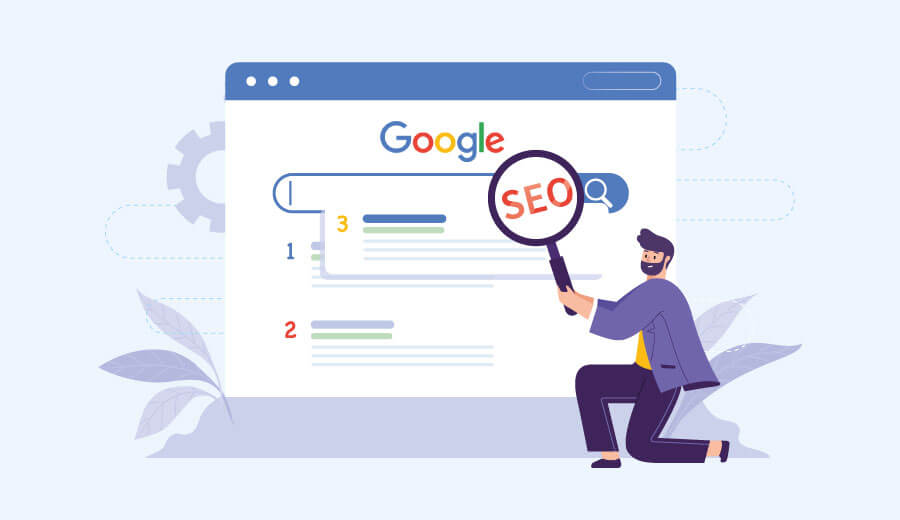
How does SEO work?
Search engines such as Google or Bing have bots that crawl or go through different websites and web pages, and collect information. These information are then indexed, that is, categorised to give the searcher exactly what they are looking for, when they are searching. After indexing the information, it is analysed to check for accountability and accuracy related to the given search query, and are then ranked accordingly in the search result pages.
Having a good SEO equals to higher rank in search engine result pages. SEO solely depends on organic search rankings and cannot be negotiated like paid search ads.
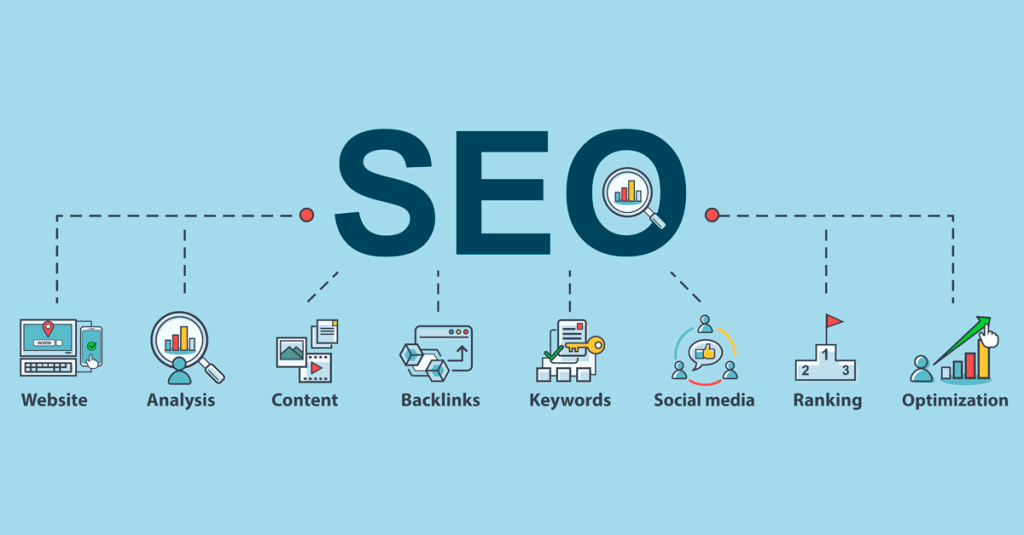
How to build a good SEO?
There are certain factors that affect SEO. Some of the factors are:
- Keywords- It is immensely important to have relevant keywords in the website or webpage, that matches the searcher’s query.
- Link- Having organic links in other websites can immensely boast with SEO.
- User-friendly URL- Having a website or webpage that is user-friendly and compatible on both desktops and mobile phones are highly recommended for higher rankings.
- Sitemaps- It is important to have a well-structured layout of the website.
- Social Media- Having a good social media presence also helps with SEO.
- Content- Content is king. A good content can automatically produce good SEO.
- Tracking- it is important to track if the SEO efforts are working or not.
There are more such factors that help with SEO. There are SEO score trackers, that check the SEO of the website and give a score, along with the errors they found. Such as Ubersuggest by Neil Patel, and google itself and more.
SEO as a marketing strategy
As it has been mentioned above, a good SEO boasts the sites’ presence and ranking on search engine result pages, which in turn helps with marketing, without having to spend much on it. It is important to know what the consumers want and optimise their experience to exactly what they are searching for.
SEO is fundamental to digital marketing. A higher ranking can imply that the website is doing better than their competitors and thus increasing the website traffic. In short, SEO is the foundation of having holistic marketing, and can come in as pivotal element in both organic and paid marketing.
For any venture to make a place for itself, SEO is the way to go, especially in these times when online business has peaked and will continue to do so. However, not just businesses but SEO helps consumers in identifying the query and presenting them with what they searched for. Nonetheless, learning to optimise search engines can also be a skill too! If you’re looking for a digital marketing agency to boost your website’s SEO, check out Leading Solution.
Why is the Google algorithm so important?

Finding useful information on the World Wide Web is something many of us take for granted. According to the Internet research firm Netcraft, there are nearly 150,000,000 active Web sites on the Internet today [source: Netcraft]. The task of sifting through all those sites to find helpful information is monumental. That’s why search engines use complex algorithms — mathematical instructions that tell computers how to complete assigned tasks.
Google’s algorithm does the work for you by searching out Web pages that contain the keywords you used to search, then assigning a rank to each page based on several factors, including how many times the keywords appear on the page. Higher ranked pages appear further up in Google’s search engine results page (SERP), meaning that the best links relating to your search query are theoretically the first ones Google lists.

For Web page administrators, being listed prominently on Google can result in a big boost in site traffic and visibility. In 2007, Google surpassed Microsoft as the most visited site on the Web [source: The San Francisco Chronicle]. With that much traffic, getting a good spot on a Google SERP could mean a huge boost in the number of site visitors.
Google’s keyword search function is similar to other search engines. Automated programs called spiders or crawlers travel the Web, moving from link to link and building up an index page that includes certain keywords. Google references this index when a user enters a search query. The search engine lists the pages containing the same keywords in the user’s search terms. Google’s spiders may also have some more advanced functions, such as being able to determine the difference between Web pages with actual content and redirect sites — pages that exist only to redirect traffic to a different Web page.
Keyword placement plays a part in how Google finds sites. Google looks for keywords throughout each Web page, but some sections are more important than others. Including the keyword in the Web page’s title is a good idea, for example. Google also searches for keywords in headings. Headings come in a range of sizes, and keywords in larger headings are more valuable than if they are in smaller headings. Keyword dispersal is also important. Webmasters should avoid overusing keywords, but many people recommend using them regularly throughout a page.
Google’s PageRank System
The Google algorithm’s most important feature is arguably the PageRank system, a patented automated process that determines where each search result appears on Google’s search engine return page. Most users tend to concentrate on the first few search results, so getting a spot at the top of the list usually means more user traffic. So how does Google determine search results standings? Many people have taken a stab at figuring out the exact formula, but Google keeps the official algorithm a secret. What we do know is this:
- PageRank assigns a rank or score to every search result. The higher the page’s score, the further up the search results list it will appear.
- Scores are partially determined by the number of other Web pages that link to the target page. Each link is counted as a vote for the target. This logic is that pages with high-quality content will be linked to more often than mediocre pages.
- Not all votes are equal. Votes from a high-ranking Web page count more than votes from low-ranking sites. You can’t really boost one Web page’s rank by making a bunch of empty Web sites linking back to the target page.
- The more links a Web page sends out, the more diluted its voting power becomes. In other words, if a high-ranking page links to hundreds of other pages, each vote won’t count as much as it would if the page only linked to a few sites.
- Other factors that might affect scoring include how long the site has been around, the strength of the domain name, how and where the keywords appear on the site and the age of the links going to and from the site. Google tends to place more value on sites that have been around for a while.
- Some people claim that Google uses a group of human testers to evaluate search returns, manually sorting through results to handpick the best links. Google denies this and says that while it does employ a network of people to test updated search formulas, it doesn’t rely on human beings to sort and rank search results.
Google’s strategy works well. By focusing on the links going to and from a Web page, the search engine can organize results in a useful way. While webmasters can use a few tricks to improve Google standings, the best way to get a top spot is to consistently provide top-quality content, which gives other people the incentive to link back to their pages.
How to Write SEO Friendly Post in Hindi
How to Write SEO Friendly Post in Hindi
DIGITAL MARKETING

Digital Marketing
Any marketing that uses electronic devices to convey promotional messaging and measure its impact. In practice, digital marketing typically refers to marketing campaigns that appear on a computer, phone, tablet, or other device. It can take many forms, including online video, display ads, and social media posts. Digital marketing is often compared to “traditional marketing” such as magazine ads, billboards, and direct mail. Oddly, television is usually lumped in with traditional marketing.
Did you know that more than 3 quarters of Americans go online on a daily basis? Not only that, but 43% go on more than once a day and 26% are online “almost constantly.”
These figures are even higher among mobile internet users. 89% of Americans go online at least daily, and 31% are online almost constantly. As a marketer, it’s important to take advantage of the digital world with an online advertising presence, by building a brand, providing a great customer experience that also brings more potential customers and more, with a digital strategy.
What is digital marketing?
Digital marketing, also called online marketing, is the promotion of brands to connect with potential customers using the internet and other forms of digital communication. This includes not only email, social media, and web-based advertising, but also text and multimedia messages as a marketing channel.
Essentially, if a marketing campaign involves digital communication, it’s digital marketing.
Inbound marketing versus digital marketing
Digital marketing and inbound marketing are easily confused, and for good reason. Digital marketing uses many of the same tools as inbound marketing—email and online content, to name a few. Both exist to capture the attention of prospects through the buyer’s journey and turn them into customers. But the 2 approaches take different views of the relationship between the tool and the goal.
Digital marketing considers how each individual tool can convert prospects. A brand’s digital marketing strategy may use multiple platforms or focus all of its efforts on 1 platform.
Inbound marketing is a holistic concept. It considers the goal first, then looks at the available tools to determine which will effectively reach target customers, and then at which stage of the sales funnel that should happen.
The most important thing to remember about digital marketing and inbound marketing is that as a marketing professional, you don’t have to choose between the 2. In fact, they work best together. Inbound marketing provides structure and purpose for effective digital marketing to digital marketing efforts, making sure that each digital marketing channel works toward a goal.
B2B versus B2C digital marketing
Digital marketing works for B2B as well as B2C companies, but best practices differ significantly between the 2.
- B2B clients tend to have longer decision-making processes, and thus longer sales funnels. Relationship-building strategies work better for these clients, whereas B2C customers tend to respond better to short-term offers and messages.
- B2B transactions are usually based on logic and evidence, which is what skilled B2B digital marketers present. B2C content is more likely to be emotionally-based, focusing on making the customer feel good about a purchase.
- B2B decisions tend to need more than 1 person’s input. The marketing materials that best drive these decisions tend to be shareable and downloadable. B2C customers, on the other hand, favor one-on-one connections with a brand.
Of course, there are exceptions to every rule. A B2C company with a high-ticket product, such as a car or computer, might offer more informative and serious content. Your strategy always needs to be geared toward your own customer base, whether you’re B2B or B2C.

Types of digital marketing
There are as many specializations within digital marketing as there are ways of interacting using digital media. Here are a few key examples.
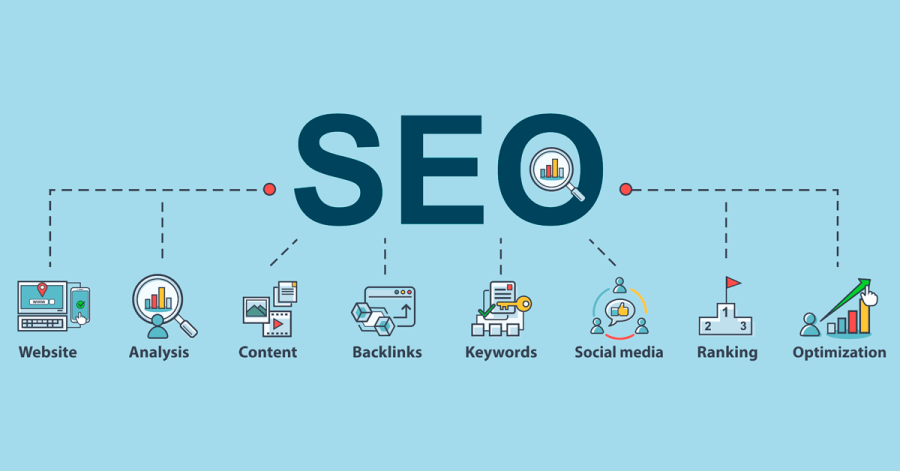
Search engine optimization
Search engine optimization, or SEO, is technically a marketing tool rather than a form of marketing in itself. The Balance defines it as “the art and science of making web pages attractive to search engines.”
The “art and science” part of SEO is what’s most important. SEO is a science because it requires you to research and weigh different contributing factors to achieve the highest possible ranking. Today, the most important elements to consider when optimizing a web page include:
- Quality of content
- Level of user engagement
- Mobile-friendliness
- Number and quality of inbound links
The strategic use of these factors makes SEO a science, but the unpredictability involved makes it an art.
In SEO, there’s no quantifiable rubric or consistent rule for ranking highly. Google changes its algorithm almost constantly, so it’s impossible to make exact predictions. What you can do is closely monitor your page’s performance and make adjustments accordingly.
Content marketing
SEO is a major factor in content marketing, a strategy based on the distribution of relevant and valuable content to a target audience.
As in any marketing strategy, the goal of content marketing is to attract leads that ultimately convert into customers. But it does so differently than traditional advertising. Instead of enticing prospects with potential value from a product or service, it offers value for free in the form of written material.
Content marketing matters, and there are plenty of stats to prove it:
- 84% of consumers expect companies to produce entertaining and helpful content experiences
- 62% of companies that have at least 5,000 employees produce content daily
- 92% of marketers believe that their company values content as an important asset
As effective as content marketing is, it can be tricky. Content marketing writers need to be able to rank highly in search engine results while also engaging people who will read the material, share it, and interact further with the brand. When the content is relevant, it can establish strong relationships throughout the pipeline.
Social media marketing
Social media marketing means driving traffic and brand awareness by engaging people in discussion online. The most popular platforms for social media marketing are Facebook, Twitter, and Instagram, with LinkedIn and YouTube not far behind.
Because social media marketing involves active audience participation, it has become a popular way of getting attention. It’s the most popular content medium for B2C marketers at 96%, and it’s gaining ground in the B2B sphere as well. According to the Content Marketing Institute, 61% of B2B content marketers increased their use of social media this year.
Social media marketing offers built-in engagement metrics, which are extremely useful in helping you to understand how well you’re reaching your audience. You get to decide which types of interactions mean the most to you, whether that means the number of shares, comments, or total clicks to your website.
Direct purchase may not even be a goal of your social media marketing strategy. Many brands use social media marketing to start dialogues with audiences rather than encourage them to spend money right away. This is especially common in brands that target older audiences or offer products and services not appropriate for impulse buys. It all depends on your company’s goals.
To learn more about how Mailchimp can help with your social media strategy, check out the comparison of our free social media management tools versus others.
Pay-per-click marketing
Pay-per-click, or PPC, is posting an ad on a platform and paying every time someone clicks on it.
How and when people see your ad is a bit more complicated. When a spot is available on a search engine results page, also known as a SERP, the engine fills the spot with what is essentially an instant auction. An algorithm prioritizes each available ad based on a number of factors, including:
- Ad quality
- Keyword relevance
- Landing page quality
- Bid amount
Each PPC campaign has 1 or more target actions that viewers are meant to complete after clicking an ad. These actions are known as conversions, and they can be transactional or non-transactional. Making a purchase is a conversion, but so is a newsletter signup or a call made to your home office.
Whatever you choose as your target conversions, you can track them via your chosen platform to see how your campaign is doing.
Affiliate marketing
Affiliate marketing lets someone make money by promoting another person’s business. You could be either the promoter or the business who works with the promoter, but the process is the same in either case.
It works using a revenue sharing model. If you’re the affiliate, you get a commission every time someone purchases the item that you promote. If you’re the merchant, you pay the affiliate for every sale they help you make.
Some affiliate marketers choose to review the products of just 1 company, perhaps on a blog or other third-party site. Others have relationships with multiple merchants.
Whether you want to be an affiliate or find one, the first step is to make a connection with the other party. You can use a platform designed to connect affiliates with retailers, or you can start or join a single-retailer program.
If you’re a retailer and you choose to work directly with affiliates, there are many things you can do to make your program appealing to potential promoters. You’ll need to provide those affiliates with the tools that they need to succeed. That includes incentives for great results as well as marketing support and pre-made materials.
Native advertising
Native advertising is marketing in disguise. Its goal is to blend in with its surrounding content so that it’s less blatantly obvious as advertising.
Native advertising was created in reaction to the cynicism of today’s consumers toward ads. Knowing that the creator of an ad pays to run it, many consumers will conclude that the ad is biased and consequently ignore it.
A native ad gets around this bias by offering information or entertainment before it gets to anything promotional, downplaying the “ad” aspect.
It’s important to always label your native ads clearly. Use words like “promoted” or “sponsored.” If those indicators are concealed, readers might end up spending significant time engaging with the content before they realize that it’s advertising.
When your consumers know exactly what they’re getting, they’ll feel better about your content and your brand. Native ads are meant to be less obtrusive than traditional ads, but they’re not meant to be deceptive.
Marketing automation
Marketing automation uses software to power digital marketing campaigns, improving the efficiency and relevance of advertising.
According to statistics:
- 90% of US consumers find personalization either “very” or “somewhat” appealing
- 81% of consumers would like the brands they engage with to understand them better
- 77% of companies believe in the value of real-time personalization, yet 60% struggle with it
Marketing automation lets companies keep up with the expectation of personalization. It allows brands to:
- Collect and analyze consumer information
- Design targeted marketing campaigns
- Send and post marketing messages at the right times to the right audiences
Many marketing automation tools use prospect engagement (or lack thereof) with a particular message to determine when and how to reach out next. This level of real-time customization means that you can effectively create an individualized marketing strategy for each customer without any additional time investment.
Email marketing
The concept of email marketing is simple—you send a promotional message and hope that your prospect clicks on it. However, the execution is much more complex. First of all, you have to make sure that your emails are wanted. This means having an opt-in list that does the following:
- Individualizes the content, both in the body and in the subject line
- States clearly what kind of emails the subscriber will get
- Offers a clear unsubscribe option
- Integrates both transactional and promotional emails
You want your prospects to see your campaign as a valued service, not just as a promotional tool.
Email marketing is a proven, effective technique all on its own: 89% of surveyed professionals named it as their most effective lead generator.
It can be even better if you incorporate other techniques such as marketing automation, which lets you segment and schedule your emails so that they meet your customer’s needs more effectively.

Short and Long form content: Their relevance

The terms short and long-form content gets thrown around a lot in the realm of the internet but if we were to clearly define and differentiate both type of content. Then it becomes much harder to discern between the two.
For instance, if we were to describe, how many word counts define long-form content. Then we will notice that there is no particular amount of words that will fulfill those criteria. For some content creators, 1000 words might be long and for some, it may be short. This same principle can be applied to the viewers as well. Due to these many experts consider long-form and short-form as more of beliefs rather than any specific word count. The word count can also vary according to the type of content and subject.
Now let us transition into the social media platforms instead to understand this phenomenon better. In a nutshell, the rise of short-form of content and marketing sounds likes a great deal but we have to look at the underlying challenges and opportunities that come with it. Tik-Tok, Instagram, and many other platforms have become quite popular but somehow YouTube still manages to be relevant. Why is that?
One of the biggest strengths of YouTube and its encouragement of long-form of content is the higher level of engagement. Long-form of content is easier to monetize, instead of one ad banner in a one-minute video a creator can add multiple advertisement banners in a 20-minute video. Advertisers prefer that and so does the platform, this also incentivizes the content creator to make long-form content. In the advent of the pandemic, many platforms that focused on short-form content have suffered. An example of this is ‘Quibi’, which started as a Netflix alternative on the go, and many people were not traveling and restricted to their homes due to the restriction and lockdowns. The relevance of Quibi shifted to a very volatile situation. Because when a person is at home, he/she prefer to watch a full episode instead of a brief version of that content. We cannot determine the exact failure of Quibi but it’s certainly one of the major contributors to this.
When does short content Work?
This is not to say that short-form content does not work, because the popularity of platforms that cater to short-form content is thriving especially when it comes to images and short videos. This means that it’s very crucial to determine the target audience. Although Tik-Tok and Instagram might not have the original content and monetization possibilities as compared to YouTube. They are still the go-to platforms for many new creators and numerous advertisers.
But things are a little different when the content is in written form. It’s also essential to understand when the short-form content works and when it does not. For instance, Buzzfeed focuses on large volumes of shorter content. Another thing to keep in mind is that multimedia is an integral part of Buzzfeed content and sometimes the content only acts as a supplementary shell for their multimodal content.
Due to a busy work-life balance, people tend to have less time to spare, and short-form content seems like the right choice. It also works well on mobile application platforms. Applications like ‘inshorts’ and ‘dailyhunt’ have perfected the short-form content delivery. While working on short-form content, there are a few more prerequisites that are necessary. For example, the content needs to be on point and needs to convey the whole story succinctly. To keep the engagement the need for multimedia inputs also becomes more important. Due to the digital transformation of the news, the time cycle of news has become compressed, readers demand any kind of news instantly and news is now consumed in binges.
Things to keep in mind and is it good or bad?
Short-form content also requires short-form marketing. This is a challenging area where advertisers are trying to keep the users engaged but they also have to ensure to not annoy them with on the face and bombastic ads. This is one area that is still not well received by the consumers.
There is no particular answer to the question if the rise of short-form content is good or bad. This all depends on the context of the problem. While designing and creating the content, the writer will have to determine the target audience. This essentially solves half the problem. There is a demand for short-form content but this is more relevant concerning video and photo content sharing. Written short-form content needs to be accompanied by multimedia to make it enticing. While the heading needs to be attractive but overly clickbaity headings should be avoided. The epidemic of fake news in instant messaging platforms like Whatsapp has left a sour taste in people’s mouths.
Many predicted that desktops will be wiped out as smartphones arrive but desktops are still relevant and even though a mobile-first strategy is preferential, almost every major website still offers a desktop equivalent to their mobile counterparts. The reason is simple, less bounce and significantly higher average time on the site.
The same can be applied to the long-form content, with long-form content there are more possibilities compared to short-form content. There can be additional content and features like good or bad, or pros and cons, just like I’m doing here! Various examples, references, graphs, etc can be complimented to the content. It also becomes easier to organize content with numerous subheadings to make content much more intelligible. This is not to say that the longer the content is necessarily better because sometimes long-form content results in a point of diminishing returns. In many cases, the topic and subject are much more important than the form of content. Content relevance, internal linking structure, User Experience design, pictures, videos, and the quality of a website or application are very important as well.
In conclusion, we can say that both short-form and long-form of content are relevant, the only catch is to determine which type of content applicable in that particular situation. Short-form content platforms have seen a huge surge of popularity but on the contrary, marketing and monetizing of short-form has their own sets of problems that are needed to be addressed.
How to Optimize your blog content through SEO strategy (SEO content marketing)?
SEO: Search Engine Optimization is used to fetch top rank in the results of searches that people do. It can be achieved by using some definitive keywords in your blog. These keywords should be suitable for the content you develop for the target audience.
SEO can be classified into two techniques namely White hat and Black hat.
The White hat SEO is the technique that is accepted by search engines and the Black hat technique is the one that is not accepted.
The Black hat SEO uses some malicious ways like using keywords as hidden text or using the text of the same color as that of the background.
You should always use the white hat technique in your blogs as the search engines might penalize and reduce its ranking if they find out that you are using the black hat SEO.
Content marketing is writing and distributing relevant content to a specific audience online.
When the SEO strategy and content marketing are applied together, your blog can appear in the top search results. SEO content marketing is a great way to attract more leads and to get your content a great deal of exposure and make it discoverable to a larger audience.
These are some few tips to boost your rank in search results:
1)Figure out the Keyword game: Research on what words the audience is using to search for content similar to yours. Now, use these keywords very judiciously and effectively in your content.
2)Keep your content updated: The information that your content contains should be updated regularly. This would make your content more reliable and hence it would get more reach among the audience.
3)Know your audience: Figure out what type of audience you want to write for and then develop content that they are looking for. Remember your content should be at par with their needs.
4)Make your content user friendly: Write in such a way that appeals audience but at the same time it should be easy to read
5) Effective Blog title: Using keywords in the blog title would be very effective in increasing your blog’s ranking as the search engines use the blog’s title and the metadata to rank the content.
Thus, a meticulously planned SEO content marketing strategy could help in fetching your blog a good ranking in the search results, and eventually, it will lead the target audience to your blog.
Digital Marketing has changed Today’s Business World : Big Exclusive >>>>>>>>>>>…
Digital marketing as you heard this word, you will certainly focus on online marketing or the non traditional marketing technique which can boost the market of important goods and things digitally. Basically digital marketing is the type of marketing which is delivered over the digital channels especially on the internet, smartphones and other digital mediums are technically included. Digital marketing can create a hyphen market space which can be utilized by both suppliers and customers.
Without facts and principles, data is useless.” –Bob Hoffman, Writer, Speaker and Type A Group Partner
Tweet
Anyone who is using digital media or mediums can take advantage of exclusive offers and deals which have been provided by suppliers. Digital marketing can boost the business turnover of the companies. Digital marketing offers a huge return on small investment. Nowaday Companies are hiring digital marketing experts for better promotion of their products.
“We need to stop interrupting what people are interested in and be what people are interested in.” –Craig Davis, former Chief Creative Officer at J. Walter Thompson
“Content is not king, but a president elected by the votes of those whom it aims to rule.” –Raheel Farooq, Teacher, Writer and Voiceover Artist
Tweet

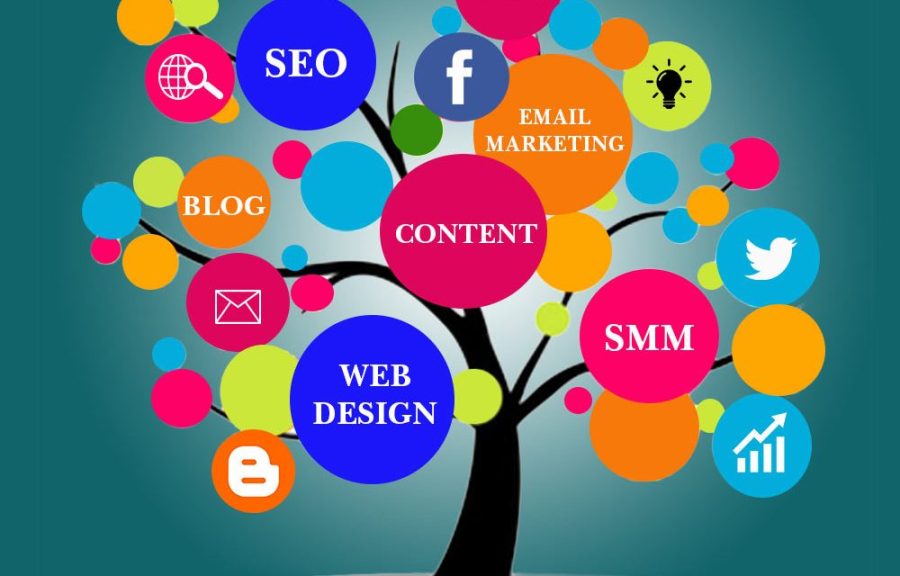
Digital marketing can be divided into several types which is given as follows-
- Search Engine Marketing (SEM).
- Social Media Marketing (SMM).
- Email Marketing (EM).
- Content Marketing (CM).
- Pay-Per-Click (PPC).
- Television Marketing (TM).
- Affiliate Marketing (AM).
- Radio Marketing (RM).
“Does your content lead readers on a journey, or does it merely stuff them as leads into a pipeline?” –Ann Handley, Chief Content Officer of MarketingProfs
Tweet
Digital marketing has consist several marketing benefits which is given as below-
- Low Cost: Marketing digitally offers more affordable alternatives than traditional methods. They create much impact yet cost less.
- Easy to Measure: Success of the digital campaign can be easily traced like email marketing software.
- Easy to Adjust: Digital marketing can be easily adjusted accordingly or stopped all through with ease over traditional marketing.
- Brand Development: A well developed website that is highly interactive in some of the ways by which business can build its brand,
- Ease to Share: Digital marketing channels, feature sharing capabilities which allows campaigns to be shared with various followers.
“The consumer is not a moron; she is your wife.” –David Ogilvy, the Father of Advertising, Founder of Ogilvy & Mather
“Authenticity, honesty, and personal voice underlie much of what’s successful on the Web.” –Rick Levine, Author of The Cluetrain Manifesto
Tweet
Hence, Digital marketing is the revolutionary step to increase the business capability and goals, promotes the goods and makes the business companies a big brand.
 Eduindex
You must be logged in to post a comment.