

If you’ve ever bought a laptop and spent more than five minutes comparing the technical specifications, you’ve undoubtedly already encountered the OLED vs. IPS debate. On one hand, you’ve probably seen the stunning pictures of both OLED and IPS screen tech. You’ve probably met at least one person who strongly prefers one over the other. But the debate does matter. How your photos appear in the future or how long your computer’s battery life will last through the afternoon is all contingent on the screen you pick.
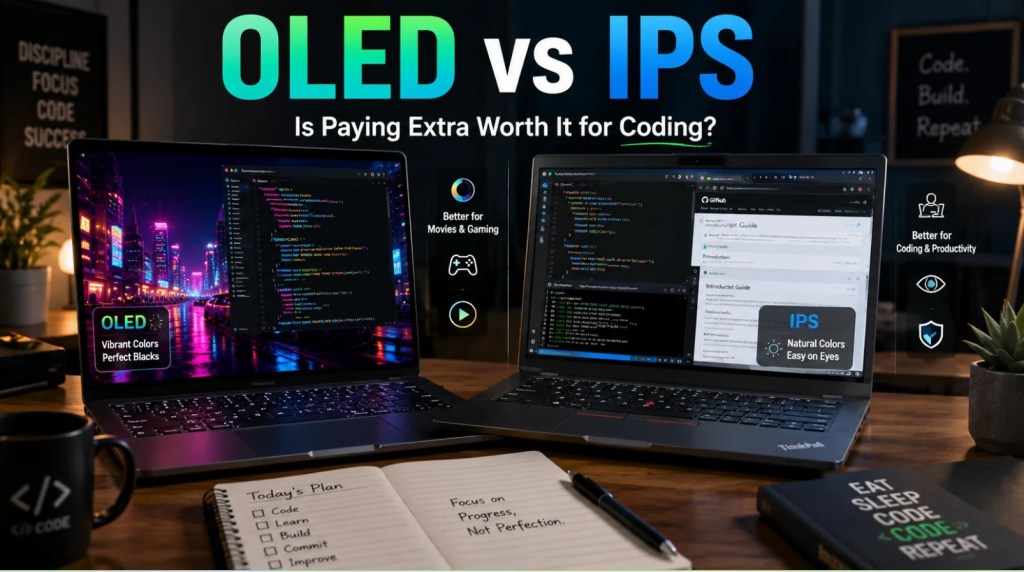
This guide cuts the marketing fluff. There’s no arm-waving, no ad copy and nothing from any of the laptop makers about their brand being the best in the world. Instead, we’re simply looking at the different panel technologies, explaining which ones they’re found on and what you can actually expect when they’re in use.
What Is an OLED Laptop Screen?
OLED: Organic Light-Emitting Diode. Note the word “organic”: pixels create their own light, as there is no backlight behind the screen; thus, for black, the OLED pixel is switched off.
That self-emissive architecture is what creates the visual appeal that has defined OLED technology, its incredibly high contrast ratios, lightning-fast pixel responsiveness and “neon-like” saturation. OLED screens in laptops today (those offered on the Dell XPS 15, Samsung Galaxy Book or ASUS ProArt Studiobook) generally boast 100% of DCI-P3 colour space, which is the standard for professional video work and cinema.
This advantage comes with a cost. Since organic material decays and reacts to static images over time, OLED displays have a non-negligible chance of getting burnt in over the life of the screen. Battery life is also a problem, especially while viewing light-colored images and text, which is more common on productivity software.
What Is an IPS Laptop Screen?
IPS, In-Plane Switching, is an LCD display technology that uses a backlight to emit light across the whole display, unlike OLEDs. Each pixel acts as a filter to allow some or all of that backlight to hit our eyes.
IPS panels have long been the dominant panel technology in laptops, and for good reasons. These panels are colour-accurate, have wide viewing angles and are sufficiently bright without the high cost and risk of burn-in that OLED panels are prone to. They’re the default panel for budget Chromebooks and the best option for power users’ laptops.
That’s one negative aspect, since there’s no real darkness and blacks appear as dark grey because of the constant backlighting, resulting in contrast 1,000:1 to 1,500:1 range. If the panel needs replacing, Zeto or AJ Parts help narrow down compatible options by resolution, connector position, mounting type and exact panel code, since matching the screen size alone does not guarantee that a replacement will fit or work correctly.
OLED vs IPS
Contrast and Black Levels
And this is where OLED wins decisively. Because black pixels are effectively turned off, OLED displays feature an infinite contrast ratio while IPS monitors hover closer to a 1200:1-1500:1 contrast ratio in real-world conditions. The gap in quality between the two is most noticeable for dimly-lit room use, such as watching a movie or photo-editing: On an OLED, dark scenes possess true, deep blacks and shadow details are preserved. On IPS, darker scenes exhibit a somewhat greyish appearance that has been labeled backlight bleed.
Colour Accuracy
While it can certainly be done, they simply get to colour accuracy by very different means. You will reliably get full sRGB with a well-calibrated IPS panel, and it can hit 90 to 95% of DCI-P3 at higher price points. OLED panels hit 100% DCI-P3 across the board, so it’s a very big plus for anyone working in video editing, photography, or digital art.
That said, not all OLED displays are created equal. Many feature oversaturated presets that might look impressive on store shelves but will skew your creative work. Make sure to find out what type of colour profile the monitor ships with, or if it includes an accuracy-first or even better, a factory-calibrated profile.
Brightness
IPS has higher peak brightness, with high-end panels often delivering 500-600 nits, while some premium models hit 1000 nits or more. In general, OLEDs on laptops have around 400-550 nits of full-screen brightness; they have higher peak for HDR highlights.
What this means in practice is that IPS displays tend to be more suited for harsh office lighting, and can withstand the sun’s glare even in windows on a bright day.
Response Time
OLED takes less than a millisecond to respond. With an IPS display, the typical value ranges from four milliseconds to ten. For the typical user, this distinction is negligible, yet for competitive gaming enthusiasts or those editing videos with lots of motion, you’ll appreciate the significantly smoother experience offered by the near-instant response of OLED.
Battery Life
It’s a bit complicated. OLED displays are more efficient with power when showing dark content (since the pixels are turned off), while IPS displays actually use more power when you’re viewing white or light content (because each individual pixel is fully lit). Since most productivity apps, web browsers, email programs, spreadsheet and word processor applications, are mostly or fully white or light colored, IPS tends to do a bit better in real world battery life for office applications.
Burn-In
This is OLED’s biggest talking point about risks. It happens when fixed elements such as a taskbar, a web-browser’s tool bar, or a stationary logo stay on the screen for a long time and begin to leave a faint trace. In current OLED laptop panels, manufacturers have addressed this (by periodically refreshing pixels, dimming logos on the desktop, or activating an automatic screensaver), but there is no guarantee that this risk is completely eliminated. It’s a real worry that might come back years later for a user who spends 8 hours or more per day with an unchanging desktop layout.
IPS panels are immune to burn-in.
Price
OLED comes at a premium, with laptops featuring OLED panels typically costing £150 to £400 more than their IPS equivalents. For budget to mid-range £700-£900 laptops, we see nothing but IPS panels. At £1000+, we start to see them more reliably, but it is not until the £1,500+ range (at the top end of the laptop market) where it becomes the norm.
Who Should Choose an OLED Laptop?
OLED provides the most compelling argument for:
- Video editors and content creators who work in DCI-P3 or need accurate, vivid colour reproduction without an external monitor
- Enthusiast gamers who want the fastest response, best contrast, and most immersive visuals — and who play across varied content rather than staring at a fixed HUD for eight hours a day
- Film and media consumers who use their laptop for streaming and home entertainment in controlled or low-light environments
- Design professionals reviewing photography, illustration, or UI work where contrast and colour fidelity affect daily decisions
- Users with premium budgets who want the best available display technology and plan to use the machine for 3–4 years with reasonable screen diversity
Who Should Choose an IPS Laptop?
IPS is the right choice for:
- Office and productivity users whose screen is dominated by white documents, spreadsheets, and browser tabs — where battery life matters more than contrast
- Frequent travellers who work in varying light conditions, including cafés and outdoor spaces, where IPS brightness holds up better
- Students and budget-conscious buyers where the priority is maximum spec per pound and OLED would price them out of other features
- Heavy multitaskers who leave static elements on screen for long sessions — dashboards, sidebars, IDE layouts — where burn-in is a practical concern
- Business users who need reliable longevity and predictable long-term performance without display degradation
A Note on Resolution and Panel Quality
It would be unfair to contrast OLED vs IPS without noting that the quality of panels varies considerably in both cases. A cheap IPS panel, with lower brightness (250 nits) and poor calibration, would give a worse experience than a top tier, calibrated IPS at 600 nits. In fact, many high-end IPS panels that are found in say, a ThinkPad X1 Carbon, are actually more comfortable than an entry-level OLED display when it comes to everyday usage.
Panel quality, resolution (1080p vs 2K vs 4K), refresh rate (60Hz vs 120Hz vs 165Hz), and factory calibration accuracy are also important, in addition to panel type. Be sure to look for data measurements, not just claimed specifications.





You must be logged in to post a comment.