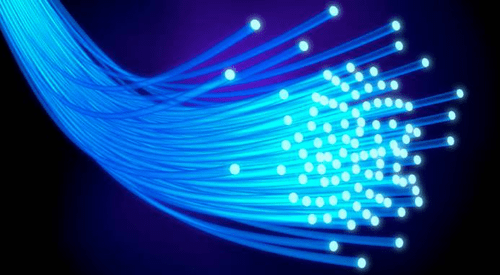
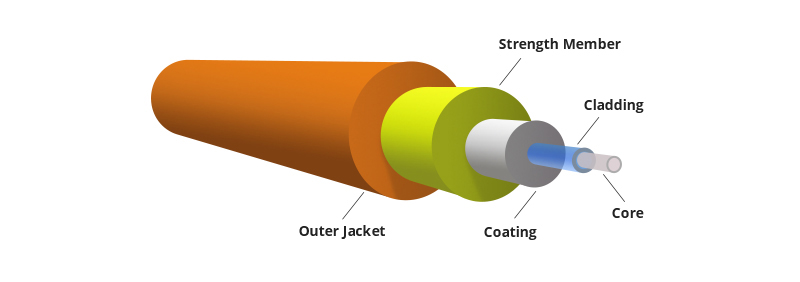
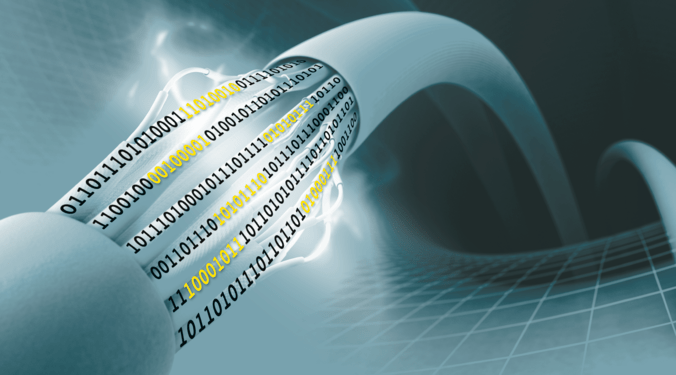
Physical medium that transports optical data signals from an attached light source to a receiving device. It is a single continuous strand of glass or plastic that’s measured in microns (μ) by the size of its outer diameter. The larger the core, the more light the cable can carry.
Cladding:-
It surrounds the Fiber core and serves as a boundary that contains the light waves and causes the refraction, enabling data to travel throughout the length of the Fiber segment.
Coating:-
It is a layer of plastic that surrounds the core and cladding to reinforce and protect the Fiber core. Coatings are measured in microns and can range from 250 to 900 microns.
Strengthening Fibers:-
These components help protect the core against crushing forces and excessive tension during installation.
Cable jacket:-
This is the outer layer of any cable. Most Fiber optic cables have an orange jacket, although some types can have black or yellow jackets.
Transmission Characteristics
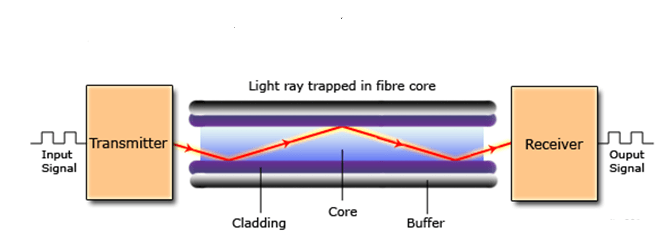
-Optical fiber transmits a signal-encoded beam of light by means of total internal reflection. -Total internal reflection can occur in any transparent medium that has a higher index of refraction than the surrounding medium. -In effect, the optical fiber acts as a waveguide for frequencies in the range of about to this covers portions of the infrared and visible spectra. -Act as wave guide for 1014 to 1015 Hz
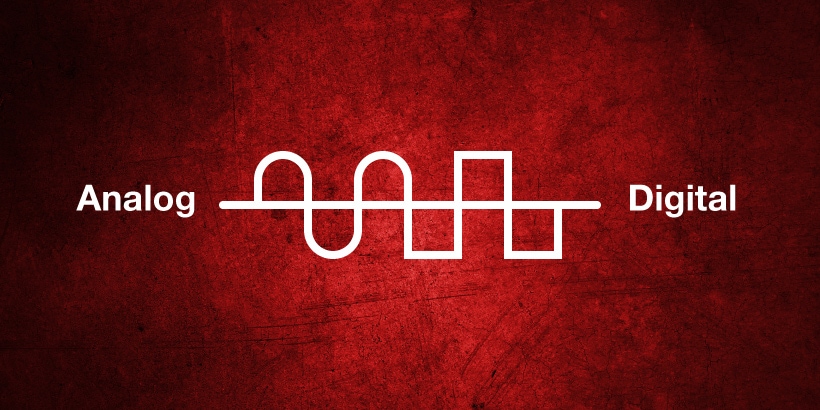
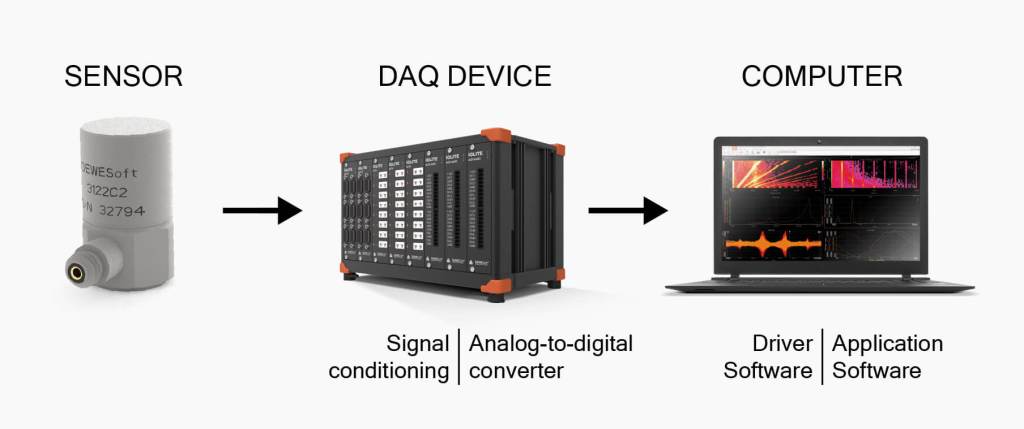
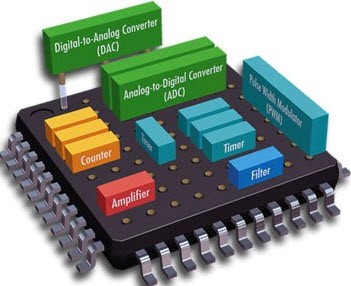
-It is an electronic process in which a continuously variable (analog) signal is changed, without altering its essential content, into a multi-level (digital) signal.
-The input to an analog-to-digital converter (ADC) consists of a voltage that varies among a theoretically infinite number of values.
-Examples are sine waves, the wave forms representing human speech, and the signals from a conventional television camera.
-The output of the ADC, in contrast, has defined levels or states.
-The number of states is almost always a power of two – that is, 2, 4, 8, 16, etc.
2) Digital to Analog Conversion
-In this conversion technique, the amplitude of analog carrier signal is modified to reflect binary data.
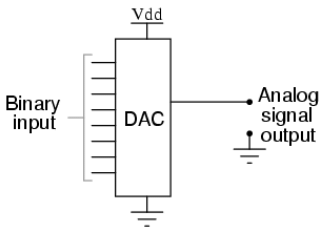
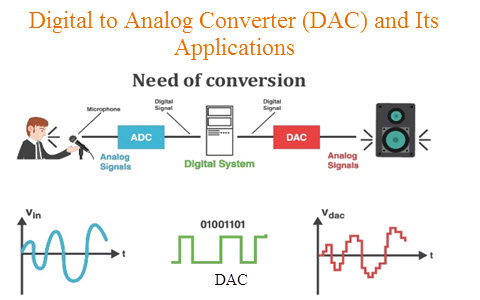
-A Digital to Analog Converter, or DAC, is an electronic device that converts a digital code to an analog signal such as a voltage, current, or electric charge.
-Signals can easily be stored and transmitted in digital form; a DAC is used for the signal to be recognized by human senses or non-digital systems.
Stress, Anxiety, Load, Pressure, Depression, Overthinking, etc have became the friends of human beings these days. All these things have became the daily routine of all of us. We are so much engaged in these that we have lost our pure joy, our inner self. Where is our inner peace gone? Also the another part of this is that different kinds of diseases that we have never heard about them are coming in front of us and some of us are suffering form them. We are running behind money, yes it’s our duty to earn for our living but we are striving for more and more money, but people having money are they really happy, Joyful ? Many of us have got everything in our life but still, we are not happy with it we want more, we are not satisfied. Where is this satisfaction gone ? Have we came on this earth to suffer all these things? Have we taken birth to run after money, Job, Business, Girlfriend/Boyfriend, etc ? or there is something else for which we have came here ?
How does this Stress, Anxiety,Depression, Overthinking, etc come in us ?
Usually a human being keeps thinking about his past or about his future. When he thinks about his past he keeps on torturing himself why this happened to me? Why did behaved like that? When he thinks about the future he keeps worrying about What will happen? Will I get that or not? all these things leads to imbalance and gives rise to all the stress, anxiety, depression, overthinking within us and it grows very seriously in us that it becomes impossible to get out of it and it becomes our behavior. But to get out all of these things is possible though Sahaja Yoga.
What is Sahaja Yoga Meditation?
In a smaller sense Sahaja yoga meditation is the technique of meditation but in the larger sense it is the way of living. Sahaja Yoga is a very simple technique of meditation which connects us to our inner being to the all pervading power that created us. This meditation is a cognitive science in which each and every thing can be proven. This meditation is scientifically proven. Sahaja yoga meditation technique is founded by H. H . Shri Mataji Nirmala Devi in 1970 for the well being of the whole humanity.
“You cannot know the meaning of your life until you’re connected to the power that created you.”
How Sahaja yoga Meditation helps in balancing our lives?
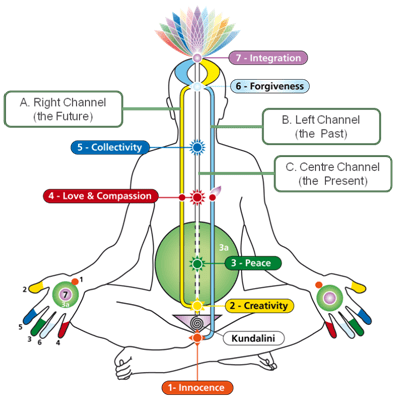
The meditation itself starts with balancing. There are two sides of our subtle system that is left, right and centre. The Left side is all about our emotions or the ‘Ichha Shakti’, our past activities. While the right side is all about our work also called as ‘Kriya Shakti’ and our future. And the central path is all about our present, about the truth, it is the path of our evolution. It gives us the absolute peace. In the lower part of our the abdomen, in the triangular part of our secrum bone is the Kundalini, it is the power of pure desire within us. When it rises, it passes through our central channel and peerses out of the fontanel bone area at the top of our head and gets connected to the all pervading power in the whole universe. We feel the cool breeze at the top of our head and on our hands. This moments gives us complete thoughtless awareness state and absolute peace.
How to practice Sahaja Yoga Meditation?
You can try the steps given below right now, just have the pure desire of getting your self realization and try this practically.
You may seat on the floor, or on the chair but make sure that your legs are touched to the mother earth. Take out your specks, shoes and close your eyes while doing the below steps.
Sahaja Yoga Meditation is open for all, for the person of any religion, cast, creed, etc. Because the energy is within every human being. Sahaja Yoga Meditation is Free Of Cost because, the value of raising the power within you cannot be returned in any amount of money.
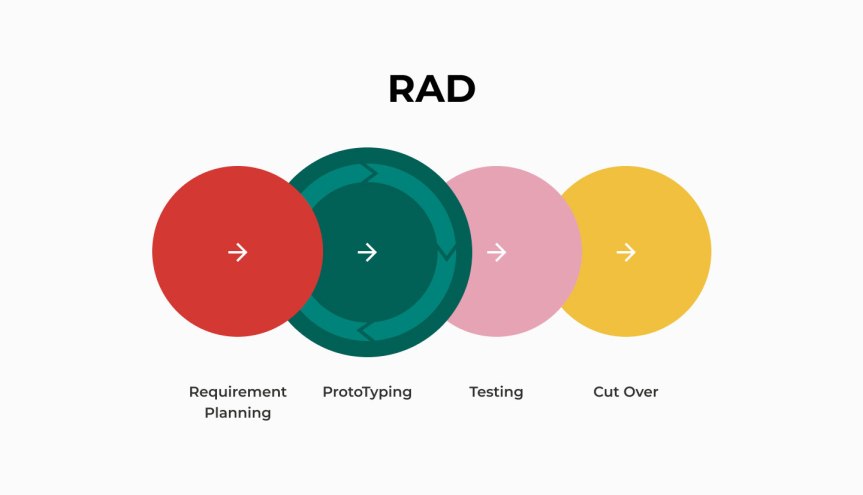
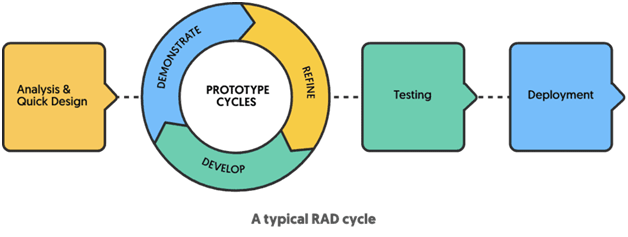
Rapid application development (RAD) is an incremental software development process model that emphasizes an extremely short development cycle. The RAD model is a ―high-speed adaptation of the linear sequential model in which rapid development is achieved by using component-based construction.
Situation When RAD Model is Useful:
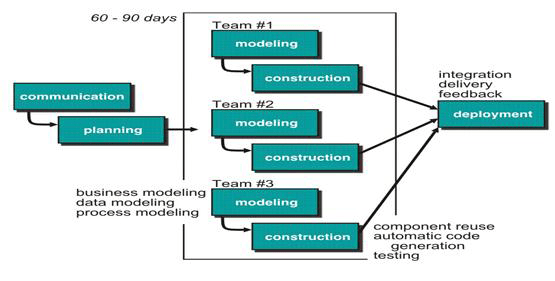
RAD should be used when there is a need to create a system that can be required in 2-3 months of time. It should be used if there‟s high availability of designers for modeling and the budget is high enough to afford their cost enables a development team to create a ―fully functional system within very short time periods (e.g., 60 to 90 days).
Phases
1. Communication:
Communication phase is used to understand the requirements of the project.
2. Planning:
Planning is very essential because multiple project teams are working parallel in RAD model
3. Modeling:
a) Business modeling:
The information flow among business functions is represented.
b) Data modeling:
The information flow defined as part of the business modeling phase is refined into a set of data objects that are needed to support the business.
c) Process modeling:
The data objects defined in the data modeling phase are transformed to achieve the information flow necessary to implement a business function.
4. Construction:
RAD process model reuses the existing program components (when possible) or create reusable components (when necessary).
5. Deployment:
Modules developed by different RAD teams are integrated to develop final complete product.
Advantages
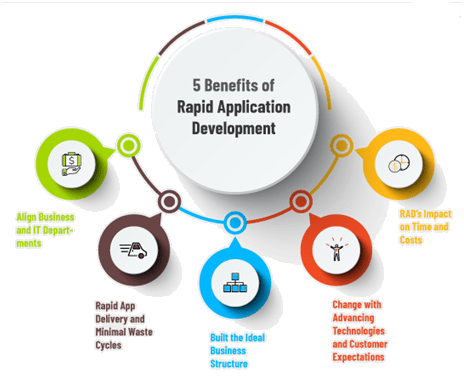
Faster implementation of Project Parallel implementation Increases re usability of components Encourages customer feedback Projects divided into small teams results into better implementation
Disadvantage
•Limited Time for system implementation results into inadequate analysis of project. •Less time for testing. •If user is unclear with the system project may fail. •If developers and customers are not committed to the rapid model, the RAD project fails. •Time is the major constraint in RAD. •RAD has to be modularized in a proper way otherwise creates a lots of confusions and problems. •In case of high performance requirement, RAD cannot be ideal model.
Conclusion
RAD Model is fast and is also based on Component Based Construction so, there is faster implementation of the project and increases re usability of the components. But also, if the user is unclear with the system the project may fail, this may lead to loss of time and cost.
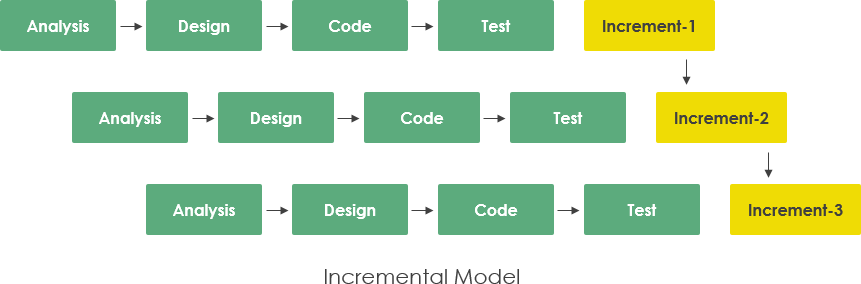
The incremental model uses the “Linear and Parallel” process flow, uses linear sequential flow like waterfall model to develop working release of software.
Situation Where Incremental Model is Useful:
When customer needs limited set of features and functionalities quickly and then they want enhancement in functions in later releases of the software, then incremental model is useful.
Flow
Each linear sequence produces a deliverable “increment” of the software. It should be noted that the process flow for any increment can uses the prototyping paradigm. When incremental model is used, the first increment is often the core product (that is only basic requirements are implemented), the next increments are modifications of the core product.
Advantages:
This model is useful when staff required is unavailable. This model is useful to handle technical risk. Provide better support for process iteration. Reduces rework in the software construction process. Some decisions on requirements may be delayed. Allow early delivery of parts of the system. Support easier integration of sub-systems. Risk of project failure is low.
Disadvantages:
Increments need be relatively small Needs good planning and design. Needs a clear and complete definition of the whole system before it can be broken down and built incrementally. Mapping of requirements to increments may not be easy. Total cost is higher than waterfall
Conclusion
This model provides better support for iteration and the phases in this model goes on linearly as well as parallelly but their may cause confusion in the output of the phases if proper and sorted planning is not done. As well as, the total cost of this model is also higher than the waterfall model so, if their is any confusion among the output of different phases it may lead to wastage of time as well as cost.
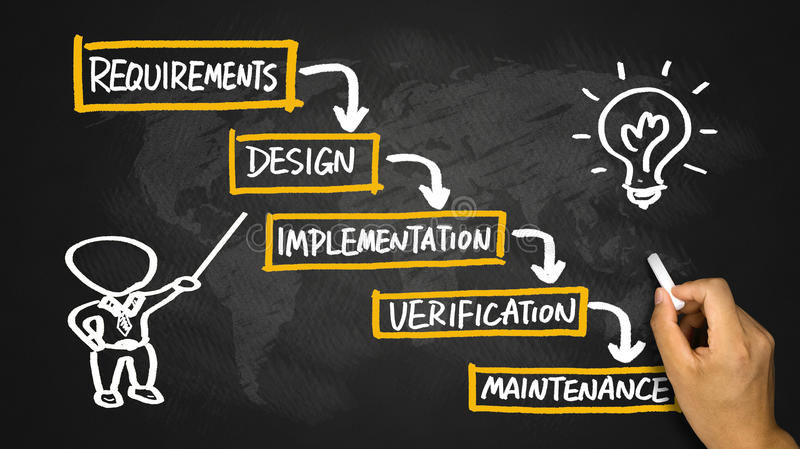
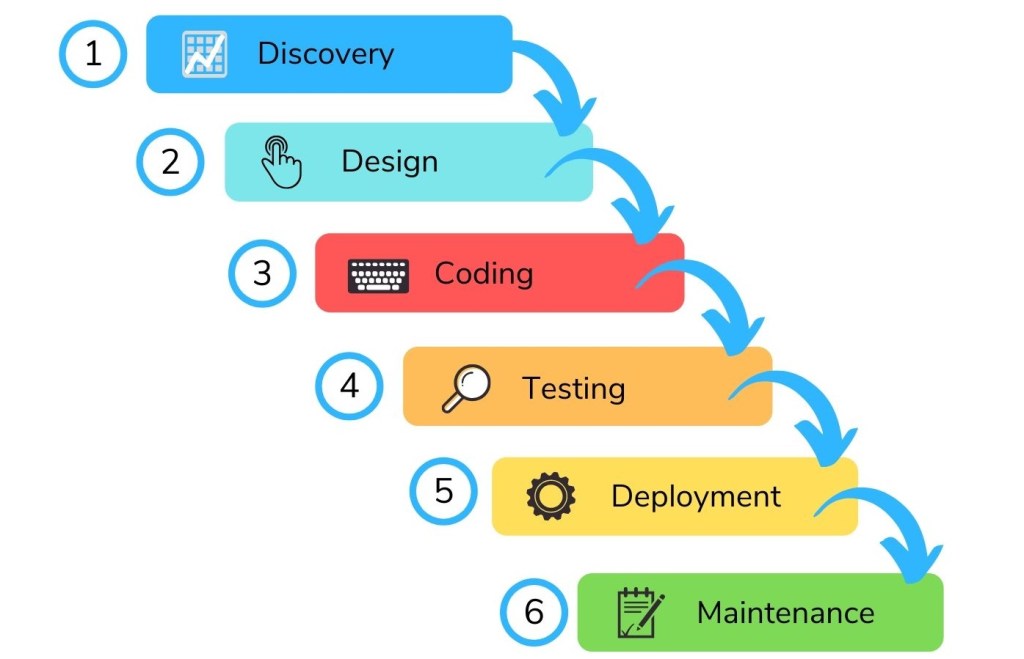
It is also known as the “Classic Life Cycle” model, follows the “Systematic, Sequential “approach of software development.
Situation Where Waterfall Model is Useful:
-When customer wants enhancement or adaptation in already existing software which is well developed then we can use waterfall model. -Ex. Changes in the Accounting software because of the changes in the rules by government. -Waterfall Model is also used to develop new software when requirements are completely understood and stable (will not change in the future).
Phases
Communication:
Heavy communication and collaboration with stakeholders-to gather information and requirement of software and to define features and functions of software.
2. Planning:
Defines – schedule of the project, role of each team member, estimation of cost, deadlines or delivery dates of the working modules, what technical task to be performed, risk that can be occurred, and priorities of each module.
3. Modeling:
Design model of software is created to understand the requirements, features and functions of the software.
4. Construction:
Combination of code generation and testing.
5. Deployment:
Software is delivered to the customer, On the basis of the feedback from the customer, software development team makes changes to the software for better quality.
Advantages
•Systematic and Organized approach provides clear separation between different phases of software development. •This model is simple and easy to understand and use. •It is easy to manage due to the rigidity of the model – each phase has specific deliverable and a review process. •In this model phases are processed and completed one at a time. Phases do not overlap.
Disadvantages
•Real projects rarely follows the sequential flow that waterfall model suggests. •All real projects follow iterative approach indirectly. As a result of this, it causes the confusion among team members when the proceeds. •It is difficult for the customer to state all the requirements at the beginning of the project. •A working version of the product is available only late. •So if there any bug in the software it becomes visible at late which is very dangerous. •Waterfall Model has a problem of “Blocking States” means some team members has to wait for other team members to complete their dependent work.
Conclusion
Waterfall model is a perspective process model and it’s basically a classic model in which each phase is very sorted and separate from each other so,no confusion occurs but it is not suitable for the changing needs of the Industry as their are tremendous trends coming in the software industry which requires an advanced process of software development with fully defined phases.So, it is suitable for the freshers but they have to adapt and switch to the newer software development techniques.
TSP (Team Software Process) is a guideline for software product development teams. TSP focuses on helping development teams to improve their quality and productivity to better meet goals of cost and progress. TSP is designed for groups ranging from 2 persons to 20 persons. TSP can be applied to large multiple-group processes for up to 150 persons. There are 8 steps for implementing PSP and TSP. Each step is focused on solving particular process problems.
1. Objectives of TSP
1.To build a self-directed teams that plan and track their work, establish goals and own their process and plans. These can be pure software teams or integrated teams 2.Shows managers how to coach and motivate the team members so that they can give peak (high) performance. 3.It accelerate (increases) the software process development
2. Goal of TSP
The goal of the TSP is to build a ―Self-Directed‖ project teams that organizes itself to produce high quality software.
3. Activities of TSP
1) Project Launch: It reviews project objective and describes the TSP structure and content. It assigns need and roles to the team members and describes the customers need statement. 2) High Level Design: it creates the high level design, specify the design, inspect the design and develop the integration plan. 3) Implementation: This uses the PSP to implement the modules and the functions. 4) Integration and Testing: Testing builds and integrates the system. 5) Postmortem: Writes the cycle report and produces peer and team review.
4. TSP Advantages
Defines roles and responsibilities for each team member.
Track quantitative project data.
Identifies a team process that is appropriate for the project and a strategy for implementing the process.
Defines local standards that are applicable to the team‘s software engineering work;
Continually assesses risk and reacts to it;
Tracks, manages, and reports project status.
TSP & PSP Comparison
PSP
TSP
1. PSP(Personal Software Process)provide a standard personal process structure for software developers
1. TSP (Team Software Process) is a guideline for software product Development teams.
2. PSP consists of a set of methods, tables, scripts etc. that serve as a guideline for software developers to plan, measure and manage their Work, including how to define their processes and measure quality and productivity.
2. TSP focuses on helping development teams to improve their quality and productivity to better meet goals of cost and progress.
3. PSP skills are used in a TSP team Environment.
3. TSP teams consist of PSP-trained developers who volunteer for areas of project responsibility, so the project is managed by the team Itself.
4. The PSP is a personal process that can be adapted to suit the needs of the individual developer.
4. TSP uses team based planning sessions
5. The Personal Software Process (PSP) is an SEI technology that brings discipline to the practices of individual software engineers for improving product quality and increasing cost.
5. The Team Software Process (TSP) is complementary SEI technology that enables teams to develop software-intensive products more effectively.
PSP (Personal Software Process) provide a standard personal process structure for software developers. PSP consists of a set of methods, tables, scripts etc. that serve as a guideline for software developers to plan, measure and manage their work, including how to define their processes and measure quality and productivity. PSP provides software engineers disciplined methods for improving personal software development process.
PSP helps software engineers to –
Improve their estimating and planning skill. Make commitment they can keep. Manage the quality of their product. Reduce the number of defects in their work. PSP represents metrics based approach to software engineering. PSP deals with software engineers to identify the errors early and to understand the types of errors.
PSP Activities
Planning: This activity isolates requirements and specifications to be decided prior to the development and estimates the size and the cost of the project. Defect estimation is also made. Development tasks are identified and scheduled is created.
High-Level Design: External specifications and requirements for each component to be constructed and developed. Component design is also created. Prototypes are developed if requirements are complex.
High Level Design Review: Formal verification methods are applied to uncover errors in the design.
Development: The component level design is reviewed and refined. The code is generated, reviewed, compiled and tested.
Postmortem: Using Metrics and measures the effectiveness of the process is determined. It provides guidance for modification of process and its improvement.
2. Goal of PSP
The goal of PSP is to provide software engineers with disciplined methods for improving personal software development.
3. Advantages of PSP
PSP represents a disciplined, metrics-based approach to software engineering.
PSP resulting improvement in software engineering productivity and software quality are significant.
It helps the software engineers in developing high quality software products.
It guides the engineer for personal improvement.
It gives the confidence to do the job the way you know you should.
The PSP gives the command over your work.
4. Disadvantages of PSP
PSP is intellectually challenging and demands a level of commitment which is always not possible to obtain.
Training for PSP is lengthy and costs for the training are high.
Required level of measurement is culturally difficult.
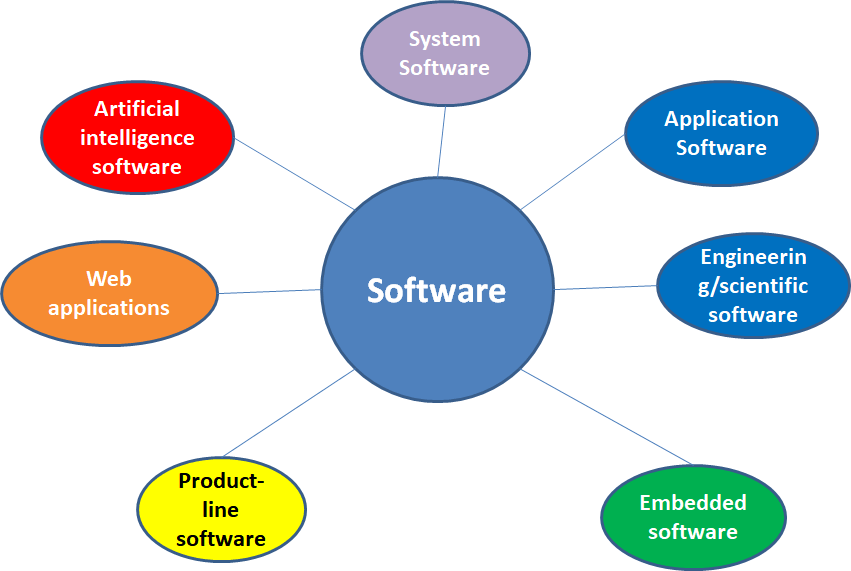
Software categories are groups of software. They allow software to be understood in terms of those categories, instead of the particularities of each package. Different classification schemes consider differentaspects of software.
System Software
System software is a collection of programs written to service other programs. Ex. Compilers, Editor, operating system, drivers etc
2. Real – Time Software
Software that monitors or analyzes or controls real-world events as they occur is called real time. Elements of real-time software include a data gathering component that collects and formats information from an external environment, an analysis component that transforms information as required by the application. A control/output component that responds to the external environment and a monitoring component that coordinates all other components so that real-time response can be maintained. Ex. Weather Forecasting
3. Application Software
Application software consists of standalone programs that solve a specific business need. Application software is used to control the business function in real-time. Application software processes business or technical data.
Ex. Transaction Processing, Sales Processing, Manufacturing Software etc.
4. Engineering/Scientific Software
Characterized by “number crunching” algorithms. Application software is set of programs designed for engineering and scientific purposes. Applications range from astronomy to volcano logy, from automotive stress analysis to space shuttle orbital dynamics, and from molecular biology to automated manufacturing. Ex. Computer Aided Design (CAD), system stimulation etc.
5. Embedded Software
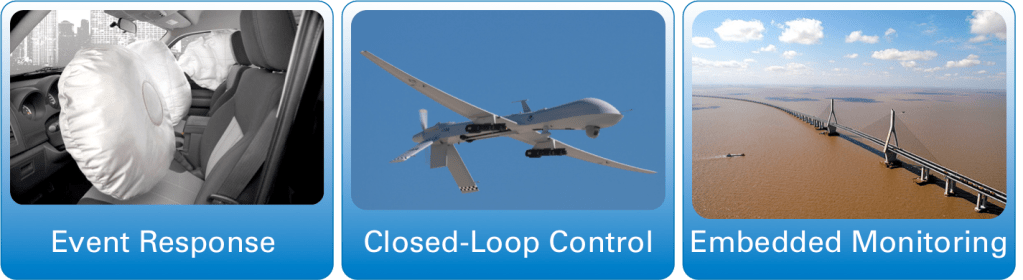
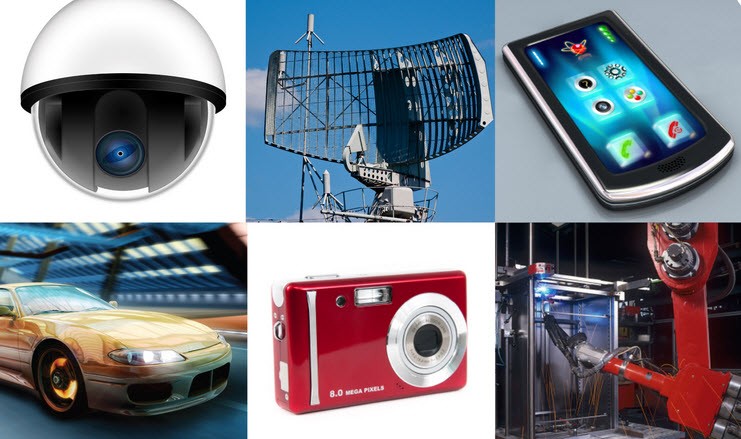
Intelligent products have become common place in nearly every consumer and industrial market. Embedded Software resides within product and is used to control products and systems for the consumer. Embedded software can perform limited and esoteric functions. Ex. Keypad control for a microwave oven, digital functions in an automobile such as fuel control, dashboard displays, and braking systems.
6. Product line Software
Designed to provide a specific capability for use by many different customers. Product line software can focus on a limited and esoteric marketplace. Ex. Word processing, spreadsheet, CG, multimedia, etc.
7. Web Based Software
The Web pages retrieved by a browser are software that incorporates executable instructions and data. Web apps can be little more than a set of linked hypertext files. It evolves into sophisticated computing environments that not only provide standalone features, functions but also integrated with corporate database and business applications.
8. Artificial Intelligence Software
AI software makes use of non-numerical algorithms to solve complex problems that are not amenable to computation or straightforward analysis Ex. Robotics, expert system, game playing, pattern recognition, theorem providing etc.
What is layered approach of Software Engineering ?
Software engineering deals with process, methods, and their implementation tools and finally the quality of the product.This is known as the layered approach of software engineering
Quality Focus
Software engineering is a layered technology. Referring to Figure 1.1, any engineering approach must rest on an organizational commitment to quality. Total quality management, Six Sigma and similar principles help a continuous software process improvement, and this ultimately leads to the development of increasingly more mature approaches to software engineering. The bedrock that supports software engineering is a quality focus.
2. Process Layer
The foundation for software engineering is the process layer. Software engineering process is the glue that holds the technology layers together and enables balanced and timely development of computer software. Process defines a framework for a set of key process areas that must be established for effective delivery of software engineering technology. Process defines the context in which technical methods can be applied, work products are produced, milestones are established, quality is ensured etc.
3. Method Layer
Software engineering methods provide the technical how-to’s for building software. Methods encompass a broad array of tasks that include communication, requirements analysis, design,program construction, testing, and support.
4. Tools Layer
Software engineering tools provide automated or semi-automated support for the process and the methods. Tools are combines so that information created by one tool can be used by another, a system that is developed for the support of software development, is called as computer-aided software engineering(CASE). CASE combines software, hardware, and a software engineering database.
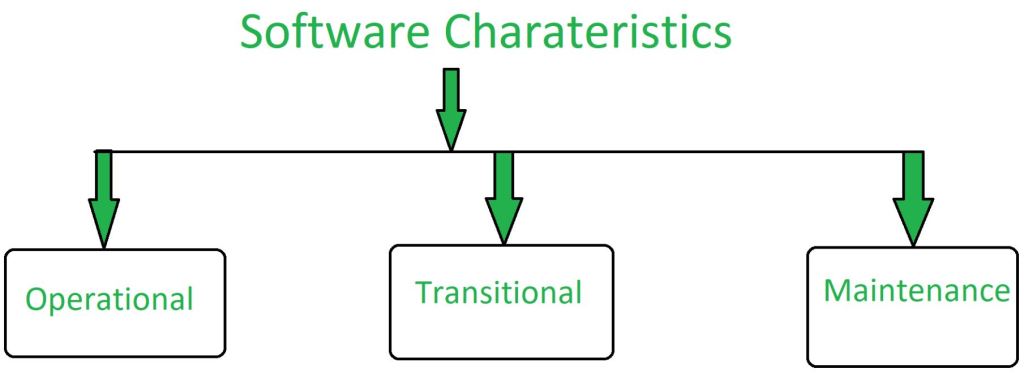
A software product can be judged by what it offers and how well it can be used. This software must satisfy on the following grounds: Operational, Transitional, Maintenance Well-engineered and crafted software is expected to have the following characteristics:
Operational:
This tells us how well software works in operations. It can be measured on:
Budget
Usability
Efficiency
Correctness
Functionality
Dependability
Security
Safety
2. Transitional:
This aspect is important when the software is moved from one platform to another:
Portability
Interoperability
Reusability
Adaptability
3. Maintenance:
This aspect briefs about how well software has the capabilities to maintain itself in the ever- changing environment:
It is a set of instructions (computer programs) that when executed provide desired function and performance.
It is a Data structures that enable the programs to adequately manipulate information.
It is a Documents that describe the operation and use of the programs.
What is Embedded Software ?
Intelligent products have become commonplace in nearly every consumer and industrial market. Embedded software resides in read-only memory and is used to control products and systems for the consumer and industrial markets. Embedded software can perform very limited and esoteric functions (e.g., keypad control for a microwave oven) or provide significant function and control capability (e.g., digital functions in an automobile such as fuel control, dashboard displays, and braking systems). A function point extension called feature points. It is a superset of the function point measure that can be applied to systems and engineering software applications.
The feature point measure accommodates applications in which algorithmic complexity is high. Real- time, process control and embedded software applications tend to have high algorithmic complexity and are therefore amenable to the feature point.
Changing Nature of Software
Whenever one starts with the software implementation changes can occur any time. The software can be change due to any reason. But while implementing software one should be ready for such changes as if changes occur there shall not be drastic change in the system. The development team should manage to implement/mould the implemented system so that the changes can be reflected and the user requirements meet. When change occur the team look for the current status of the system and from there onwards they starts implementing a system with new requirements of a user or changes which is to be implemented in a system.
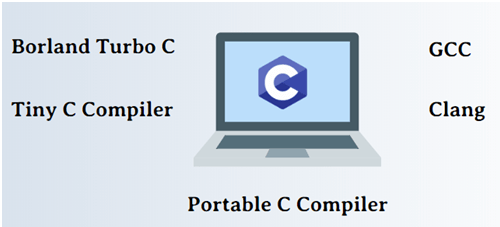
is a general-purpose programming language created by Bjarne Stroustrup as an extension of the C programming language, or “C with Classes”. The language has expanded significantly over time, and modern C++ now has object-oriented, generic, and functional features in addition to facilities for low-level memory manipulation. It is almost always implemented as a compiled language, and many vendors provide C++ compilers. C++ was designed with an orientation toward system programming and embedded, resource-constrained software and large systems, with performance, efficiency, and flexibility of use as its design highlights. C++ has also been found useful in many other contexts, with key strengths being software infrastructure and resource-constrained applications,including desktop applications, video games, servers (e.g. e-commerce, web search, or databases), and performance-critical applications (e.g. telephone switches or space probes).
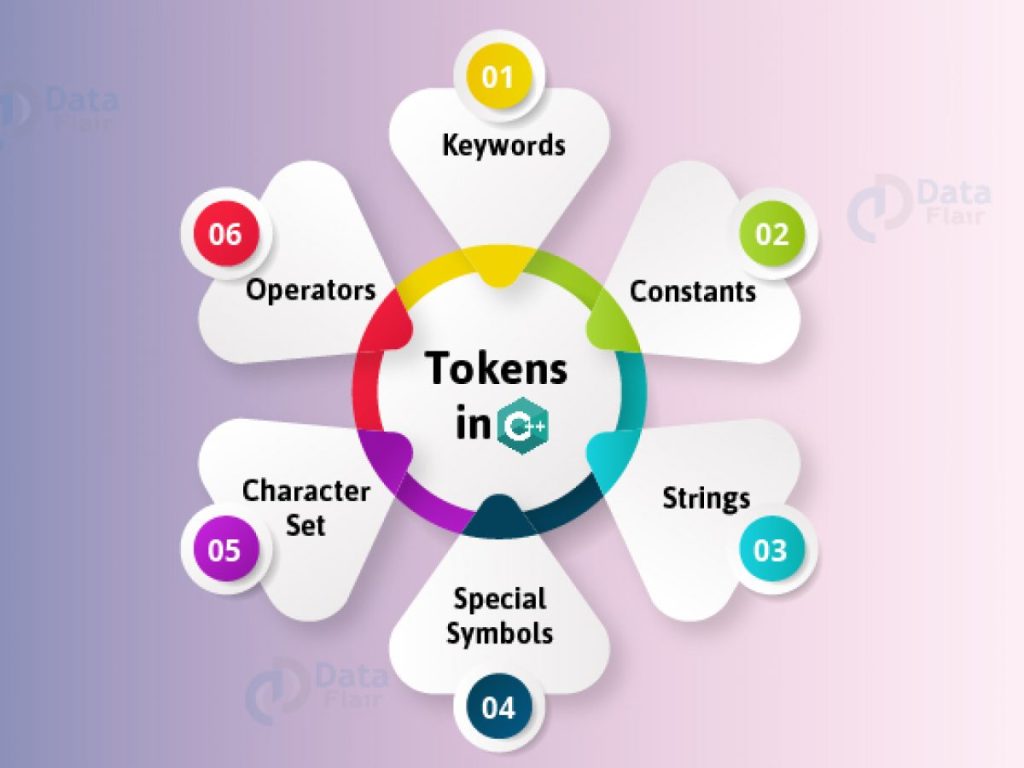
Tokens in C++
Identifiers: Identifiers are names given to different elements such as variables,arrays, structures, functions, classes, objects etc.It should not be keywords
Keywords: These are reserved words used for specific purpose in a program. Keywords have fixed meaning, and its meaning cannot be changed.
Constants:
Constants are like a variable, having fixed value . Their value never changes during execution of program once they are defined.
Strings: A sequence or a set of characters is known as a string.
Operators: C++ operator is a symbol that is used to perform mathematical or logical operations.
Keywords in C++
asm
continue
float
new
static
unsigned
auto
default
for
private
struct
using
bool
delete
friend
protected
switch
virtual
break
do
goto
public
template
void
case
double
if
register
this
volatile
catch
else
inline
return
throw
wchar_t
char
enum
int
short
try
while
class
extern
long
signed
typedef
const
export
namespace
sizeof
union
Datatypes in C++
Sr. No.
Data Type Category
Data Types
1
Built-in Data Types
char, wchar_t, int, long, float, double, long double
2
Derived Data Types
Array , Pointer
3
User-defined data types
Structure, Union, Class and Enumerated
4
Data Qualifiers / Modifiers
short, long , signed , unsigned
Operators in C++
Sr. No.
Type of operators
Operators
1
Arithmetic operators
+ – * / %
2
Unary operators
– ++ – –
3
Relational operators
< <= > >= == !=
4
Logical operators
! || &&
5
Assignment operators
= += -= *= /= %=
6
Conditional operator
? :
7
Bitwise operators
| Bitwise OR & Bitwise AND ^ Bitwise Ex-OR ~ 1’s complement << Shift Left >> Shift Right
Variables in C++
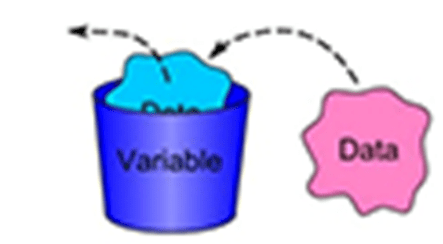
•Variables are the name of memory locations that are allocated by compilers, and the allocation is done based on the data type used for declaring the variable.
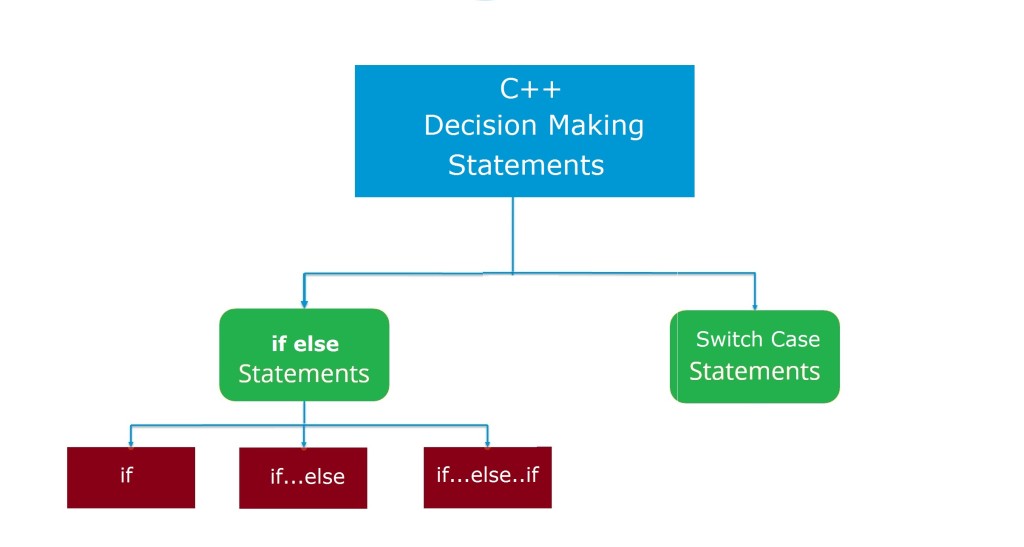
Decision Making Statements in C++
if statement
if-else statement
Nested if-else statement
else-if ladder statement
switch statement
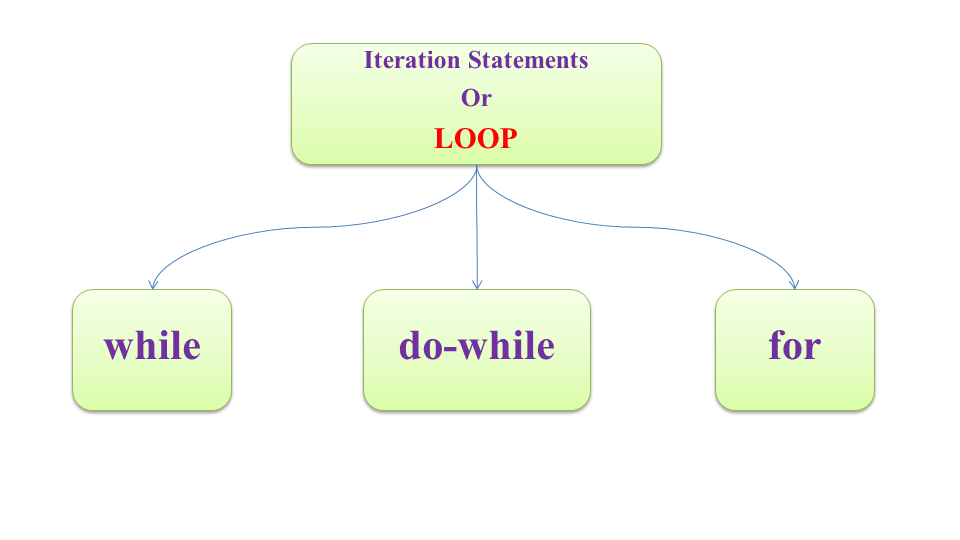
Looping Statements in C++
while statement
do-while Statement
for statement
Nested Loops
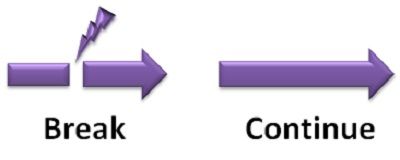
Control Statements in C++
break statement
continue statement
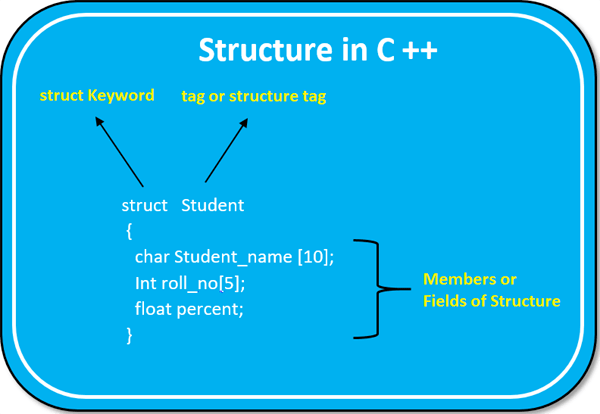
Structures in C++
•A set or a group of data items of different data types defined in a single unit is known as a structure. •A structure is a convenient tool for handling a group of logically related data items. •A structure is a user defined data type •Once the structure type has been defined, it is easy to create variables of that type using declarations




















 Eduindex
You must be logged in to post a comment.