AI is here to improve our lives

Artificial Intelligence is one of the most exciting creations of the modern world. Recently, Satya Nadella said that AI will help to get people together. He said so while giving a session during the World Economic Forum in Switzerland.

The advancements which we see around us in various fields will get even more advanced with the new improvements. Some of those we can already see in the form of ChatGPT. 

In recent times, AI has been able to change our surrounding in various ways. Various websites now have a bot that can talk to us and resolve our queries. The number of automated systems around us has also increased to a large extent. Automated systems are being used in various fields and places. 

There is also automation even in our house. The various IoT devices that we are buying are also communicating with us with the help of AI. The various assistants are answering our questions with the help of an AI. 

AI as a whole is making various sectors completely independent and the dependence on people is decreasing. Also, tech-related jobs are increasing. So indirectly AI is creating jobs in various fields. 

 AI has been able to make changes to the medical field also. Now, several robots help in performing complex surgeries which are generally difficult for surgeons. The diagnosis of diseases is also getting easier due to AI.

https://unsplash.com/photos/LIlsk-UFVxk

Now we even have several robots that help us in keeping our homes clean. The various cars are also having AI assistance in terms of self-driving technology. In the future, we will also see self-driving vehicles that will take us from one place to another.

AI has also done justice to the security sector. As of now, we have face recognition that scans and notifies the concerned authorities of any findings. The use of AI is now also helpful in terms of various fields like content writing and even coding. Now, computers are capable of writing codes and even rectifying errors in a completed program.

The use of AI has also helped in highly sensitive manufacturing sectors. For example, robots are being used in the automotive painting industry. It helps in removing the smallest of errors and the results are excellent. 

So, the upcoming decade is going to be more interesting. If we consider the fact that the last decade was the one in which technology simply exploded. Now, we have devices in our respective homes that are remote-controlled and can be operated from any were in the world. The Internet has pushed the boundaries with the things that we can do now with our gadgets. Now, we can even take consultations with a doctor over a video call.

The improvements in the features that technology offers us are automated, but there are still improvements that we need. There also needs to be clear that AI is not destroying jobs. The number of fields that get affected by AI also needs to ensure that the people who are using should also depend less on machines.

4 WAYS TO FIX WHEN MICROSOFT EXCEL CAN NOT OPEN OR SAVE ANY DOCUMENTS

Microsoft Excel is being used worldwide as the most trusted and capable software to maintain data and input of the organisation. It is the best way to store data in one place and easy to access it back but sometimes, some excel file we receive doesn’t open and comes with a flash message.

“MS EXCEL CAN’T OPEN OR SAVE ANY MORE DOC CAUSE THERE IS ENOUGH MEMORY SPACE NOT AVAILABLE”

So, how to fix this issue??

Apparently, this issue does not mean that the file is corrupted or your ms-excel is not working properly. This is just a secure way to proceed and prevent unwanted malware that comes along with spreadsheets. but you can go and change it in settings to run the excel file.

Many excel files until 2007 are saved in a different format that is XLS and after 2007 files use extensions in XLSX format so, modifying the format can actually be made it possible for files to open easily.

FOUR WAYS TO OPEN MS EXCEL FILE.

1. TEMPORARY SOLUTION 

Sometimes files are not directly allowed to open and are in the restricted mode so just allowing them by unblocking can actually work. This is the most basic solution which is done with two clicks only and the most common solution to open an excel file.

STEPS TO FOLLOW

  • RIGHT-CLICK ON THE MS EXCEL FILE
  • GO TO PROPERTIES
  • CLICK ON UNBLOCK 

After clicking on unblocking the file that doesn’t open up earlier is now easily able to open if it is just blocked and not having any further issues.

2. PERMANENT SOLUTION 

This solution is required to go to the main settings of the excel file to allow the settings that are restricting it to open and this actually is done by deleting the existing hidden file that is actually blocking the file to open.

STEPS TO FOLLOW 

  • CLICK ON MY COMPUTER
  • OPEN C-DRIVE
  • GO TO USER
  • OPEN APP DATA
  • OPEN LOCAL
  • CLICK ON TEMPT
  • SELECT ALL THE FILES AND DELETE IT

After deleting all the files in there those files which are restricting the excel to open are now deleted and now your file will be open easily.

3. OPEN FILE IN VERSION MS EXCEL 2013 AND ABOVE

There is also a possibility that the settings of the TRUST CENTRE will be changed and allow the location of the file directly through the trust centre. This indicates the file is safe and easy to access after that.

STEPS TO FOLLOW

  • OPEN MS EXCEL
  • OPEN FILE
  • GO TO OPTIONS
  • CLICK ON TRUST CENTRE
  • CLICK ON TRUST CENTRE SETTINGS

AND choose the file that is having trouble while opening.

  • Also, don’t forget to click on the subfolder also

4. UNCHECKING BARS IN TRUST CENTRE

Sometimes just some unchecked bars can do a lot of things and lead to opening some rusted files that you think might be corrupted.

Steps to follow 

  • OPEN MS EXCEL 
  • OPEN FILES
  • CLICK ON OPTIONS
  • CLICK ON TRUST CENTRE 
  • CLICK ON TRUST CENTRE SETTINGS
  • OPEN PROTECTED VIEW
  • UNCHECKED ALL BARS ONE BY ONE

There are a total of three bars which can be checked one by one and then press ok. This actually disables the protected view for the files from the internet, unsafe location and outlook attachment. Boom, your spreadsheet is ready to open.

Features you’ll lose when upgrading from Windows 10 to Windows 11.

When Windows 11 is released later this year, it will include a new design, new colours, and new functions. However, not everything in Windows 10 will be preserved after the upgrade.
Between now and the public release of Windows 11, expect a few feature additions and subtractions, but here’s all we know about what will be lost along the road.

Timeline

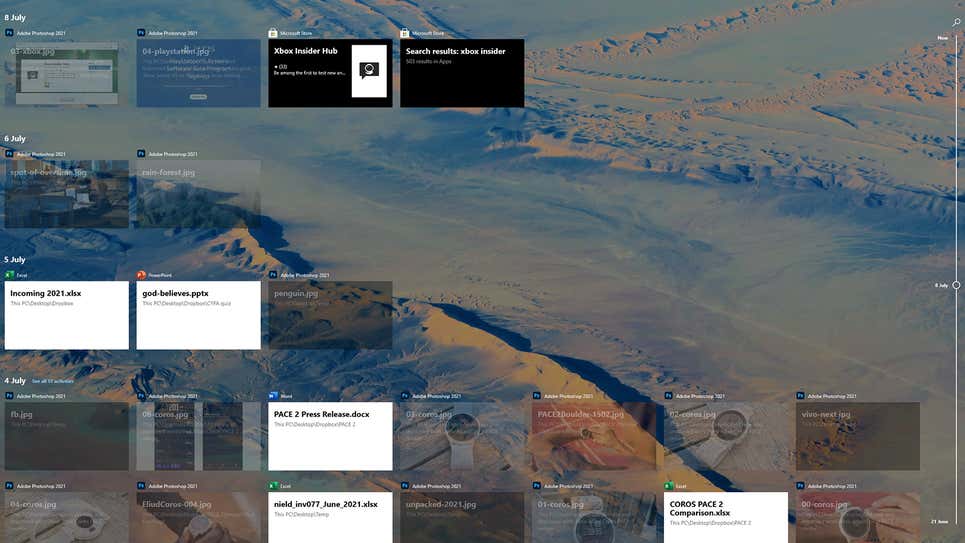
Perhaps you’ve never used Timeline, which is one of the reasons it’s being phased out in Windows 11. The function allows you to sync your activity over the previous 30 days across different Windows PCs (files you’ve opened, websites you’ve visited, and so on), making it quicker to switch between devices registered in with the same Microsoft account.

Timeline will not be available on Windows 11. Screenshot: Windows 10

Live Tiles

The Live Tiles feature on the Windows 10 Start menu, which allows different bits of information to be presented and updated in real time, was not well received by developers. You’d be correct if you thought that sounded a lot like widgets. However, with Windows 11, Microsoft will attempt to bring back desktop widgets, so let’s hope they perform better than Live Tiles.

Start Menu Groups 

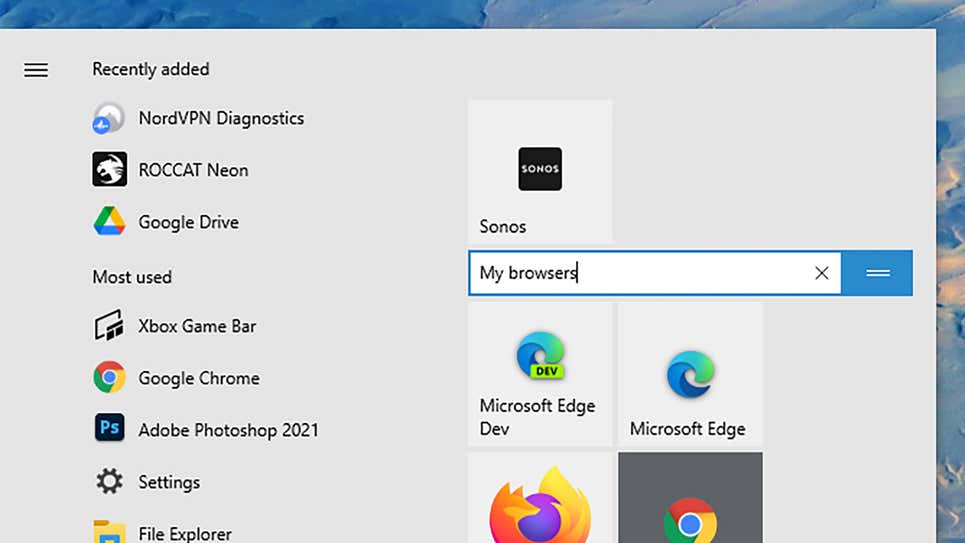
Another feature borrowed from the Start menu is the ability for users to organise and name tiles in categories like as productivity, writing, gaming, and so on. The Start menu’s layout will also not be resizable, implying that Microsoft intends to make the Start menu experience the same for everyone (as well as move it into the centre of the screen).

In Windows 11, tile grouping and naming are no longer available in the Start menu. Screenshot:Windows 10

Internet Explorer

What exactly is it? Didn’t you think it was already dead? It’s still available in Windows 10 if you look hard enough, but in Windows 11, all traces of Internet Explorer will be gone, and Microsoft Edge will take its place. Use the IE mode in Edge for those really, very ancient legacy programmes and sites you still require access to for whatever reason.

Cortana

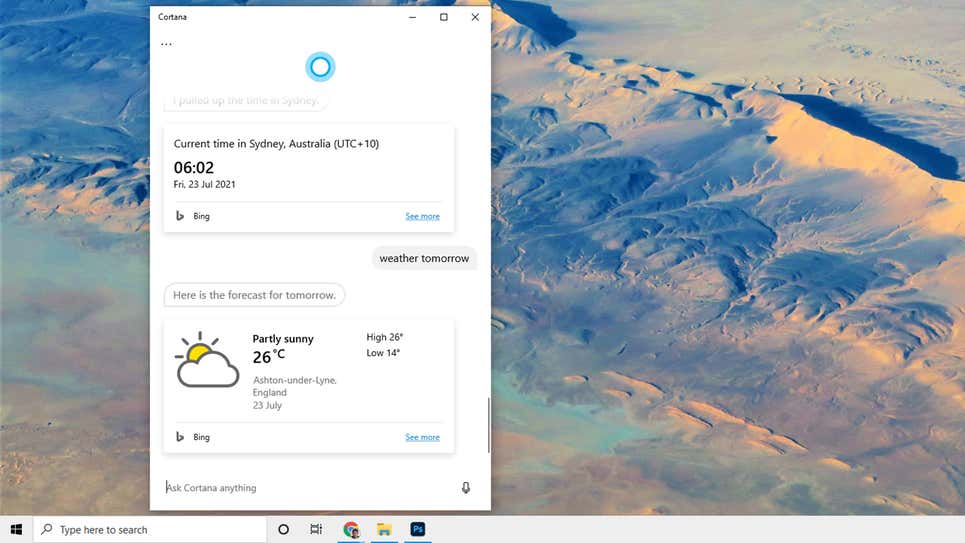
Although Microsoft’s digital assistant will not be completely removed from Windows 11, it will be removed from the setup process and will no longer be pinned to the taskbar. It’s unclear what Microsoft has planned for Cortana, but based on the capabilities introduced to it in the previous year or so, it may be recast as a business tool.

In Windows 11, Cortana will be less prominent. Screenshot: Windows 10

Skype

Skype will continue to be available in Windows 11, but it will not be included as an integral member as it is in Windows 10. That’s because Microsoft has shifted its attention to Teams as a solution for all of your communication requirements, including video, so expect a lot of tight Teams connections in the final Windows 11 experience.

Tablet Mode

Although Windows 10 works well on tablets like the Surface Pro as well as complete desktop and laptop computers, Windows 11 will not have a specific mode for tablet devices. Rather, this functionality will be redesigned, with part of it occurring automatically (like when you attach or detach a Bluetooth keyboard, for example).

Taskbar Location

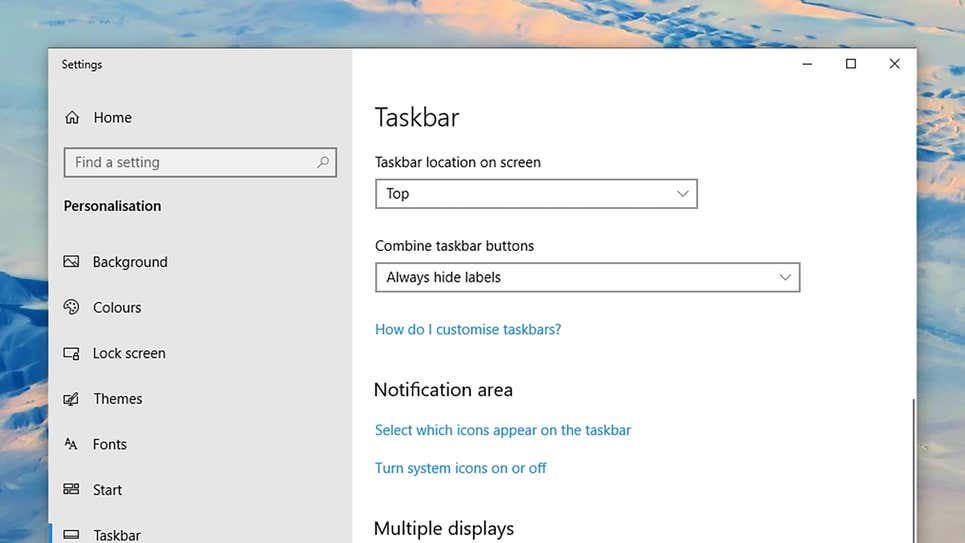
In terms of removing customizations, the taskbar in Windows 11 can only be found at the bottom of the screen. You may not have known it, but Windows 10 allows you to move the taskbar to the left, right, or even to the top of the screen. You’re out of luck if you enjoy tinkering with your operating system.

You may move the taskbar in Windows 10 if you haven’t noticed. Screenshot: Windows 10

Quick Status

Applications in Windows 10 can leave little blocks of information on the lock screen to remind you of incoming emails, impending calendar appointments, and so on. When Windows 11 ships, this feature, known as Quick Status, will be unavailable to applications, however widgets (see above) may be able to fill the void.

Windows S Mode

This is another feature that isn’t going away altogether, although you’ll see it less frequently: S Mode, which improves speed and security by only allowing programmes from the official Microsoft Store to be installed, will only be available in Windows 11 Home version. S Mode is now available for Windows 10 Home and Windows 10 Pro.

Why did Windows Phone fail?

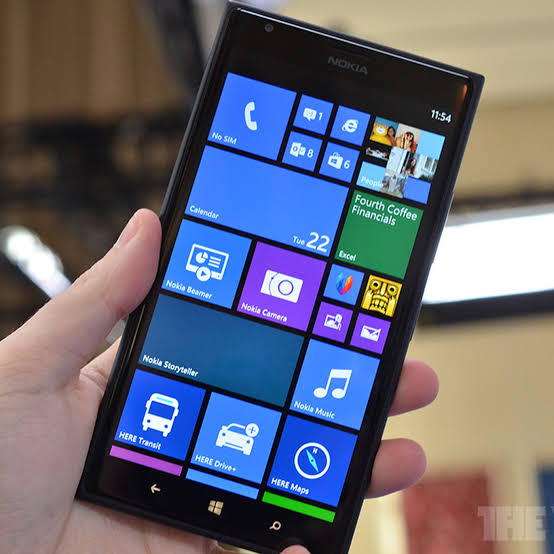
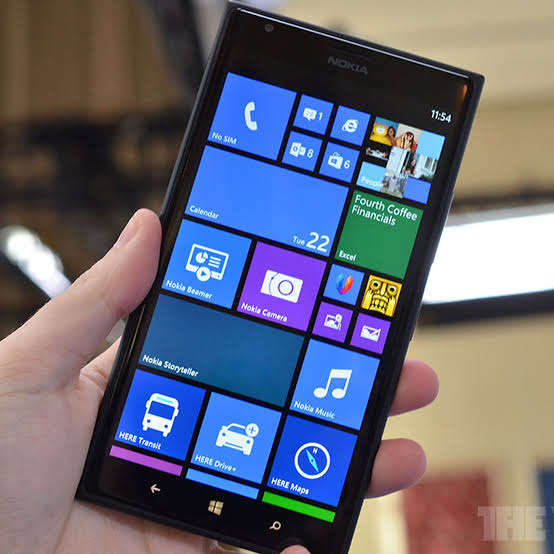
We all remember the time when Nokia made a deal with Microsoft to launch the Windows OS phones. And we also know some reasons why Windows Phones failed, which include; lack of accessibility to some useful Apps, partners like Samsung not launching Windows Phone, Microsoft’s approach to licensing Windows Phone, and the company’s failure to attract developers. 

A former Nokia engineer shared some reasons behind the failure of Windows Phone on Reddit. He joined Nokia after the 2011 deal with Microsoft to put windows 7 on all its smartphones. And he also worked with the Nokia X project. 

He believes that Microsoft’s failure to launch Android was the company’s biggest regret. Also, Microsoft underestimated Google and its services like G-mail, Google Maps, etc. Which ended up in 2012 when Google stopped funding efforts to make Apps for Windows Phone 8 and Windows 8. 

He wrote, “Obviously Apple was red hot and Microsoft knew that, but Google was new to the OS business and they weren’t taken seriously enough. Android was pretty rough then, but the real value was Google’s services; when Google cut Microsoft off of YouTube, Maps, Gmail, etc, it made WP look cheap.”

The second reason mentioned was with ‘botched Windows 8’ and with the disgrace over ‘Microsoft metro interface’. Metro interface worked great with Windows 7 touch screen devices but it didn’t come out that great when Microsoft put it on the desktop in Windows 8. 

The former employee wrote, “Before Windows 8, WP had a lot of people’s curiosity. After Windows 8, people associated the two together as bad products even though the teams then were pretty independent, and things done poorly on Windows 8 were not reflective of how the experience was on WP. Even with Windows 10, the stigma against Metro never recovered.”

He argues that as a leading tech company Microsoft still has a bad reputation due to its actions over the past decade. “At the time it was still horrible and it meant that the young guys who grew up hating Microsoft were making the big startups for other platforms,” the engineer said. He also said, “For all the negatives on the consumer side, coding for WP was always better than Android.”

 After the harsh failure of Windows Phone, it was not possible to get the company back with more Windows Phone. By the year 2014, Android and iOS were blooming in the market, and no matter what Microsoft did to improve their Windows Phone there was no vital reason to switch. It was then when they decided to launch a secret work project “Nokia X”, the first android phone launched by Nokia. 

Video Game crash of 1983

In 1983 the video games industry was hit with a recession that almost ended the existence of video games of that time period. This period lasted for almost two years from 1983 to 1985. Many people and journalists who were critical were calling video gaming a fad. Numerous companies went bankrupt or stopped making video games entirely. This recession is known as the Great North American Video Game Crash or Atari Shock (Primarily in Japan).

Video games in the 1970s were dominated by arcade machines and by the end of the decade home game consoles were also getting popular. With the start of the 1980s, the video gaming industry witnessed a boom with numerous companies like Mattel, Atari, and Coleco dominating the market. The early 80s was a time of innovation and growth in the video game industry but there was instability in the industry as well. This was a time period when video games were becoming more mainstream and popular. Many new players entered the market ranging from industries to small developers that had no association or prior experience in game development in general.

Pacman was a big hit in the early 80s and it was not of the most popular video games in the arcades. Its successor Miss. Pacman improved on the formula and was a success as well. After the success of Pacman in the arcades, Atari wanted to replicate the success in the home game consoles. But with the limited constraints with the memory and short development period, the game was not well received by the consumers and critics alike. In 1982 Atari also brought the license to release the video game of the movie for 21 million. The game was developed in a time period of only 5 weeks. The game was negatively received and only 1 million copies of the game were sold off the 5 million manufactured. Many of the sales were also returned to the retailers furthering the damage. During this period video games were being published by small developers with very poor quality and many big developers were producing games that were more of a marketing token than the game. There were many clones of the same games with little to no redeeming quality and replayability. There were also numerous consoles unlike today with too many options that were no different from one another. With the abundance of supply and low sales of games, retailers started to remove stocks of video games and this led to the shrinking of the industry. Atari had lost $500 Million in 1983 and had to cut its workforce from 10,000 employees to just 400 employees.

During the 1980s there was a boom in the Personal Computers market as well. The PCs were much more powerful than consoles and they could play games and do many tasks like word processing and spreadsheets. The PC industry was unaffected by this low point of video game consoles.

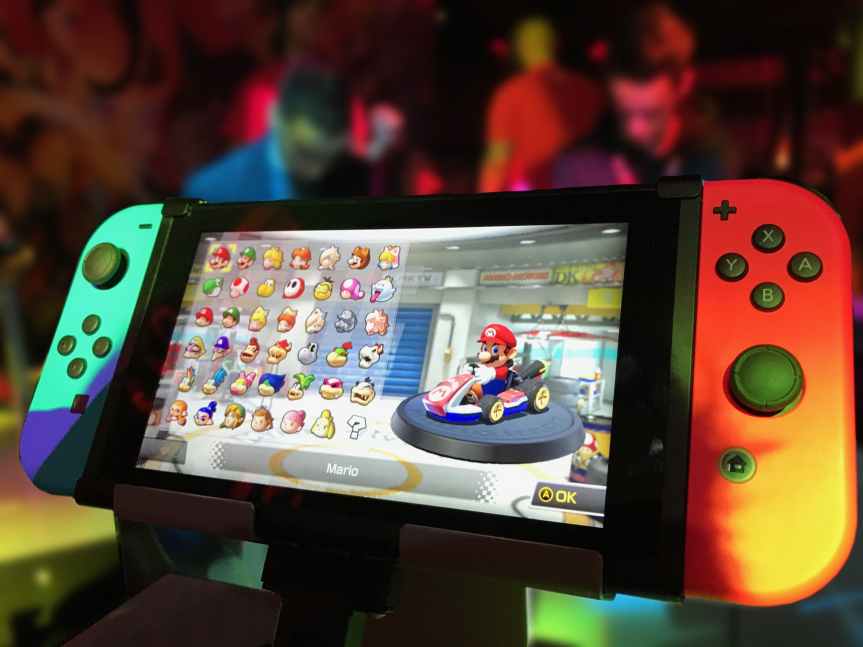
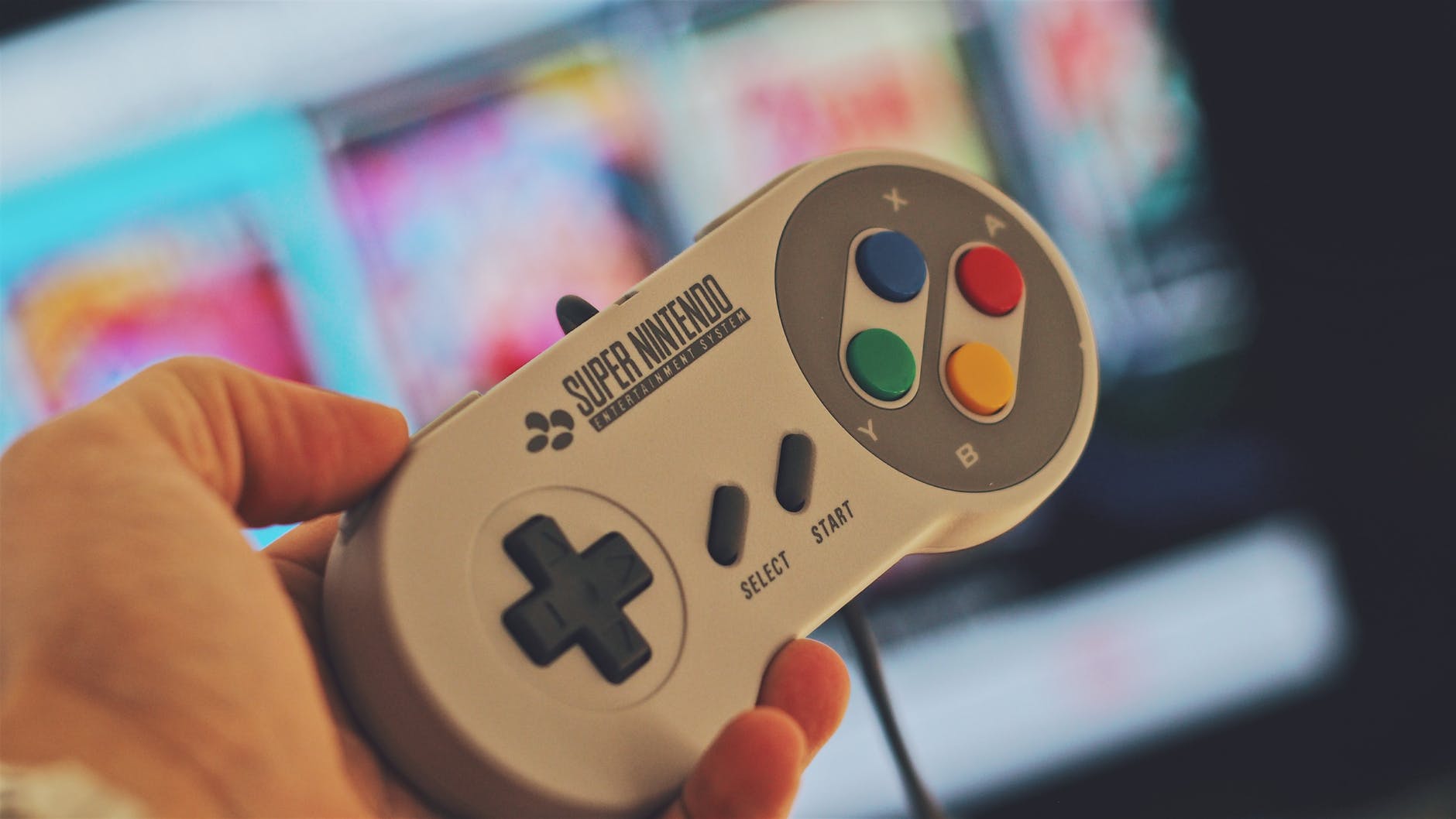
In 1985 Nintendo Corporation launched the Nintendo Entertainment systems in North America and Nintendo ensured that only a limited number of games to be released under their license agreement. This ensured a certain threshold of quality for the games that were released for the system and Nintendo emerged out of the survivor from the video game crash. The Nintendo Corporation started to dominate the video game industry with an assurance of quality that was unmatched by any other corporation at that time. Many other entrants like SEGA also emerged after the crash. Nintendo with its approach and license and quality assurance of video games has left a big impact on the industry to this date. Video games industry has only grown since then and also overtaken other source of entertainment. Nintendo can be credited to provide the industry a trajectory that was severely needed after the crash of 83.

References:

Right to repair

Right to repair is a proposed legislation/movement that allows consumers the ability to modify and repair their own electronic devices.  

Planned obsolescence is the practice when goods are manufactured with a pre-determined expiry date aimed at forcing consumers into repeat purchases. The term was first termed in the 1950s by American industrial designer Brooks Stevens. This practice was introduced in the advent of mass-produced manufacturing at the start of the 20th century. But the practice was not as severe and prevalent as it is in recent years. One of the recent changes in the product design has been to make the goods very hard for end consumers to repair.

For instance smartphones, a couple of years back had a user-replaceable battery but with more features crammed into the chassis of a phone. Manufacturers have not only made it unnecessarily difficult to replace the battery but also to even open the panels of smartphones. With the recent MacBook Pro releases, Apple has soldered the SSD (Solid State Drive) on the motherboard. The reasoning for justifying the soldering by Apple is better reliability and the thinness of the laptops. But there is also another aspect. Apple’s business model is about selling laptops and not upgrading the systems. Upgrading an SSD can be a potential loss for them and to counter that Apple might have decided to make the laptop non-upgradable. The problem is that even SSDs are definitely much more reliable than mechanical hard disks but SSDs still fail and combining them with the motherboard means that if one of the two fails, the whole system fails. This also makes it much more difficult for end-user to repair their laptop. It also becomes a problem for the third-party repair business to access the repairing of these devices. This is just one of the instances of how access to repair is being restricted by the manufacturers but various companies are attempting to follow similar practices with varying degrees.          

With the introduction of newer and sophisticated technological components in electronic devices, it has become much more complicated to operate these modern devices. To reduce the access to repair these devices, manufacturers state that repairing the devices might violate their “Proprietary” rights. These repair limitations are a critical problem for not just the first owners but also for the second-hand/ used market. Due to proprietary information and diagnostics tools while evaluating a device. It has become difficult for third parties and end-user to even attempt the repair their own devices that they own. It took Apple the lawsuit to introduce the battery replacement program after the fiasco of the performance throttling issue on older iPhones. It clearly indicates that companies do not like it when consumers try to fix their products and companies deliberately try to reduce the user experience of older devices so that they can sell the newer models to maximize profits. With a monopoly on repair manufacturer’s intent is to lock down the user to the official service centers which can be significantly expensive than third-party service shops.

The right to repair movement intends to enact power into the consumer’s hands for the devices that they own. This means that consumers can open and modify everything they own. Also to root, unlock or jailbreak the software in their devices.

References:

WINDOWS XP

Windows XP is still going strong

Windows XP is a line of proprietary operating system which was developed by Microsoft and is meant to be used for general purpose computers , such as home computers and business desktops , notebook computers and various types of media centres . Windows XP succeeds Windows 2000 and Windows ME , and is the first consumer – oriented operating system produced by Microsoft to be built on the Windows NT kernel and architecture . The most popular operating systems versions are Windows XP Home Edition , which is primarily meant for home users , and Windows XP Professional , which boasts additional features , such as support for Windows Server domains and dual processors , and is meant for professionals and other experts . Windows XP Media Centre Edition has additional multimedia features . Windows XP has an edge over the earlier versions of Microsoft Windows because of enhanced efficiency and better stability .

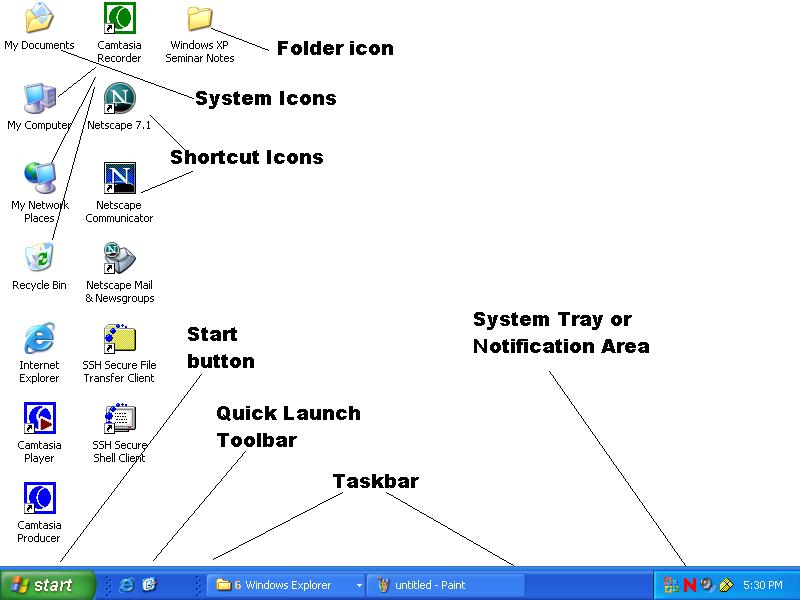
Windows XP helps you access and manage your files on the pc using a Graphical _User Interface GUI . All Programs and files stored on the PC are represented as pictures that are called icons . These icons are stored on the desktop .

Components of Windows XP

Windows XP

The Windows XP user interface consists of various components and concepts that help make Windows XP user friendly and intuitive . Some of the important components are :-

  1. Desktop
  2. Start Menu
  3. Taskbar
  4. Icons
  5. Recycle Bin
  6. Windows
  7. Applications
  8. Folders
  9. Files
  10. Control Panels

[GUIDE] How to install the Windows 11 Insider Build.

At a virtual event on 24 June 2021, Microsoft unveiled “the next generation of Windows”, Windows 11. It is the successor of the Windows 10 May 2021 update (also known as version 21H1), and it came out with big improvements and key features like:-

  • A new, more Mac-like interface.
  • Integrated Android apps.
  • Microsoft Teams integration.
  • Widgets.
  • Snap Groups and better multitasking.

Today I am going to show you how to install the Insider Build of Windows 11, but before check out the minimum system requirments to run Windows 11 on Microsoft’s official website.

Before Installing

Back up any file that you would deem essential somewhere safe (e.g USB drive, Cloud storage, etc…). Download the ISO then get a USB drive minimum of 8GB or more and create a bootable USB drive. Next, go into the BIOS and follow these steps:-

Enable TPM-

If INTEL, you need to enable PTT (TPM)

BIOS> Security> Intel Platform Trust Technology> Enable> Save and Exit.

IF AMD, You need to enable fTPM (TPM)

BIOS> Advanced> CPU Configuration> AMD fTPM Switch> Enable> Save and Exit.

Disable Compatiblity Support Module (CSM) and turn Secure Boot OFF (on few motherboard).

NOTE- TPM 2.0 is required but in some cases, it ran in TPM 1.2. Make sure to check your TPM version and enter BIOS and enable your TPM settings.

Steps for installing Windows

  1. ISO method

Connect your bootable USB and turn on your PC, press F8 (or ESC, F1, F11 depending on your motherboard) to go into the boot menu select your USB drive and it’ll take you to WIndows installation.

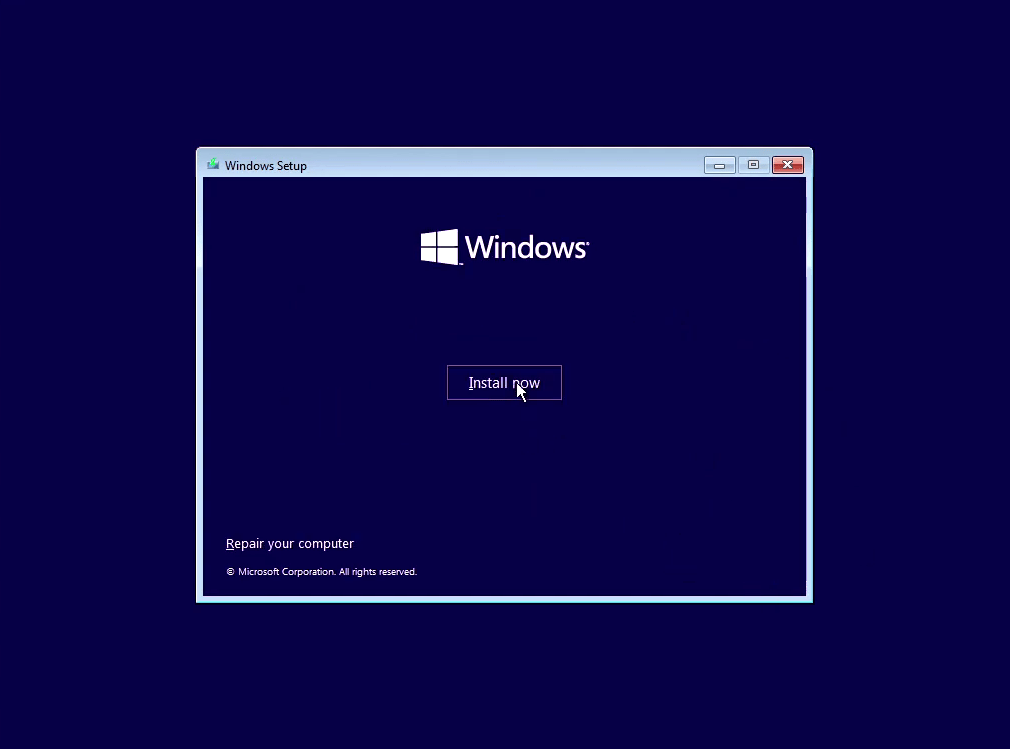
Click on “Install now”
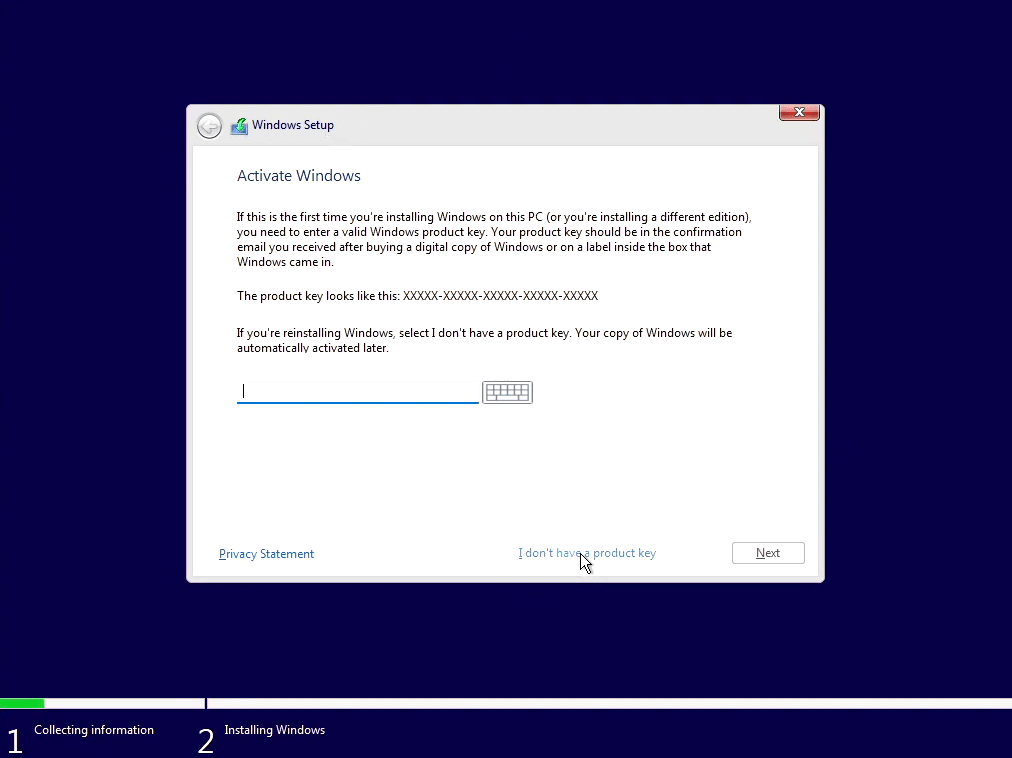
Click on “I don’t have a product key”
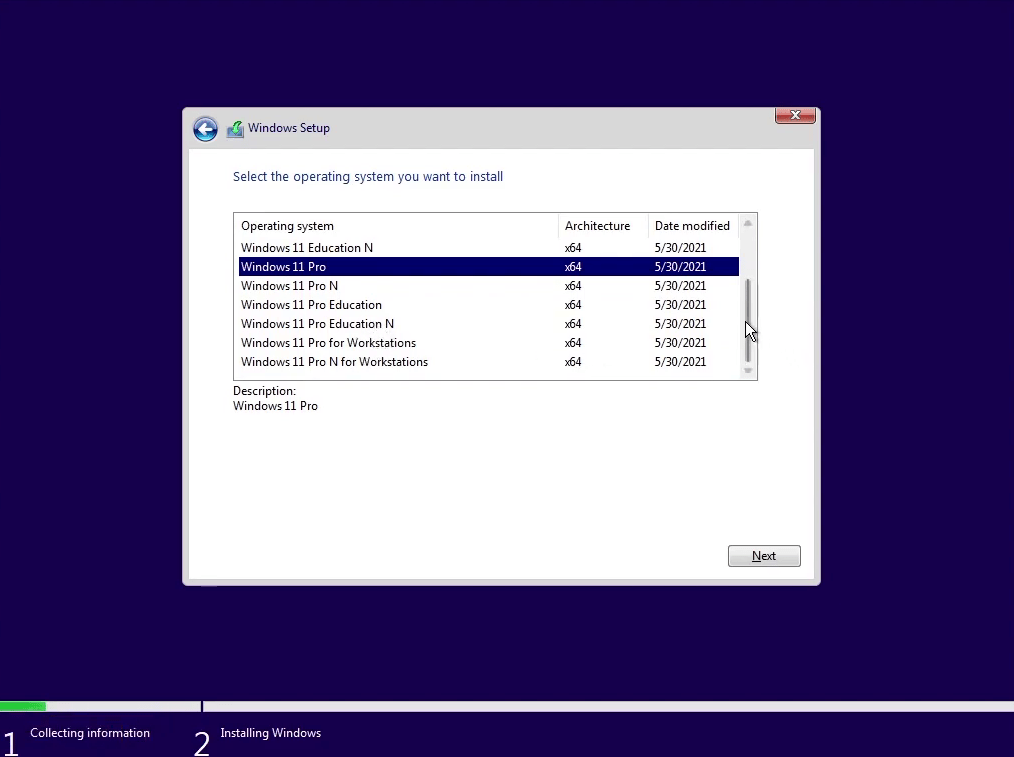
Select the edition of Windows you would like to install and click Next and Click on “I agree on terms and condition” and again click Next.
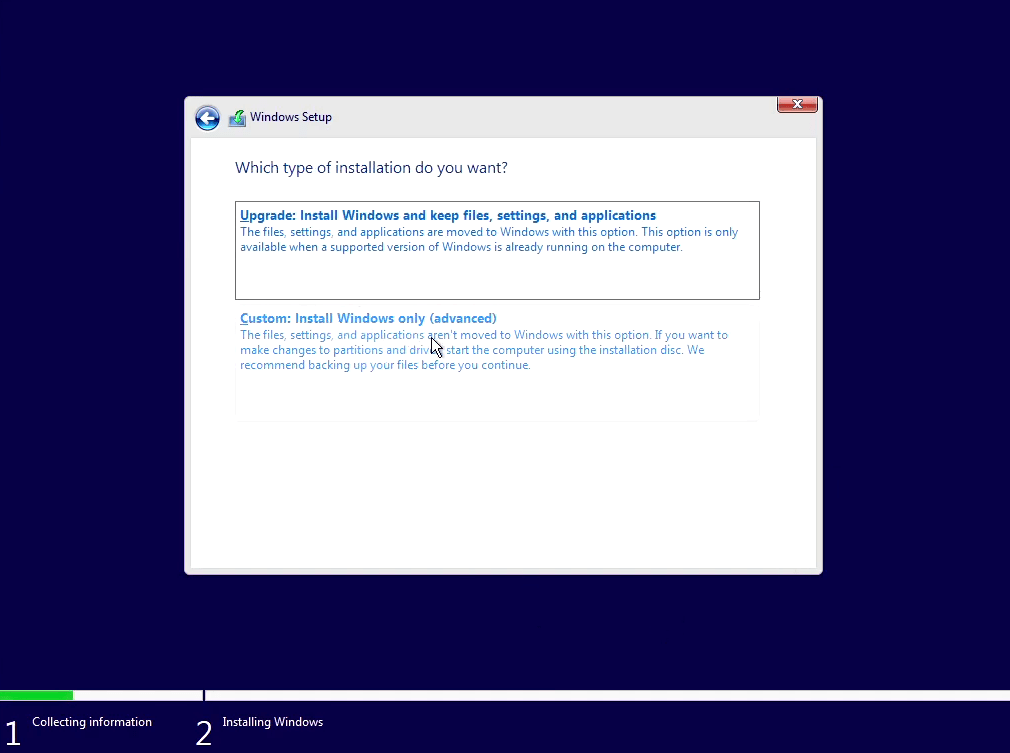
Now, click on “Custon: Install Windows Only (advanced)”.
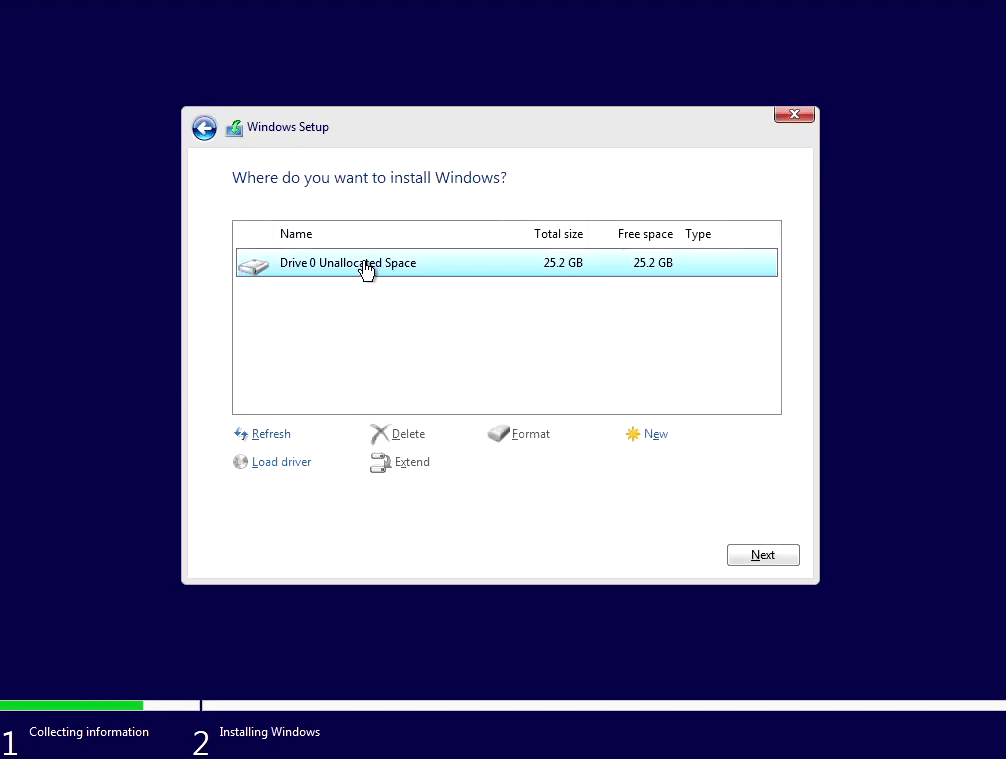
Click on “New” to make new partiton or select the partition you want and click on “Next”.
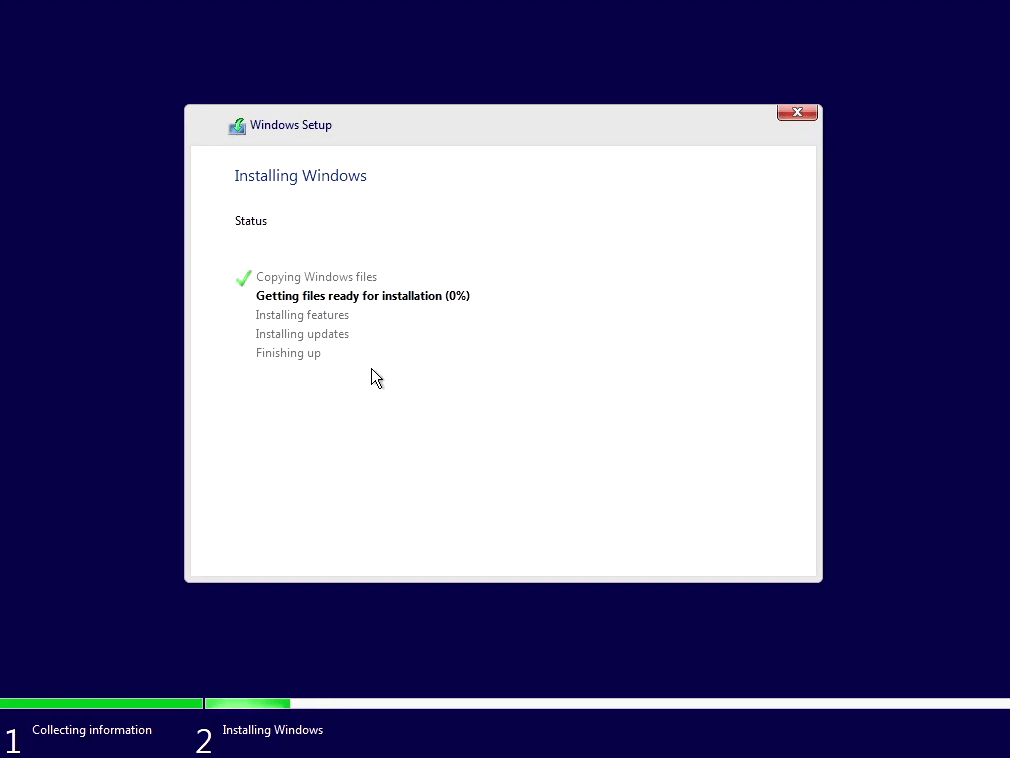
Now, wait for the installation to complete (don’t turn your PC off during the process). It will “Restart” several times and will come to the Setup screen.
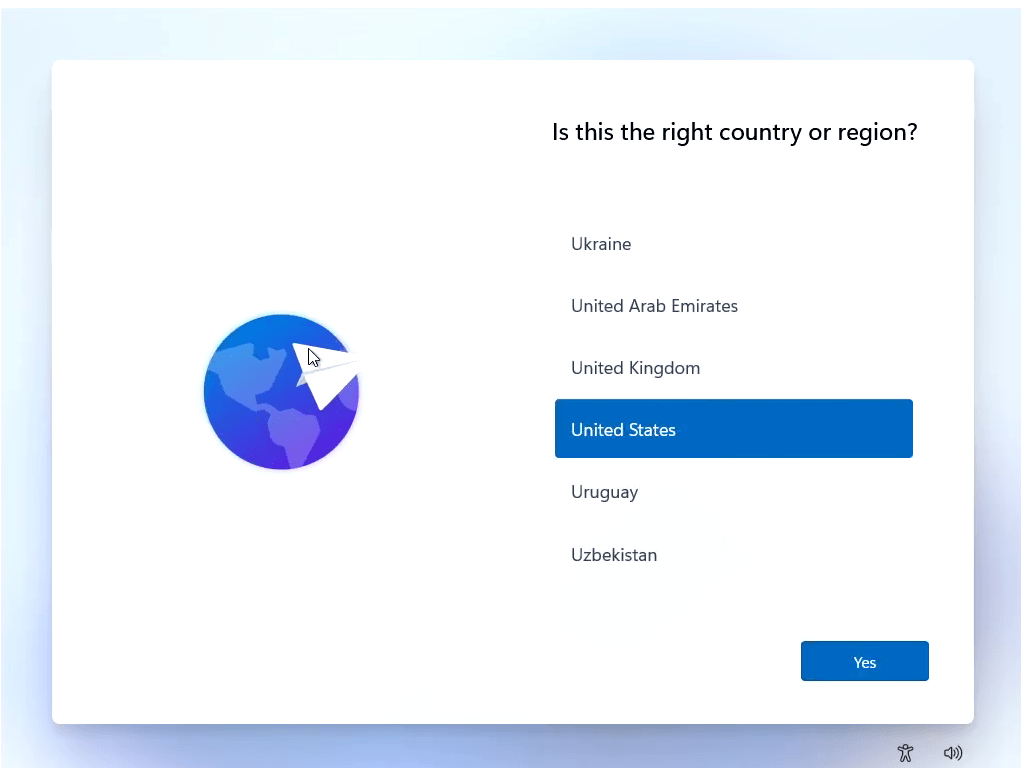
Now Select your Region, Time and Date, Username, Password, Preference, and complete the setup.
Windows 11 Insider build

After completing the setup you’re good to go. Enjoy the latest Windows on your PC.

Post installation tweaks

  • Install drivers related to your PC.
  • Join the Windows Insider Program via Settings > Windows Update > Windows Insider Program.
  • Check for Windows Update.

2. Upgrade Method

Installing windows 11 via the Windows Insider development ring:

  • Go to Settings > Privacy > Diagnostics & feedback and check that option instead of “Basic” to “Full”.
  • Now to join the Insider Program, go into Settings > Update & Security > Windows Insider Program and click on “Get Started”, then follow the prompt and select “Pick your Insider settings” and choose “Dev Channel”, now click confirm and reboot you PC.
  • Now check for Windows Update and install “Windows 11 Insider Preview 10.0.22000.51 (co_release)”
  • Follow the Post Installation Tweaks and you’re good to go.

WARNING! As this is the Insider Build it can contain some bugs and cons and may not be ideal for a daily driver for many users.

All About Windows 11

On 24th June 2021, the much awaited Windows 11 was launched by Microsoft. Microsoft launched there next generation of windows after 6 years. In this blog, we are going to discuss the features of Windows 11, Who can all upgrade to Windows 11? Hardware requirements for windows 11 upgrade. Here starts the blog

FEATURES OF WINDOWS 11

Android apps

You can easily download android apps in Windows 11. All the android apps are stored in New Microsoft store via Amazon’s app store. There are nearly 5,00,000 apps available in Amazon app store, including Netflix, Pinterest, Uber, Disney plus. All you need to create a amazon app store account. There are many free and paid apps are available in it. Every app in the google play store is not available in the amazon app store.

Microsoft Teams

Windows 11 has an inbuilt Microsoft video chat teams platforms. Making it easier for the users to access. With this, you can easily chat and talk to your friends in your contacts. You can also connect with your friends who uses Other windows, Mac, Linux and android. You can teams in your windows 11.

GIVES YOU BEST EXPERIENCE FOR GAMING

If you are a gamer, then window 11 is for you. Millions of people daily play games in windows. Windows 11 will give you the best experience ever, it supports all pc games, you can play games with high graphics. Windows 11 level unlocks the potential of the system’s hardware. With Xbox game pass now, gamers can get access to 100 plus newly added games.

NEW INTERFACE

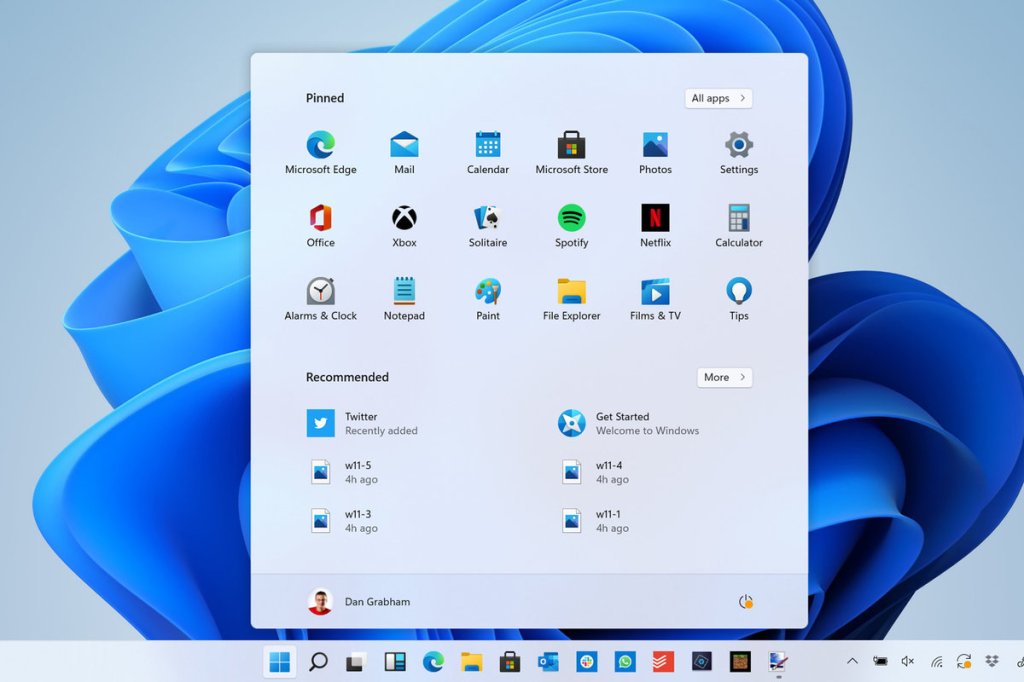
Windows 11 has a clean, shadow and round cornered interface with a redesigned start menu which eliminates the tiles on the right side of the screen.

NEW SECURITY FEATURES IN WINDOWS 11

  1. Trusted Platform Module A TPM is one of the most prominent feature in windows 11. TPM is a chip that secures the confidential data like user credentials, passwords, keys etc. This helps you to protect your data from any other hackers or some malware.
  2. No passwords for Windows 11 Are you confused right, but it is true. Now windows 11 is using strong authentication methods like face lock, fingerprints and biometrics making the window 11 very secure.
  3. Secured core pcs Now there is a double layer protection for your pc. They are twice more resistant to the malware and viruses.

BETTER VIRTUAL DESKTOP SUPPORT

Now, Windows 11 will support virtual desktop set up just like MacOS.

EASIER TRANSITION FROM MONITOR TO LAPTOP

The new OS include features like Snap Groups and Snap Layout, Collection of apps that you are using available at taskbar. You can easily switch and minimized the apps just like the macOS. They can also let you unplug and plug easily from the monitor without losing them.

WHO CAN ALL UPGRADE TO WINDOWS 11?

Microsoft is now making Window 11 available free upgrade to all windows 10, windows 7, windows 8 and windows 8.1.

HARDWARE REQUIREMENTS FOR WINDOW 11 UPGRADE

  1. RAM: 4GB or greater.
  2. Storage: 64 bits or greater storage to install windows 11.
  3. Processor: 1 Gigahertz(GHz).
  4. Graphic cards: DirectX 12 with WDDM`2.0 driver.
  5. System firmware: UEFI, Secure Boot capable.
  6. Display: high definition(720p) display, 8 bits per color channel.

I hope you like this blog, if you like it kindly like and rate it. It really gives me motivation. Thank You.

Windows 11 and What holds for microsoft in 2021 and beyond

Microsoft will hold the Windows event dubbed as ‘what’s next of windows’ on Thursday, June 24. After the alleged leak of Windows 11 developer build on the internet, it begs the question, what is Microsoft going to reveal on June 24? Because if rumors are true, Microsoft will officially announce Windows 11 to be the successor of windows.

WHAT ABOUT WINDOWS 10?

Many were surprised after hearing about the news of a Windows event. Apparently, in 2015 one of the Microsoft senior spokespeople told that Windows 10 would be the last version of windows. Many assumed that Microsoft will continuously update windows as a service. But this doesn’t seem to be true anymore. It’s hard to believe but windows 10 is almost 7 years old now. Windows 10 has seen major overhauls and many major updates throughout its lifespan. But this has been proven as a double-edged sword for Microsoft since its launch in 2015. Microsoft has also updated the end of support date for Windows 10 to June 2015 which confirms that Windows 10 is not the last version of Windows after all. After Microsoft disbanded its in-house testing team in favor of the Windows 10 update service where users participate in the testing phase (Windows insider program). This new method of update delivery has been problematic and many users’ Windows PCs were marred with bugs and broken functionalities. It seems that updating Windows operating system is not as easy as Android, Mac OS, or iOS. The legacy platforms and enterprise business that Microsoft has to support have always kept Windows progress at a snail’s pace. Microsoft cannot radically change the interface or remove its functionalities as many legacy software still relies on those functionalities. The leak version has the start button in the middle of the taskbar and it looks more like the Mac OS taskbar now. Thankfully it can also be changed back to the left corner like the previous versions. There is also a separate search button and new icons and it looks like that Windows is leaving behind the flat design language.

WHAT TO EXPECT FROM WINDOWS 11?

The leaked build of Windows is not drastically different from the current version of Windows 10 but many experts believe that the leaked version is most probably the UX team build and there will be a lot more than Microsoft will unveil in the event. The leak was indirectly acknowledged by Microsoft and indicated that ‘This is just the start. There is a possibility that the Windows 11 or Windows Sun Valley or whatever they will call it, will be an incremental update and Windows 10 users could update free of charge. But we cannot be sure as of yet until the official event.

Satya Nadella and Panos Panay will be present at the event to unveil Windows 11 features and capabilities on Thursday. The Microsoft store could also get an overhaul and there is also a good probability of support for ARM processors and the support for upcoming Intel’s new Big little architecture. There will be an overhaul in the the system sounds and UI and new animations. All these are still speculations and we will have to wait will the official announcement by Microsoft themselves.

Microsoft is in Talks to Acquire TikTok, as Trump to demand TikTok Chinese owner divest application

Microsoft is in advanced talks to acquire the United States operations of the Chinese owned video app TikTok, according to people with knowledge of the discussions, in a deal that would be a concession to White House pressure and make the software giant a major player in social media.

A sale to Microsoft, likely for billions of dollars, would be a win for both TikTok and its parent company, Bytedance Ltd., where executives had feared that the U.S. government would force device makers to take TikTok out of their app stores, according to another person familiar with the matter.

As U.S. president, Trump previously has issued three orders stopping M&A deals involving foreign parties, through the inter-agency Committee on Foreign Investment in the United States.

A deal could be completed by Monday, according to people familiar with the matter. The talks involve representatives from Microsoft, Bytedance and the White House. Talks are fluid, and a deal may not come together.

In a statement to Media, a TikTok representative said: “While we do not comment on rumors or speculation, we are confident in the long-term success of TikTok. Hundreds of millions of people come to TikTok for entertainment and connection, including our community of creators and artists who are building livelihoods from the platform. We’re motivated by their passion and creativity, and committed to protecting their privacy and safety as we continue working to bring joy to families and meaningful careers to those who create on our platform.”

A group of ByteDance investors including Sequoia and General Atlantic, who want to acquire control of TikTok amid the concerns over its Chinese ownership, have valued TikTok at about $50 billion,

Source- Reuters, Wall Street Journal, CGTN